Captions AI is the better pick if you shoot talking-head videos on your phone and want AI to handle the edit, captions, B-roll, eye-contact correction, even AI avatars, in one mobile-first app. Opus Clip is the better pick if you already record long-form content (podcasts, webinars, YouTube videos) and need it auto-clipped into dozens of shorts with a virality score and a scheduler. They solve different problems. Many creators use both.
Quick comparison
| Captions AI | Opus Clip | |
|---|---|---|
| Core job | Create and edit talking-head videos from scratch | Repurpose long videos into viral shorts |
| Free plan | Basic editing, 1 caption template, no AI credits | 60 credits/month (60 min), watermarked, no editor, clips expire in 3 days |
| Entry paid plan | Basic, $9.99/mo, 200 credits | Starter, $15/mo, 150 credits |
| Main paid plan | Max, $24.99/mo, 500 credits | Pro, $29/mo ($14.50/mo annually), 300 credits |
| Credit model | Credits spent per AI feature (AI Edit ≈ 10–40 credits) | 1 credit = 1 minute of source video uploaded |
| Platforms | iOS, Android (Lite), web, Mac | Web only |
| Best for | Founders, coaches, creators filming themselves | Podcasters, agencies, marketers with long-form libraries |
| Missing | No long-to-short pipeline, no virality score, no scheduler | No from-scratch creation, no AI avatars, no eye-contact fix, no mobile app |
Prices as of October 2026. Both offer annual discounts on higher tiers.
Captions AI

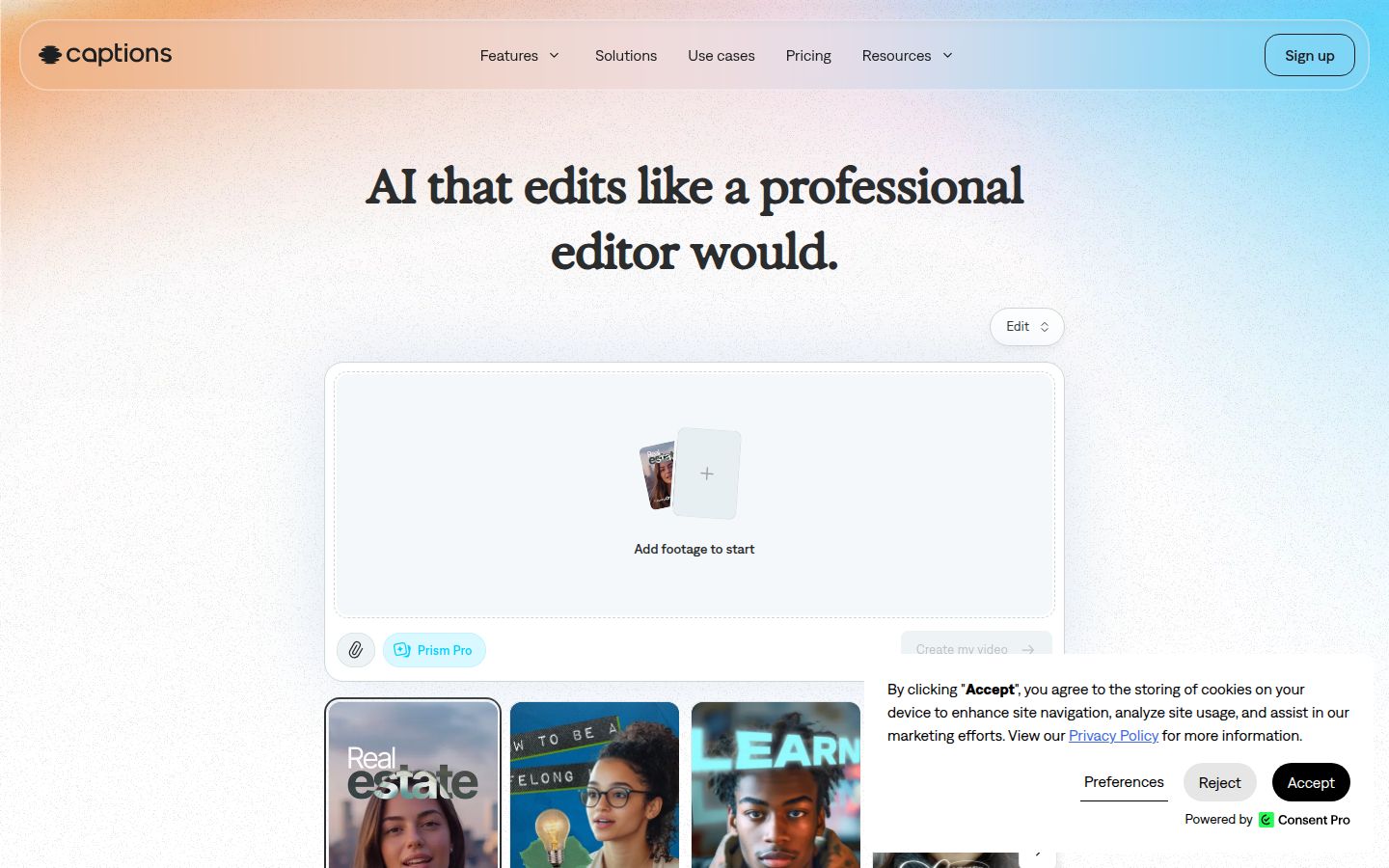
Captions AI (built by the company now called Mirage) started as an iPhone app for auto-captions and grew into a full short-form studio. Its signature feature is AI Edit: pick a style (Paper II, Vinyl II, Prism Pro, and 20+ others) and the app cuts your raw footage, adds B-roll, music, transitions, zooms, and animated captions in one pass. You can then chat to the editor, "make the intro faster," "swap the B-roll at 0:12", and it rewrites the timeline.
The Max plan ($24.99/mo, 500 credits) unlocks the features most creators come for: AI Edit, AI Twin (a digital avatar of you), custom AI actors, chat-based editing, 100+ caption templates, and the ability to turn a long video into a batch of clips. The Basic plan ($9.99/mo, 200 credits) removes watermarks and gives you project creation and exports, but it does not include AI Edit, AI Twin, Lipdub, or dubbing, those are Max-only.
Captions shines for talking-head creators who want to shoot on a phone and walk away with a finished video. Eye-contact correction (iOS only), filler-word removal, noise cleanup, and dubbing into 31 languages with lip-sync are all built in. The caption engine supports 100+ languages with word-by-word animation, keyframes, and per-word styling.
Limits that matter: The free plan has zero AI credits, it's a demo for manual editing only. Credits don't roll over on Basic or Max (Frontier tiers add rollover). AI Edit burns 10–40 credits per video, so 500 credits at Max means roughly 12–50 edited videos a month depending on complexity. No long-to-short clipping pipeline, no virality scoring, no social scheduler. Web app is functional but the iOS app gets features first.
Opus Clip

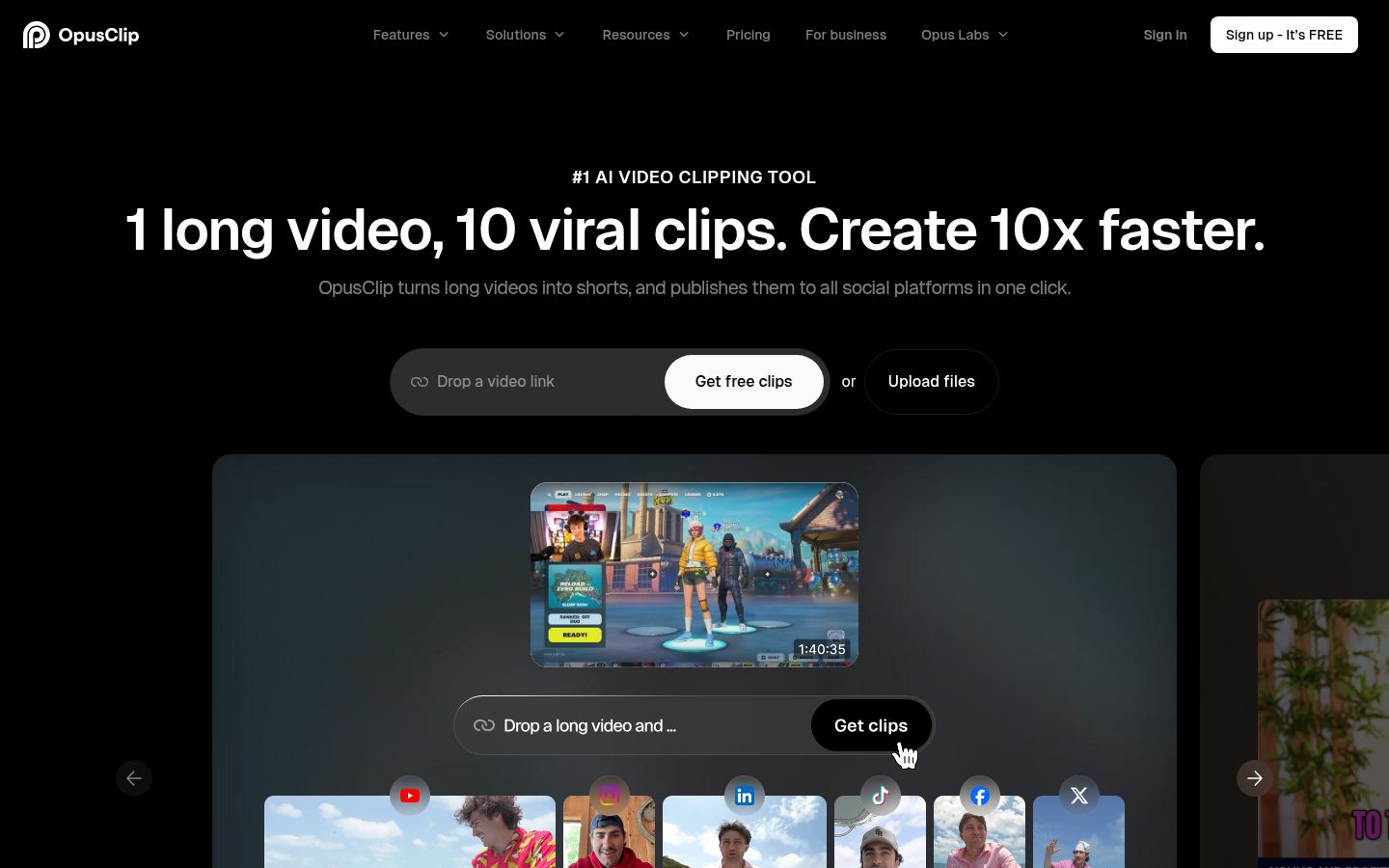
Opus Clip does one thing exceptionally well: it takes a 60-minute podcast, webinar, or YouTube video and turns it into 10–20 vertical clips ranked by a virality score. Its ClipAnything model reads visual, audio, and sentiment cues, not just speech, so it works on vlogs, gaming, sports, and explainers, not just talking heads.
The free plan gives you 60 credits a month (1 credit = 1 minute of source video). That's 60 minutes of upload, but exports are watermarked, capped at 1080p, and clips stop being exportable after 3 days. No editor access.
Starter ($15/mo, 150 credits) removes the watermark, unlocks the editor, adds the virality score, and lets you auto-post to YouTube Shorts, TikTok, and Reels. Pro ($29/mo or $14.50/mo billed annually, 300 credits) adds AI B-roll (50 AI image clips/day + unlimited stock), the social scheduler, multiple aspect ratios (9:16, 1:1, 16:9), custom fonts, speech enhancement, video dubbing, Premiere Pro/DaVinci XML export, and limited API access. Credits roll over for 2 months on Pro.
Opus Clip's caption engine supports 20+ languages with animated styles, emoji/keyword highlighting, and per-clip customization. The editor lets you trim boundaries, adjust reframe tracking, add transitions, and apply brand templates.
Limits that matter: No mobile or desktop app, web only. No from-scratch creation, no AI avatars, no eye-contact correction. The virality score is a predictor, not a guarantee. Free-plan clips expire in 3 days, which forces a workflow rhythm. Credit expiry (even with rollover) can feel like a forced-renewal mechanic. Reviewers on G2 and Capterra note occasional reframe tracking errors and caption drops on clear audio.
Editing workflow
Captions AI is built for the "record → edit → post" loop. You open the iOS app, hit record (or upload), pick an AI Edit style, and get a finished video in minutes. The chat-based editor lets you iterate in plain language. If you're a founder recording a weekly update, a coach filming a lesson, or a creator doing daily talking-head shorts, this workflow is fast and self-contained.
Opus Clip is built for the "upload → clip → select → schedule" loop. You drop a long video (or a YouTube link, Google Drive file, Zoom recording, etc.), wait for the AI to generate clips with virality scores, review the top ones, tweak captions or reframe in the editor, then schedule them across platforms. If you run a podcast, host webinars, or have a YouTube back catalog, this turns one recording session into a month of shorts.
Sycamore sits between them for talking-head creators. You upload a raw talking-head file and Magic Edit cuts silences and filler words, adds word-synced animated captions, emphasis styling, zooms, and full-screen text cutaways in one pass. You pick a style (Apollo or Hermes), review a plain-words edit where every line is tagged Normal, Emphasis, Full screen, Number, List, or Label, then export. No chat, no credit math, pricing is by minutes of video (Free: 10 min one-time; Starter: $19/mo for 3 hrs; Growth: $39/mo for 10 hrs).
Captions
Both tools do animated, word-by-word captions well. Captions AI offers 100+ languages, 100+ templates on paid plans (1 on free), keyframe control, and per-word styling, font, color, size, animation, position. You can save a look as a preset and reuse it. The transcript is word-timed, so captions stay locked to speech.
Opus Clip supports 20+ languages with animated styles, emoji and keyword highlighters, and brand-template caption presets. Customization covers font, color, size, animation, and position. The free plan includes captions but with a watermark.
Sycamore focuses on the "Hormozi-style" word-synced look out of the box. You get animated captions with emphasis styling on key lines, zoom punches, and full-screen text callouts for big moments. Every word is editable, fonts/colors/animations are customizable, and you save presets to reuse. Transcription is English only.
Pricing reality check
| Plan | Captions AI | Opus Clip |
|---|---|---|
| Free | Basic editing, 1 template, no AI credits | 60 min/mo, watermark, no editor, 3-day clip life |
| $9.99–$15/mo | Basic, $9.99/mo, 200 credits, no watermark, no AI Edit/AI Twin | Starter, $15/mo, 150 credits, editor, virality score, auto-post |
| $24.99–$29/mo | Max, $24.99/mo, 500 credits, AI Edit, AI Twin, chat editor, 100+ templates | Pro, $29/mo ($14.50/mo annually), 300 credits, AI B-roll, scheduler, 2 seats, API |
| High volume | Frontier $69.99–$279.99/mo (1,400–5,600 credits) | Business custom |
Captions AI charges per AI action. One AI Edit = ~10–40 credits. AI Twin, Lipdub, dubbing, AI B-roll generation, all spend credits. At Max (500 credits), a creator doing 15–20 AI-edited videos a month fits comfortably; heavy users hit the ceiling fast.
Opus Clip charges per minute of source video. A 45-minute podcast = 45 credits. At Pro (300 credits/mo with 2-month rollover), you can process ~6–7 hours of source footage monthly. The annual Pro at $174/yr is the value play if you're consistent.
Sycamore prices by output minutes, not credits. Starter ($19/mo) = 3 hours of finished video. Growth ($39/mo) = 10 hours. No credit math, no feature gating, Magic Edit, captions, all styles included. Free tier is 10 minutes one-time, no card.
Ease of use
Captions AI feels like a pro mobile app. The iOS experience is polished; the web editor is capable but second-class. The chat editor is a genuine differentiator, you type "add a zoom at the punchline" and it happens. Learning curve is low for the happy path; credit management adds mental overhead.
Opus Clip is a web dashboard. Upload → wait → review clips → edit → schedule. The virality score gives you a starting sort order. The editor is click-based, not chat-based. No mobile app means you're at a desktop for the review step. Teams get a workspace on Pro (2 seats) and Business (unlimited).
Sycamore is a web app that works in a phone browser. Upload → pick style → review plain-words edit → export. The edit review is a list of lines with dropdown tags (Normal, Emphasis, Full screen, etc.), no timeline, no keyframes. Creators who've used Descript or Premiere find it familiar; creators who haven't find it unintimidating.
Output quality
Captions AI produces polished, style-heavy shorts. The AI Edit styles (Paper II, Vinyl II, Prism Pro, etc.) are distinct and trend-aware. B-roll selection is sometimes generic; the chat editor lets you swap it. Eye-contact correction on iOS is impressive, it repositions gaze without warping the face. AI Twins look good for short segments but aren't indistinguishable from real footage.
Opus Clip produces clean, platform-ready clips. The reframe tracking keeps faces centered. Auto B-roll (stock + AI-generated) is relevant more often than not. Captions are accurate (~97% on English per third-party tests). The virality score correlates with retention on talking-head content; it's less reliable on vlogs and gaming.
Sycamore output is cleaner on talking-head footage because Magic Edit is specialized for that one format. Silences and filler words are cut at the word level. Emphasis styling and full-screen callouts hit the rhythm of spoken delivery. No B-roll library, no AI avatars, if you need those, you'll add them elsewhere.
Who each tool is for
Pick Captions AI if:
- You film yourself talking (founder updates, coaching tips, educational shorts) and want AI to do the edit
- You shoot on iPhone and want the best mobile experience
- You need eye-contact correction, AI avatars, or multi-language dubbing with lip-sync
- You're okay managing a credit budget and want generative AI features (AI Twin, custom actors, prompt-to-video)
Pick Opus Clip if:
- You have long-form content (podcasts, webinars, YouTube videos, livestreams) and want it chopped into shorts automatically
- You want a virality score to prioritize which clips to post
- You need a social scheduler and auto-posting to Shorts, TikTok, Reels
- You work in a team and need a shared workspace with brand templates
- You want API access for programmatic clipping
Pick Sycamore if:
- You film talking-head videos and want a single-pass edit, silences out, captions in, emphasis and zooms applied, without managing credits or chatting with an AI
- You prefer plain-words control (tag each line Normal/Emphasis/Full-screen) over a timeline or chat prompt
- You want predictable pricing by minutes ($19 for 3 hrs, $39 for 10 hrs) with no feature gates
- You don't need AI avatars, dubbing, B-roll libraries, or a scheduler, you just want the talking-head edit done well
Honest limits
Captions AI: Free plan is a demo (no AI credits). Credits don't roll over on Basic/Max. AI Edit costs add up fast. No long-to-short pipeline, no scheduler, no virality score. Web app lags iOS. Android is a reduced "Lite" version.
Opus Clip: Web only, no mobile/desktop app. No from-scratch creation, no AI avatars, no eye-contact fix. Free clips expire in 3 days. Credit expiry (even with rollover) pressures renewal. Reframe sometimes tracks the wrong subject; captions occasionally drop sentences.
Sycamore: English transcription only. No AI clipping of long videos into multiple shorts. No B-roll/stock library, no AI avatars, no AI voice/dubbing. No auto-posting or scheduling. No SRT/VTT export, no YouTube-link import. No mobile app (browser works). No team features, no API.
Which one should you pick?
If you're a founder, coach, or creator filming yourself talking, and that's the only video you make, Captions AI (Max) or Sycamore (Starter/Growth) are the right choices. Captions gives you more generative firepower (AI Twin, dubbing, chat editing) if you'll use it. Sycamore gives you a faster, credit-free path to a clean talking-head edit with emphasis styling and full-screen callouts built for spoken rhythm.
If you're a podcaster, agency, or marketer with a library of long videos, Opus Clip (Pro) is the clear winner. The virality score + scheduler + team workspace + API is a production pipeline, not just an editor.
If you do both, film talking-head shorts and repurpose a podcast, the honest answer is: get Opus Clip for the repurposing and Sycamore (or Captions Max) for the from-scratch shorts. They don't overlap much.
If budget is tight and you only need captions on videos you already edited, neither is the best value. Look at Submagic ($19/mo), CapCut (free), or Sycamore's free caption tools at sycamore.to/tools.
We built Sycamore for the talking-head creator who wants one tool that edits the raw footage, captions it beautifully, and gets out of the way. If that's you, try the free 10 minutes, no card, no credit math, just upload and see the edit.
FAQ
Can Captions AI turn a long podcast into short clips like Opus Clip?
Not really. Captions AI's Max plan includes a Clips tool for videos up to 3 hours, but it doesn't have a virality score, auto-reframe for multiple clips, or a scheduler. Opus Clip is built for that pipeline.
Does Opus Clip work for filming talking-head videos from scratch?
No. Opus Clip only works from existing footage, uploads, YouTube links, Zoom, Google Drive, etc. It has no camera, teleprompter, eye-contact correction, or AI avatars. For from-scratch creation, use Captions AI or Sycamore.
Which is cheaper for a creator posting 3–4 talking-head shorts a week?
Sycamore Starter at $19/mo covers 3 hours of finished video (roughly 12–18 shorts at 10–15 min each) with all features included. Captions AI Max at $24.99/mo gives 500 credits; 3–4 AI-edited videos a week uses ~120–320 credits, leaving room for other AI features. Opus Clip isn't priced for this workflow.
Do Captions AI credits roll over?
No, not on Free, Basic ($9.99), or Max ($24.99). Credits refresh monthly. Only Frontier tiers ($69.99+) add rollover. Opus Clip Pro rolls over unused credits for 2 months.
Can I use Sycamore to clip a 60-minute podcast into multiple shorts?
No. Sycamore edits the video you give it as a single piece, it cuts silences and filler words, adds captions and emphasis, but doesn't split one long video into multiple viral clips. For that, use Opus Clip.
Which tool has the best animated captions for talking-head shorts?
All three are strong. Captions AI offers 100+ templates, 100+ languages, and keyframe-level styling. Opus Clip has 20+ languages with emoji/keyword highlights and brand presets. Sycamore focuses on word-synced 'Hormozi-style' captions with emphasis styling, zoom punches, and full-screen callouts, all editable per word with saved presets.