If you film yourself talking and want captions and a clean edit without learning a timeline, the choice comes down to how much you want the software to decide. Captions suits creators who want the AI to cut and style the whole video, and who are on an iPhone and fine paying for a monthly credit allowance. CapCut suits creators who want a free editor, full hands-on control, or one app across desktop, web and phone.
Both can make a good talking-head short. They differ in how much they do for you, and in what each one costs once you move past the free plan.
Prices and plan names below come from each company's own pricing pages, checked in October 2026. Where a third-party guide disagreed with the company's page, we say so.
Captions and CapCut at a glance
| Captions | CapCut | |
|---|---|---|
| Price (monthly, USD) | Basic $9.99 (200 credits), Max $24.99 (500 credits), Frontier $69.99 (1,400 credits) | Pro $19.99, or $179.99 a year. Standard $9.99 in the mobile app only |
| Free plan | Yes. One caption template, and a credit allowance that a third-party review says does not refresh | Yes. Free templates, basic editing tools and auto captions |
| What it does well | AI Edit cuts a whole video and can add B-roll and music. Chat-based edits. Eye contact correction | Full timeline editor, large template library, runs on desktop, web and mobile |
| What it's missing | Prices shown on its pricing page are for iOS plans. AI Edit uses monthly credits | Pages we read describe auto captions and transcript editing, not a one-step edit that removes silences. 4K export is a Pro feature |
| Best for | iPhone creators who want the AI to direct the edit | Creators who want a free tool, or full control over every cut |
Sources for each row are in the sections below.
Captions

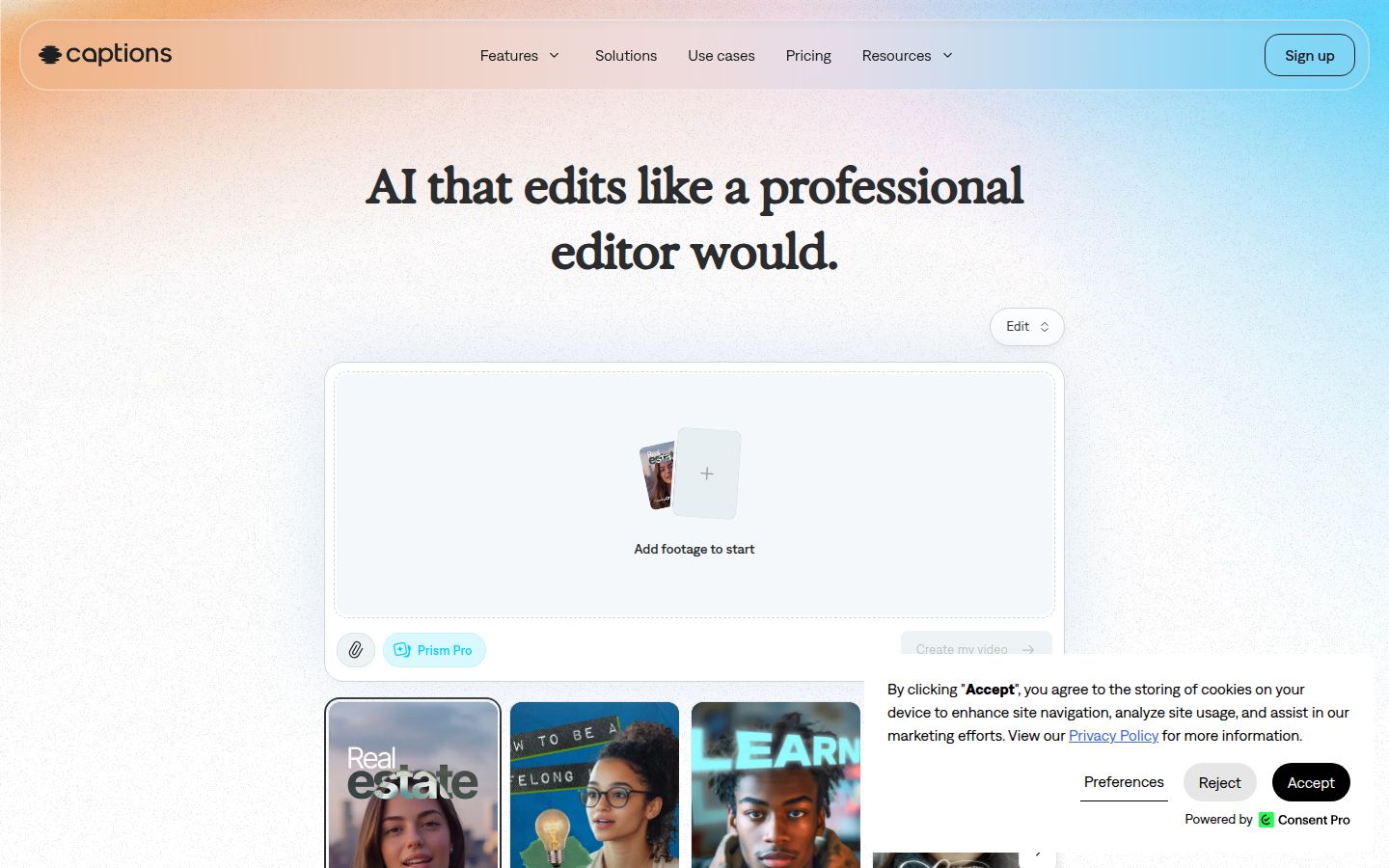
Captions is built around its AI Edit. You upload footage, pick an edit style, and the app cuts scenes, adds captions and can overlay B-roll and music. The homepage describes AI Edit as working on the entire video at once. You can then change the result with a chat-based editor, where you describe the change in plain language.
For talking-head creators, the app also offers eye contact correction, which the company describes on its blog as adjusting your gaze when you read a script. It also offers translated subtitles and an in-app teleprompter.
The limits are cost and platform. Its pricing page says that "features and prices reflect iOS plans only." AI Edit draws from a monthly credit allowance. A third-party review, Valmera, puts an AI Edit at 10 to 40 credits before any extra model costs.
CapCut

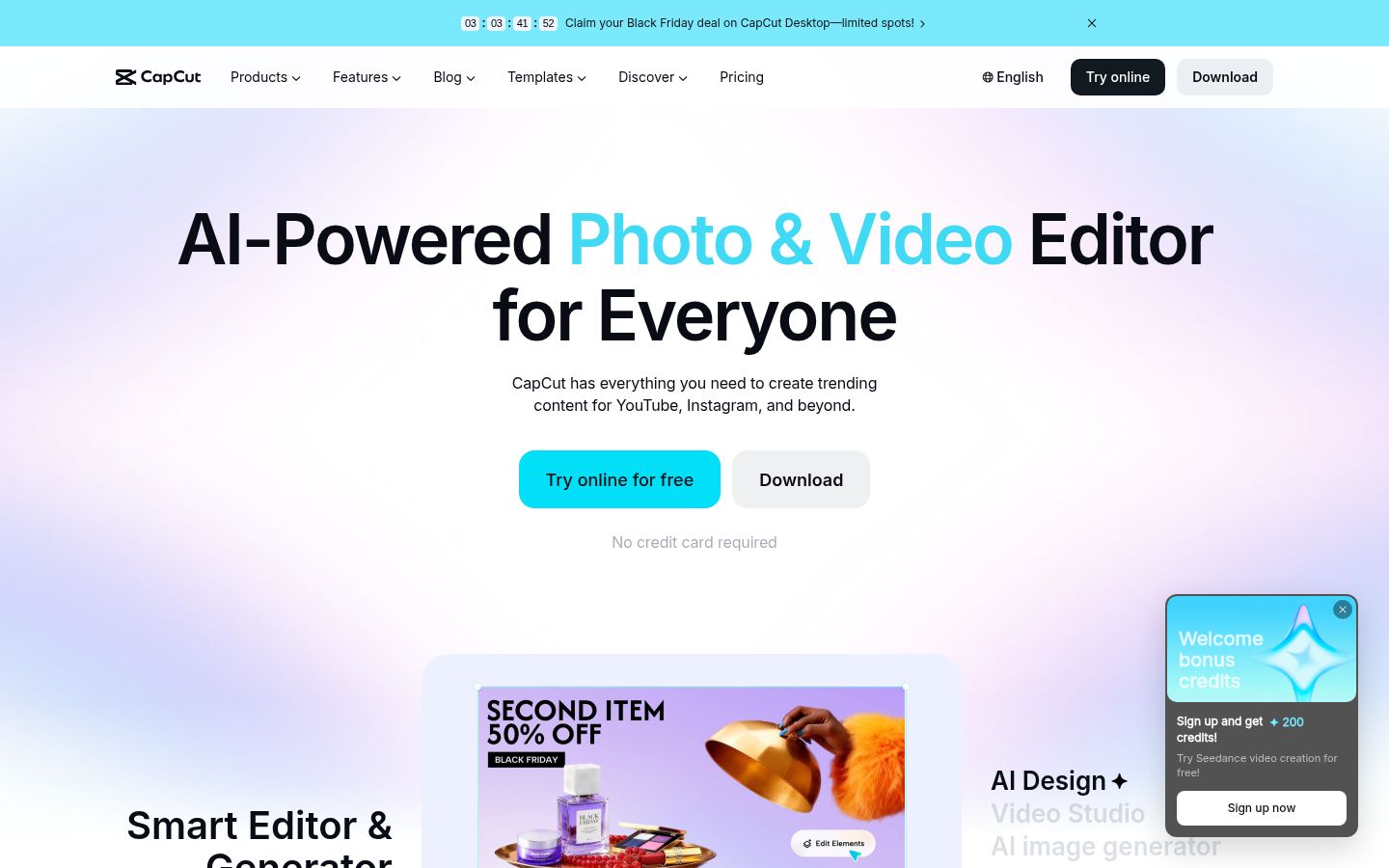
CapCut is a full video editor with a timeline, effects, transitions, templates and auto captions. Its site lists CapCut Desktop, CapCut Online, CapCut Mobile and CapCut Pad, so the same project can move between a laptop and a phone. Its pages also list transcript-based editing and a long-video-to-shorts tool.
The limits are about control and paid features. The pages we read describe auto captions and transcript editing, but you still make the cuts yourself. CapCut's help center says 4K and 60fps export, and watermark removal on some exports, need Pro.
Editing: an AI edit or a timeline you control
The biggest difference is who makes the first cut.
With Captions, you upload a raw recording and pick an edit style. The app works through the whole video, cutting scenes and adding the extras, and then you review it. If something is wrong, you ask for the change in the chat editor. This is the fastest route from a raw recording to a finished short. You give up some control over each cut, but you can keep reviewing until the result is right.
With CapCut, you are the editor. You trim, split and place each clip on the timeline, and add captions and effects by hand or with its tools. That takes longer on your first few videos. It also gives you exact control over pacing, which matters if you want precise jump cuts or a specific look. The free plan covers most of this work. The paid tools add more templates, AI features and export options.
If you want the software to make the decisions, Captions fits that job better. If you want to make each decision yourself, CapCut gives you the tools and the room.
Captions and CapCut handle captions differently
Both tools auto-generate captions. The differences are in styling and how you fix mistakes.
In Captions, the caption templates depend on your plan. Its pricing table lists one caption template on Free and 100 or more on Max and Frontier. Captions' own site says you can customize captions, and it shows a word-by-word animated look on its homepage.
In CapCut, you pick a language, then click Generate. Its help page says that to fix a wrong word, you click the subtitle block on the timeline and choose "Edit captions" in the right-hand panel. You can edit text, timing and appearance from there. CapCut also has a caption templates library.
Neither company publishes an accuracy figure on the pages we read. Test both on a sixty-second clip of your own voice, in the room where you usually film, before you commit to one.
Pricing: what you actually pay
CapCut's cheapest paid plan that works on desktop and web is Pro. CapCut's own Standard vs Pro page lists Pro at $19.99 a month or $179.99 a year. The annual price works out to about $15 a month. Standard, at $9.99, is sold in the mobile app only, according to a FluxNote guide that checked the pricing.
The CapCut pricing page, as of October 2026, lists Pro with 1,200 monthly AI credits. A FluxNote guide reported 1,400 credits for Pro. The company's own page wins, so check the number on your own checkout screen.
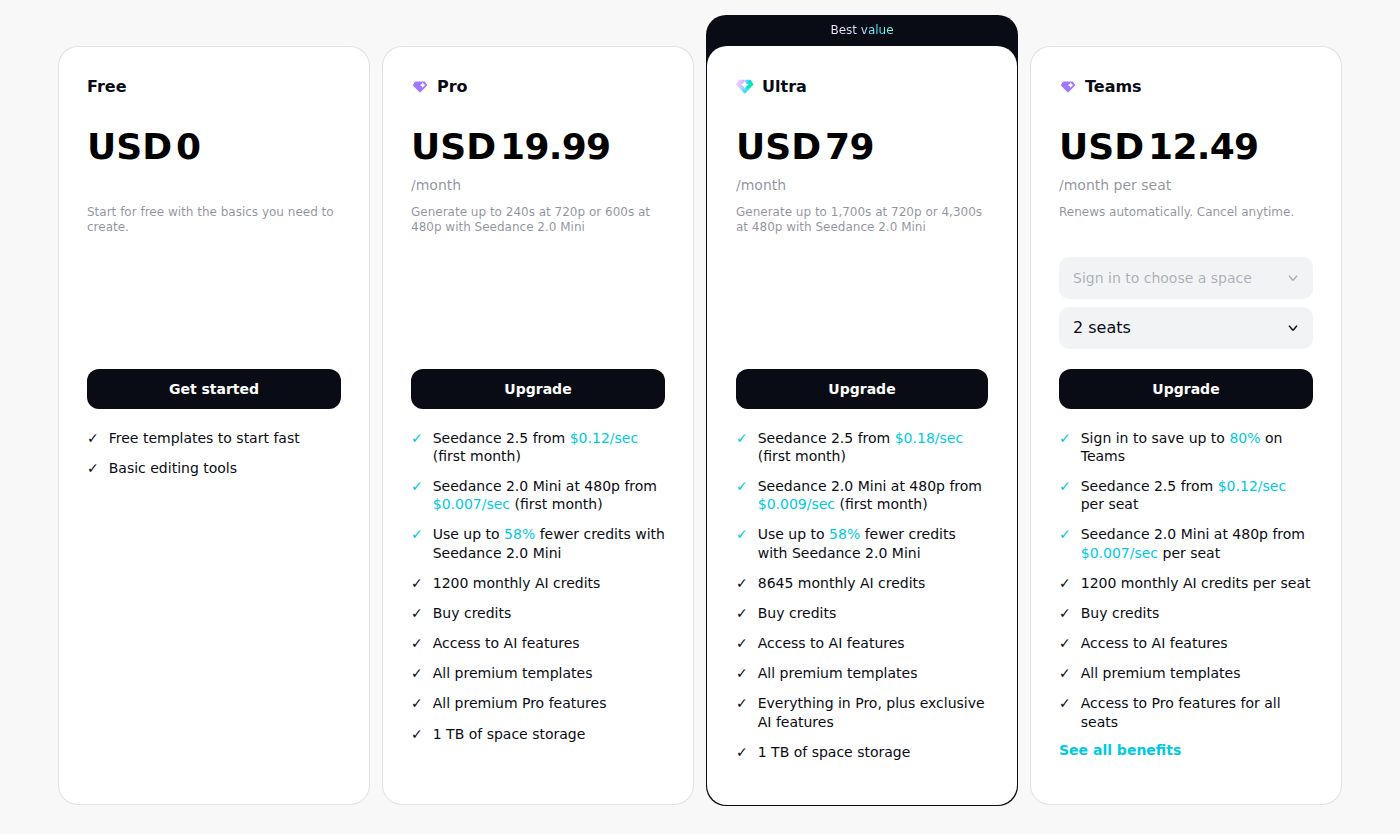 CapCut's pricing page, Pro plan
Captions charges by credits. Its help center lists Frontier at $69.99 a month with 1,400 credits, and its pricing page lists Max at $24.99 with 500 credits. Frontier 2x and 4x double and quadruple that allowance. A rough check using Valmera's 10 to 40 credits per AI Edit: 500 credits covers about 12 to 50 AI Edits in a month on Max. If you post several videos a week and redo cuts often, count your edits before you pick a plan.
Captions' Lite plan at $4.99 is available only in its Android app, according to Valmera and CamClo. On iPhone, web and desktop, CamClo's pricing guide names Basic at $9.99 as the entry paid plan.
Ease of use
Both tools are approachable. Captions asks you to upload, pick a style and review. The chat editor lets you ask for a change in plain words, which is the easiest route for someone who has never edited.
CapCut has more to learn. The timeline, menus and effects take time to learn, and its templates make it fast once you know your way around. In Reddit threads that came up in our search, one creator called CapCut probably the easiest option, and another recommended Captions as easy to use from the start. Both views fit the difference in design. Captions does more of the work for you. CapCut gives you the tools and leaves the decisions to you.
Output and export
Captions' help center says that Frontier includes exports with no watermark. Valmera's review says the public overview lists 1080p publishing, with 4K and other export controls on some device and project paths.
CapCut's help center says 4K and 60fps export need Pro. On the free plan, export runs up to 1080p. Third-party guides disagree about whether a free export carries a watermark. CostBench says it does, and another guide says a plain manual export does not. Check the export preview in the app before you post.
Both tools export vertical 9:16 video for TikTok, Reels and Shorts. For LinkedIn, which often uses 1:1 or 16:9, check the aspect ratio options on each plan before you pay.
Which one should you pick
Pick Captions if you film on an iPhone, want the AI to cut, caption and add B-roll or music in one pass, and are happy paying monthly for credits. Start with Max at $24.99 a month. CapCut is the better pick if you want a free tool, or if you want to make every cut yourself.
Pick CapCut if you want to start for free, you already know a timeline editor, or you edit across a laptop and a phone. Its Pro plan at $19.99 a month is the lowest-priced paid option that works on desktop and web. Captions is the better pick if you want the AI to make the first cut.
Pick either if you post a few videos a month and want to test on a free plan first. Make the same clip in both, then compare the captions and the time it took. The one you finish faster and like more is the right pick for you.
Sycamore

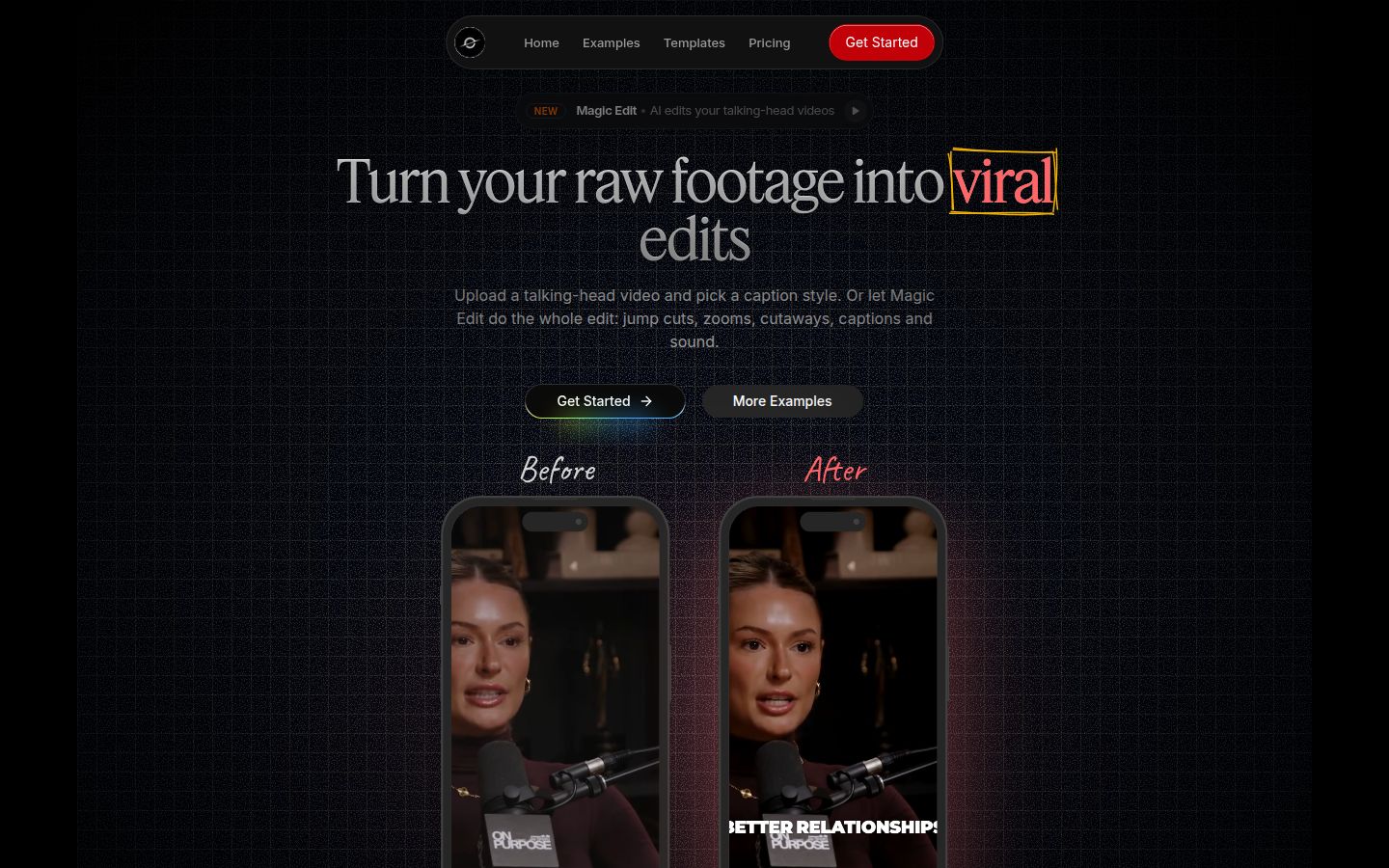
Sycamore is a web app for talking-head videos. It runs in your browser, so there is nothing to install. We built it for founders, coaches, educators and creators who film themselves speaking and post to TikTok, Instagram Reels, YouTube Shorts and LinkedIn.
Its Magic Edit works on the whole raw video in one pass. It cuts silences and filler words, adds word-synced captions and emphasis on key lines, and adds zooms and full-screen text cutaways for the big moments. You pick an edit style, review the result in plain-word lines, and change anything before you export. You can also use it for captions alone, with a caption template and no full edit.
Pricing is by minutes of video. The Free plan includes 10 minutes, once, with no credit card. Starter is $19 a month for 3 hours of video, and Growth is $39 a month for 10 hours, both without a watermark. Growth also gets priority rendering. You can upload MP4, MOV, WebM or MP3 files up to 2 hours long.
Sycamore is not the right tool for every reader. It transcribes English only. It has no mobile app, so you work in your phone's browser. It does not export SRT or VTT caption files, and it has no B-roll library, AI avatars or AI voice. If you need one of those, pick one of the two tools above. If you want a one-pass edit of English talking-head footage on simple per-minute pricing, it's worth a try on the free plan. See Sycamore's pricing for the current numbers.
FAQ
Is the Captions app free?
Captions has a Free plan. Its pricing table lists one caption template on Free, against 100 or more on Max and Frontier. A third-party review says the credits on Free do not refresh each month.
Is CapCut free to use?
Yes. CapCut's Free plan includes free templates, basic editing tools and auto captions. CapCut's help center says 4K export and some watermark removal need the Pro plan.
Which is cheaper, Captions or CapCut?
CapCut Pro costs $19.99 a month or $179.99 a year. Captions Basic costs $9.99 with 200 credits, and Max costs $24.99 with 500 credits. Captions' prices shown on its pricing page are for iOS plans.
Does CapCut put a watermark on free exports?
Sources disagree. CostBench says every CapCut export on the Free plan carries a watermark, while another guide says a plain manual export does not. Check the export preview in the app before you post.
Does Captions have an Android app?
Captions' $4.99 Lite plan works only in its Android app, according to Valmera and CamClo. On iPhone, web and desktop, the entry paid plan is Basic at $9.99.
Can Sycamore do an AI edit like Captions' AI Edit?
Sycamore's Magic Edit cuts silences and filler words, adds captions, zooms and full-screen text cutaways in one pass, and you review the result before export. It works on English video only and has no B-roll library.