Opus Clip and Vizard both take a long recording and cut it into short vertical clips with captions. The main difference is how much of the picking they do for you, and what the monthly plan buys. Opus Clip suits you if you want the AI to rank the most shareable moments in a long episode. Vizard suits you if you want the most minutes for your money and a browser editor where you adjust each clip yourself.
Sycamore is our product, so read this with that in mind. It works differently from both: it edits one talking-head video at a time rather than cutting a long episode into many clips. We cover it at the end, so you can see whether it fits your footage.
Opus Clip vs Vizard at a glance
| Opus Clip | Vizard | |
|---|---|---|
| Free plan | 60 credits a month, exports up to 1080p with a watermark, no editor, clips expire after 3 days | 60 credits a month, exports at 720p with a watermark, 10-minute export limit, storage for 3 days |
| Paid plans, monthly billing | Starter $15 a month (150 credits), Pro $29 a month (300 credits), Business custom | Creator $29 a month (from 600 credits), Business $39 a month |
| Paid plans, annual billing | Pro $14.50 a month, billed $174 a year | Creator $14.50 a month, billed $174 a year. Business $19.50 a month, billed $234 a year |
| Watermark-free export | From Starter up | From Creator up |
| What it does well | Ranks clips with a Virality Score, finds moments from a prompt you write, animated captions in 20+ languages, B-roll and Premiere Pro or DaVinci Resolve export on Pro | Transcript-based editing, the most minutes per dollar, 4K export and scheduling on Creator |
| What it's missing or limits | Starter is monthly billing only, unused Pro credits roll over for two months then expire, the social scheduler and team seats sit on Pro | Free exports are 720p with a watermark, team invites cost $5 a seat a month on Business, AI-picked clips sometimes need trimming |
| Best for | Creators who want the AI to pick the clips from long episodes | Creators who want more minutes per dollar and will edit the clips themselves |
Prices are as of October 2026, in US dollars, from each tool's pricing page.
Opus Clip

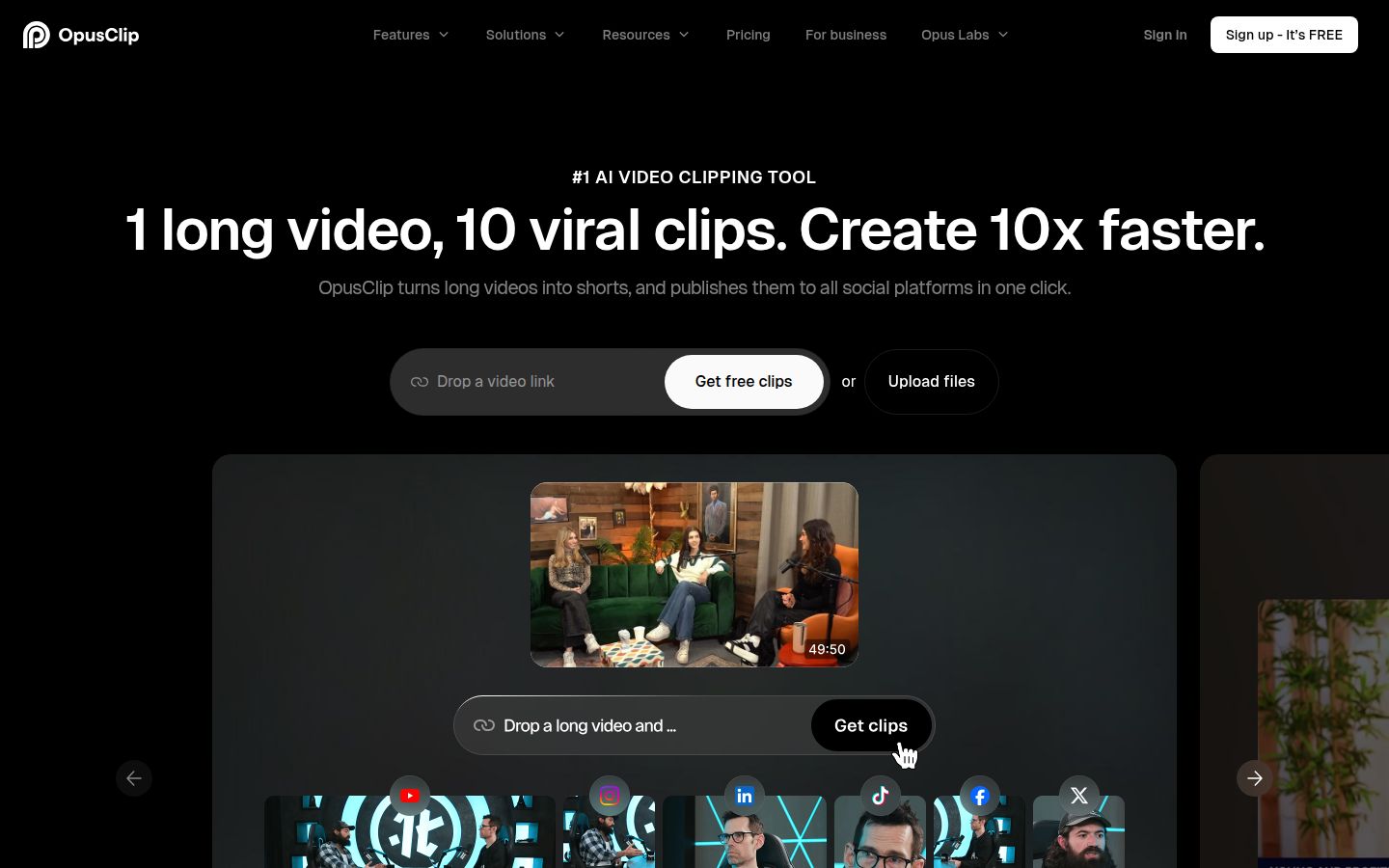
Opus Clip (the site spells it OpusClip) takes a long video, finds the moments it thinks will work as short clips, and renders each one with captions and vertical framing. You upload a file, or on the Pro plan paste a link from YouTube, Google Drive, Vimeo, Zoom and similar sources.
Its best-known feature is ClipAnything. You write a prompt that describes the moment you want, and the tool searches the recording for it. Each clip also gets a Virality Score on a 0 to 100 scale, so you can sort the list before you watch.
The free plan lets you try the clipping on 60 minutes of source video a month. Exports carry a watermark, the free plan has no editor, and clips stop being downloadable after three days. The first plan without the watermark is Starter at $15 a month.
Opus Clip charges one credit for each minute of source video you import. A 60-minute podcast uses 60 credits, whether the tool makes two clips or twelve. Keep that in mind when you compare plans.
Vizard

Vizard turns long videos into short clips for TikTok, Instagram, YouTube Shorts and other channels. It finds highlights, cuts them, reframes them vertically and adds captions. Its browser editor works from the transcript, so you can select, delete and move parts of a talk the way you would edit a document.
The free plan gives you 60 credits a month, one connected social account and full access to the editor. Exports are 720p with a watermark. The Creator plan removes the watermark, exports in 4K, lets you schedule posts to up to six social accounts, and adds auto reframe and caption translation in more than 100 languages.
Business adds a shared workspace, a brand kit and room for 20 social accounts. Each extra team member costs $5 a month on top of the plan.
Vizard's clip picks also need a check. Clip starts and ends do not always land on a clean sentence, so plan to trim a few clips by hand. The editor is what makes that quick.
Who chooses the moments
Opus Clip is built around finding the moments that will perform. You can rank clips by score, or describe what you want with a prompt. Vizard is built around letting you find and shape the moments yourself, with the transcript as your control.
Neither tool gets every pick right. Test each one on one episode you know well. Then look at clip five, not clip one. The first clip often looks good on any tool, and the middle of the list tells you more about how the tool handles your speaking style.
Editing after the clips are made
Vizard's strength is the editor. The free plan includes full access to the video editor, so you can fix a clip before you pay. Creator adds the watermark removal and 4K export.
Opus Clip's paid plans add editing features that matter for teams and for people who finish in another program. Pro includes AI B-roll, custom fonts, export to XML for Adobe Premiere Pro and DaVinci Resolve, and a social scheduler. Starter includes filler word and silence removal, so the first cleanup pass happens without leaving the tool.
If you already edit in Premiere Pro or DaVinci Resolve, Opus Clip's XML export on Pro is the feature that lets you finish there. Vizard's editor is the place to finish inside the browser.
Captions
Both tools add animated captions, and both handle English well. Opus Clip's captions run in English, German, Spanish, French, Portuguese and more than 20 other languages. Vizard's Creator plan adds caption translation into more than 100 languages.
If your videos are in a language other than English, or you need the same clip in several languages, either of these tools is a better starting point than Sycamore. Sycamore transcribes English only.
Pricing: what your money buys
Both tools bill by source minutes, so the price per minute is the number that matters most. Here is the arithmetic from each plan's list price.
| Plan | Monthly price | Source minutes per month | Price per source minute |
|---|---|---|---|
| Opus Clip Starter | $15 | 150 | $0.10 |
| Opus Clip Pro, monthly | $29 | 300 | about $0.10 |
| Opus Clip Pro, annual | $14.50 | 300 | about $0.05 |
| Vizard Creator, monthly | $29 | 600 | about $0.05 |
| Vizard Creator, annual | $14.50 | 600 | about $0.02 |
| Sycamore Starter | $19 | 180 (3 hours) | about $0.11 |
| Sycamore Growth | $39 | 600 (10 hours) | about $0.07 |
The Vizard Creator plan gives you the most minutes at the lowest price per minute. Opus Clip's Starter is the cheapest way into Opus Clip, but it is billed monthly only. Pro gives you more minutes and the team and export features.
Sycamore's figures are for editing one video at a time. Its minutes are different work from clipping a long episode, so compare the price per minute only if your job is editing single talking-head videos.
These figures are before any taxes. Check the checkout page for your country's total.
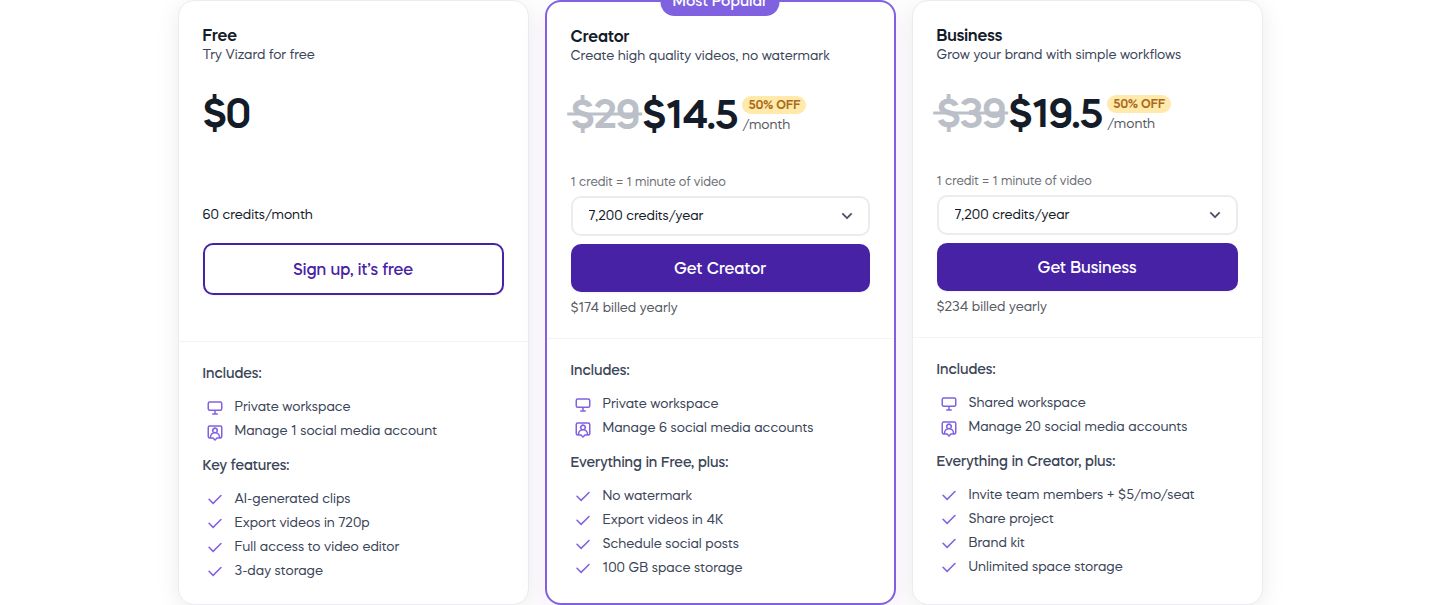 Vizard's pricing page showing the Free and Creator plans
Output quality
Opus Clip's free exports are up to 1080p, with a watermark. Starter removes the watermark. Vizard's free exports are 720p with a watermark, and Creator exports in 4K with no watermark.
The quality you see on the clip depends on your source file and the framing. Start with the best file you have, upload it at full quality, and check the clip on your phone before you decide.
Ease of use
Both tools use a simple flow. Upload a file, let the tool generate clips, then review them in the browser. Both expect you to check the picks before you post.
If you want to start with a single video instead of a long episode, the flow is shorter in Sycamore. You upload the video, pick a Magic Edit style or a caption template, and review the result before export.
Which one should you pick
- Pick Opus Clip if your recordings are long and you want the AI to rank the clips. Start on Starter at $15 a month to test it. Move to Pro if you need the scheduler, B-roll, Premiere Pro or DaVinci Resolve export, or a second seat.
- Pick Vizard if you want the most minutes for your money. The Creator plan at $14.50 a month on annual billing gives 600 minutes of source video a month, with 4K export, no watermark and scheduling. Pick it if you plan to edit the clips in the browser.
- Pick Vizard if you need captions in many languages on a paid plan, or you want to create clips at a volume that would strain the Opus Clip Pro credit allowance.
- Pick Opus Clip if the ranking matters more than the minutes. A Virality Score and a prompt-based search help when you're not sure which 3 clips out of 40 to post.
- Pick Sycamore if you record one talking-head video at a time and want the whole edit done in one pass. It's the better pick when you don't need many clips from a single recording.
- Test both free plans first. Upload one episode to each. Both are watermarked, but you can compare the picks and the captions before you pay.
Sycamore: a third option for talking-head creators

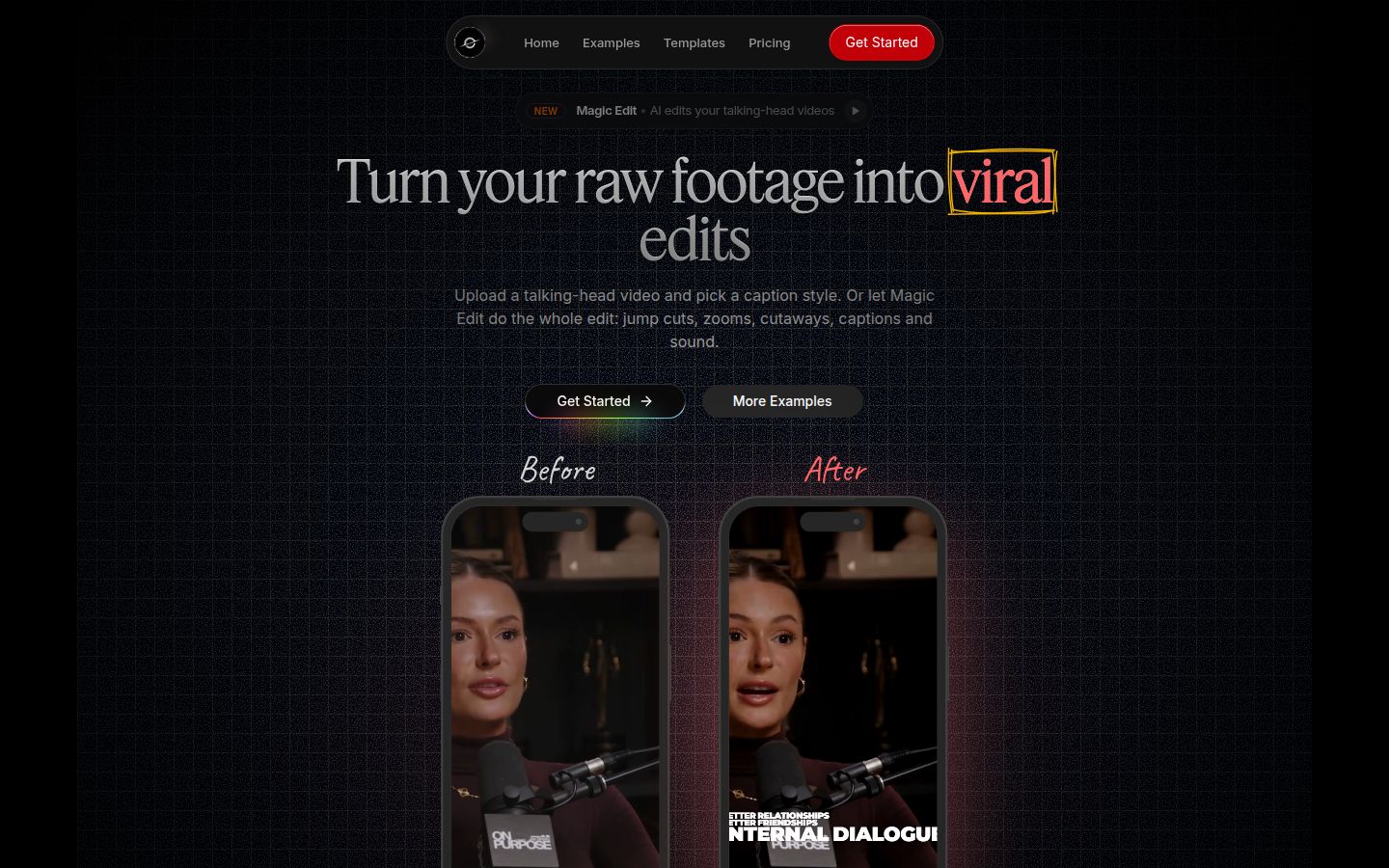
Sycamore is a web app that turns a raw talking-head recording into a finished, captioned video. It runs in the browser, so there is nothing to install.
Its Magic Edit cuts silences and filler words, adds animated captions with emphasis on key lines, adds zooms and full-screen text cutaways for the big moments, and gives you a finished edit. You pick a style, currently Apollo, Hermes or Athena, then review the edit and change any cut before you export. Each word is timed, so the captions stay in sync when you change a line.
Sycamore does the whole edit in one pass for a single video, and you stay in control of the result. You export an MP4 in 9:16, 1:1 or 16:9. Caption styles can be saved as presets and reused on every video.
Plans are simple. The free plan includes 10 minutes of video, one time, with no credit card. Starter is $19 a month for 3 hours of video, and Growth is $39 a month for 10 hours. Paid plans have no watermark.
The limits that matter for this comparison: Sycamore transcribes English only, and it edits the video you give it rather than cutting a long recording into many clips. It also doesn't schedule or post to social platforms for you. If your work is one talking-head video at a time, those limits don't get in the way. If it's an hour-long episode turned into ten clips, choose one of the two tools above.
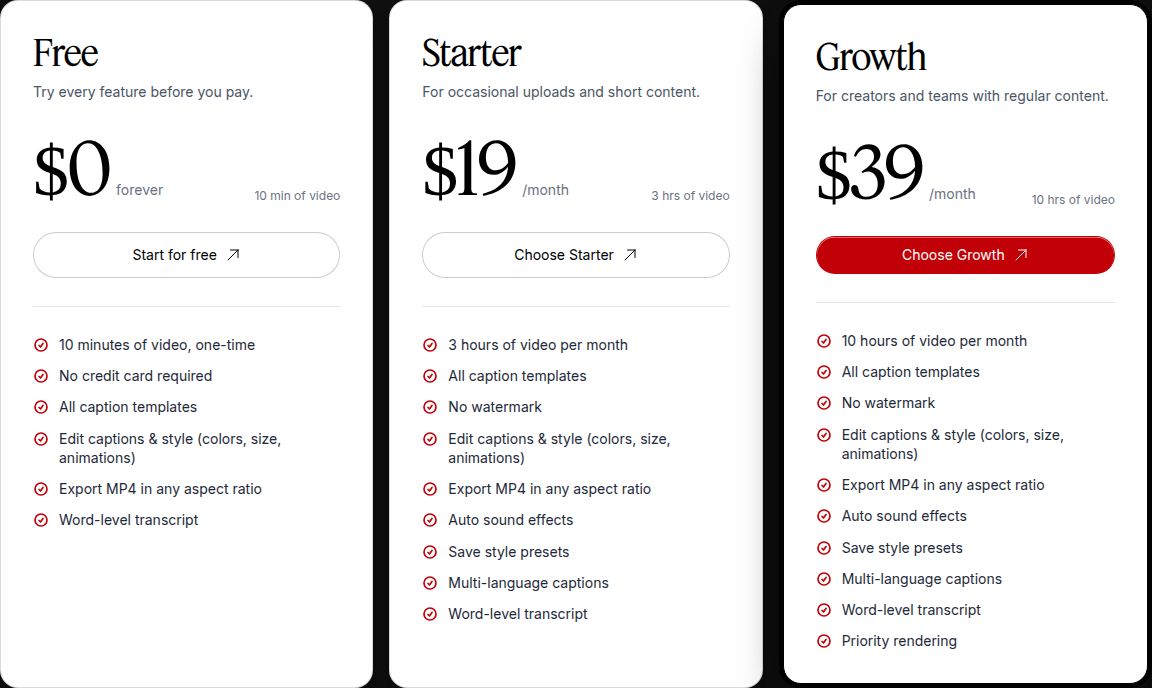 Sycamore's pricing page showing the Free, Starter and Growth plans
If you want to see more of what Sycamore does with a talking-head video, our guide on how to edit raw talking-head footage into a short walks through the steps.
FAQ
Is Opus Clip or Vizard cheaper?
Vizard's Creator plan is the cheaper per minute of source video: $14.50 a month on annual billing for 600 minutes. Opus Clip's Pro plan gives 300 minutes for the same $14.50 a month on annual billing, and its Starter plan is $15 a month for 150 minutes.
Does Opus Clip or Vizard have a free plan?
Both have a free plan with 60 credits a month, one credit per minute of source video. Exports on both free plans carry a watermark and expire after three days, and Vizard's free exports are 720p while Opus Clip's go up to 1080p.
Which is better for talking-head videos?
Both work well for talking-head recordings in English. Opus Clip is the stronger pick if you want the AI to rank moments, and Vizard is the stronger pick if you want to adjust each clip yourself in its editor.
Can Opus Clip or Vizard caption videos in other languages?
Opus Clip's captions cover English, German, Spanish, French, Portuguese and more than 20 other languages. Vizard's Creator plan adds caption translation into more than 100 languages.
Is Sycamore a replacement for Opus Clip or Vizard?
Only for single videos. Sycamore edits one talking-head video at a time, with silences and filler words cut and captions added, but it does not turn a long episode into many clips and transcribes English only.