If most of your video is you talking to a camera, Descript is the faster tool to start with. You cut by deleting words from a transcript, and the video follows the text. Adobe Premiere Pro is the better pick if you need a full timeline, serious color grading, motion graphics, or you already pay for Adobe apps. Most talking-head creators need the first. Some of them add the second later, when their videos get more complicated.
This post compares the two on price, editing, captions, ease of use and output, then tells you which to pick. Sycamore is our product, so we cover it near the end as a third option, for creators who want the edit done for them instead of done by hand.
Descript vs Premiere Pro at a glance
Prices are as of October 2026, from each tool's own pricing page.
| Descript | Adobe Premiere Pro | |
|---|---|---|
| Price | Hobbyist $16/mo billed annually ($24 monthly), Creator $24/mo annually ($35 monthly), Business $50/mo annually ($65 monthly) | Single app $22.99/mo on the annual plan billed monthly, for individuals (US) |
| Free plan or trial | Free plan: 60 media minutes a month, 720p exports with a watermark | 7-day free trial, no free plan |
| Does well | Editing by deleting words from a transcript, removing filler words and retakes, captions, Studio Sound | Full timeline, color grading, multi-track audio, After Effects and Photoshop integration, a mobile app |
| Missing or limited | Not built for heavy color grading, compositing or motion graphics. Free plan has a watermark and limited AI tools | Steeper learning curve, subscription only, needs a powerful computer, speech-based edits take more manual work |
| Best for | Talking-head, podcast, interview and tutorial creators who want speed | Editors who need frame-level control across video, audio and graphics |
On the screen, the difference is simple. Descript shows your video as a document. Premiere shows it as tracks on a timeline.
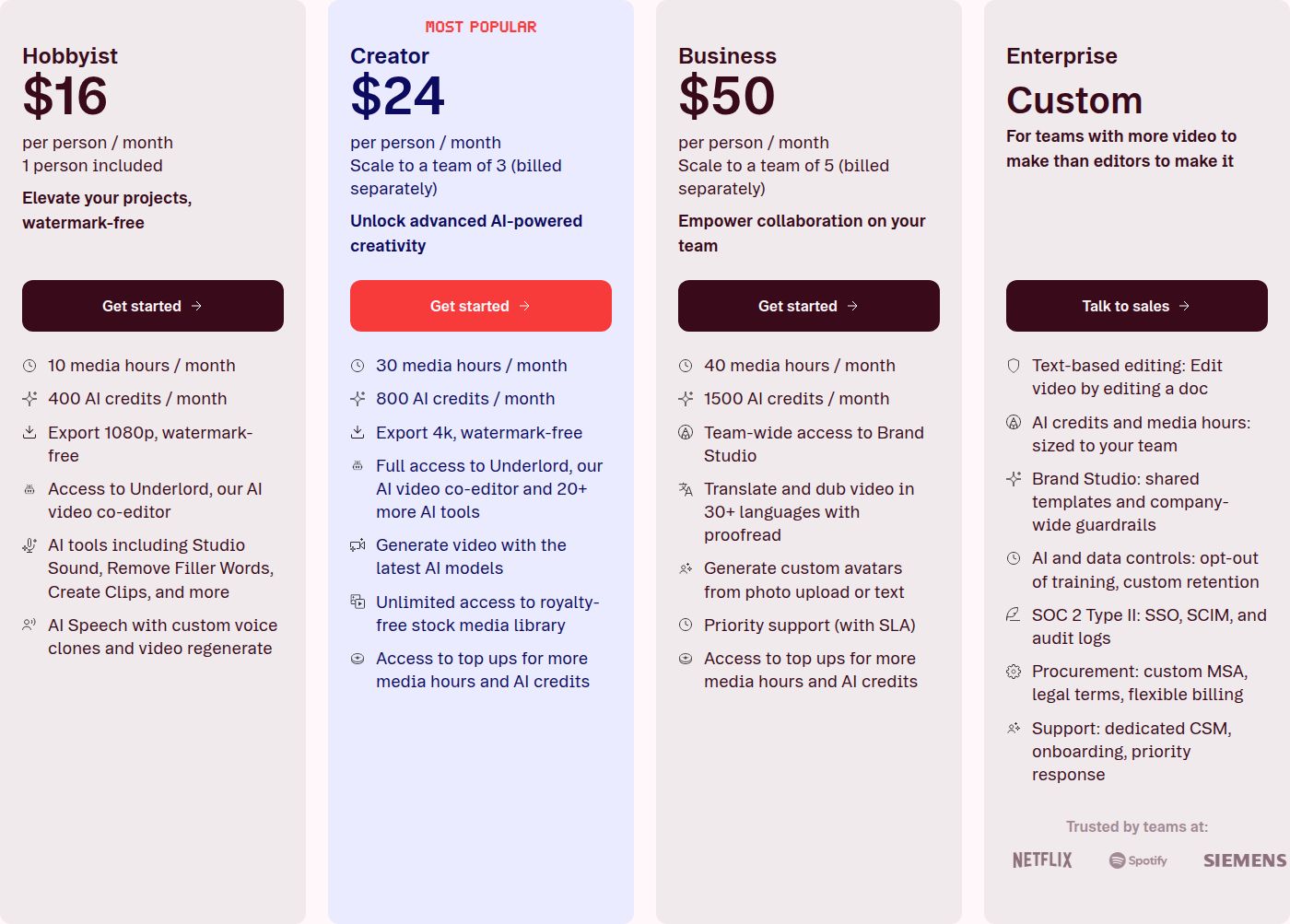 Descript's plan prices as shown on its pricing page
Descript

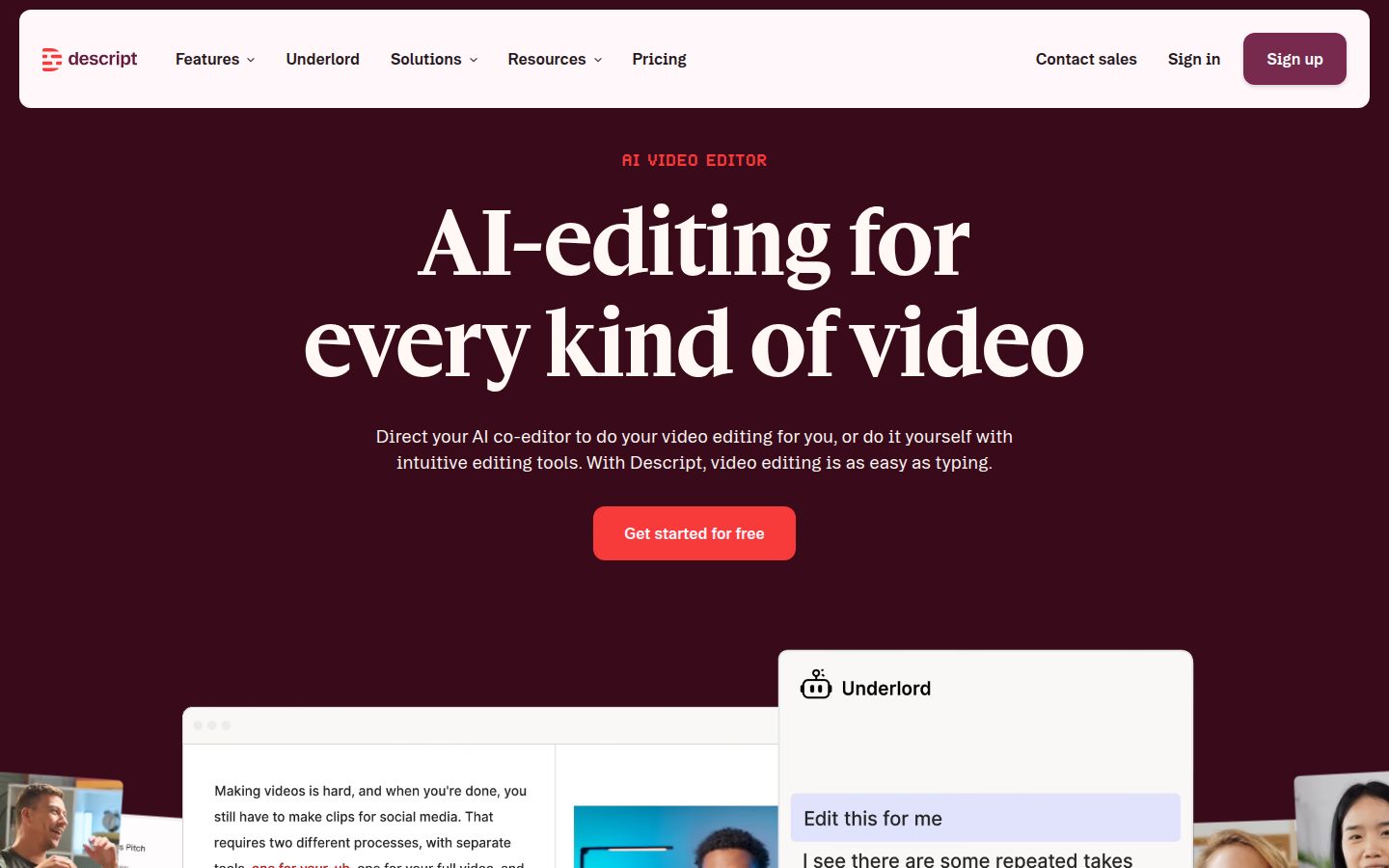
Descript is an AI video and audio editor built around a transcript. You record or upload a video, Descript transcribes it, and you edit by working with the text. Delete a sentence and the matching footage goes with it. Move a paragraph and the clip moves too. The timeline is still there for the times you need it.
For talking-head work, the parts that matter most are the cleanup tools. Remove Filler Words finds words like "um," "uh" and "like," lists them in a side panel, and removes them in one pass. Remove Retakes handles the false starts. Studio Sound cleans up audio, and Eye Contact adjusts where your eyes point. Captions are a one-click feature.
Descript also has Create Clips, which is aimed at pulling short clips out of a longer recording. On the Creator plan, you can export a timeline to a professional editor, which is useful if you start in Descript and finish in Premiere.
Its limits are real. Descript isn't built for heavy color grading, compositing or motion graphics. The free plan is useful for learning the editor, but its exports carry a watermark and cap at 720p, so you can't publish from it. Its AI tools also sometimes make cuts you need to check by hand.
Adobe Premiere Pro
 Visit adobe.com/products/premiere
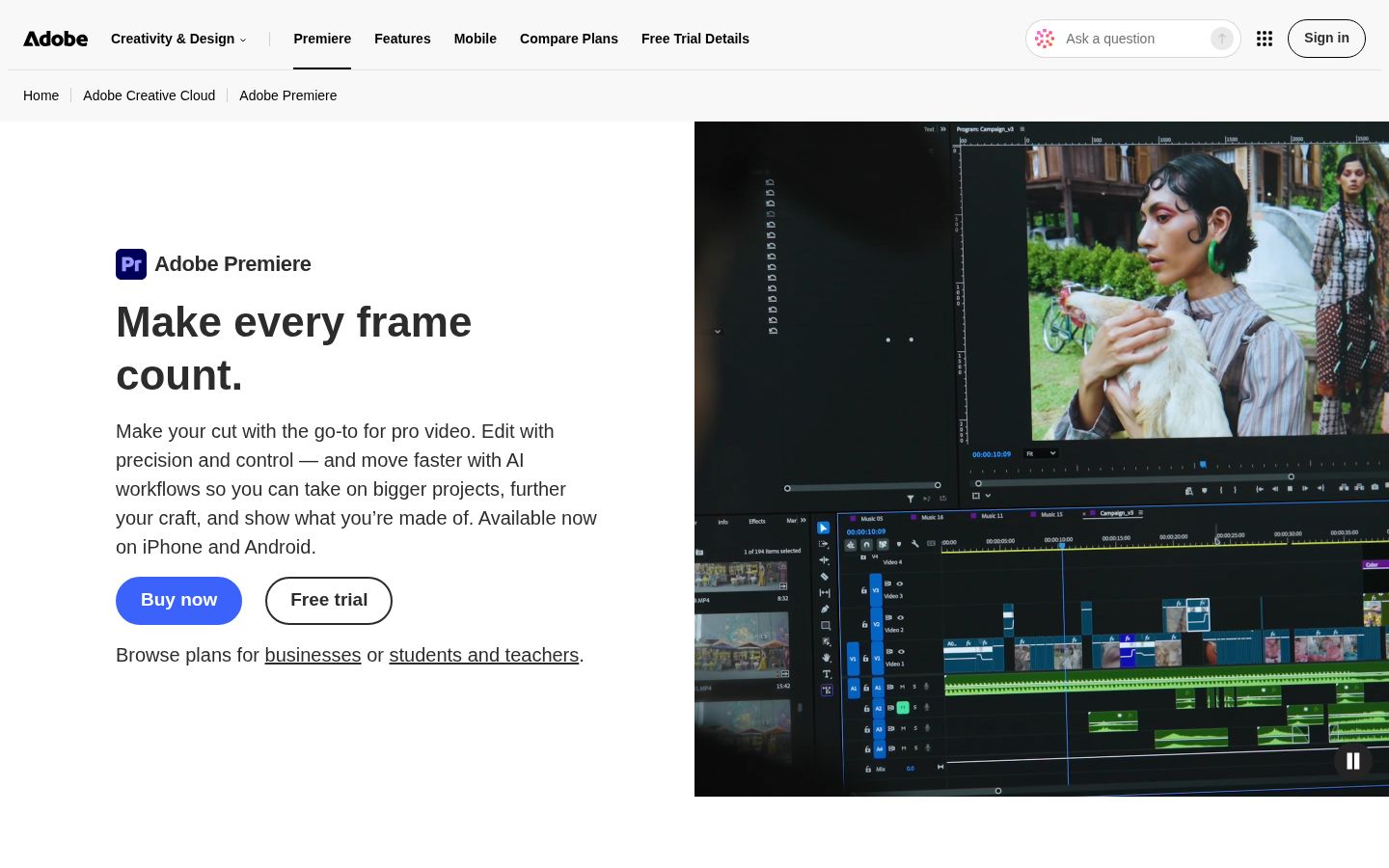
Premiere Pro is Adobe's professional video editor. You work on a multi-track timeline, cutting, trimming and layering clips, and you control every frame. It has Lumetri color tools for grading, multi-track audio mixing, and integration with After Effects, Photoshop and the rest of Adobe's apps. It also runs on mobile, and Adobe's plan includes both desktop and mobile.
Premiere also does automatic captions. Its Speech to Text feature generates captions and transcripts, and it can translate captions into 27 languages. Adobe's text-based editing lets you work from the transcript too, including filler-word deletion, though the timeline stays the core of the app.
The limits are about effort and cost. Premiere has a steeper learning curve than a transcript editor, and it's subscription only. It needs a fast computer, and cutting speech-based videos takes more hands-on work than it does in Descript. If you only need talking-head edits, a lot of Premiere will go unused.
Editing: deleting words versus cutting a timeline
Editing a talking-head video means cutting out the bad takes, tightening pauses and adding the visual beats that keep people watching. Descript and Premiere handle that work in very different ways.
In Descript, you read the transcript and delete the lines you don't want. The video cut follows automatically. That's fast for a 60-second short shot in one take, and it's fast for a 20-minute tutorial with lots of false starts. You still choose where to add zooms, b-roll and graphics.
In Premiere, you cut on the timeline. You can use the transcript to find the spot, then trim, ripple-delete and fix gaps by hand. This gives you more control over picture and sound, and it's the right way to work when a video depends on precise timing, multi-camera cuts or effects.
If your edits are mostly cutting mistakes and tightening speech, Descript will take fewer steps. If your edits involve layers, color and motion, Premiere is the tool built for that.
Captions and cleanup
Both tools generate captions from your audio. The difference is what happens after.
Descript captions come as part of the editing flow. You generate them with one click, then style them in the editor. Because the captions follow the transcript, fixing a word in the text also fixes it on screen.
Premiere's Speech to Text makes captions and transcripts, and you can edit the text, split and merge lines, and translate them into other languages. The captions sit on the timeline like any other text layer, so you style and place them the way you would any other title. That's more work than a one-click caption style, and more control.
Choose by what you want to fix. If you want a clean talking-head video with captions and fewer steps, Descript is the simpler route. If your captions need custom timing and layout inside a bigger edit, Premiere gives you more room.
Pricing: which one costs less
Prices change, so check the pricing pages before you buy. As of October 2026, these are the list prices.
Descript has four self-serve plans. Hobbyist is $16 a month on annual billing or $24 a month billed monthly. It includes 10 media hours, 1080p exports with no watermark and one seat. Creator is $24 a month on annual billing or $35 monthly. It includes 30 media hours, 4K exports and up to three seats. Business is $50 a month on annual billing or $65 monthly, with 40 media hours and up to five seats.
Media hours count every minute of footage you upload, whether or not you use it. A creator who records a 30-minute video every day will hit the Hobbyist limit fast. That's the number to check first.
Premiere Pro is $22.99 a month for a single app on the annual plan billed monthly, for individuals in the US. The annual plan is a 12-month commitment paid monthly. A month-to-month plan costs more. Premiere has no free plan, but you get a 7-day free trial. If you need other Adobe apps, Creative Cloud Pro includes Premiere with more than 20 apps.
On the annual price, Premiere's single app costs a little less than Descript's Creator plan. Descript's Hobbyist plan is the lowest-priced paid option of the two. Start with the work you do, then compare the monthly price.
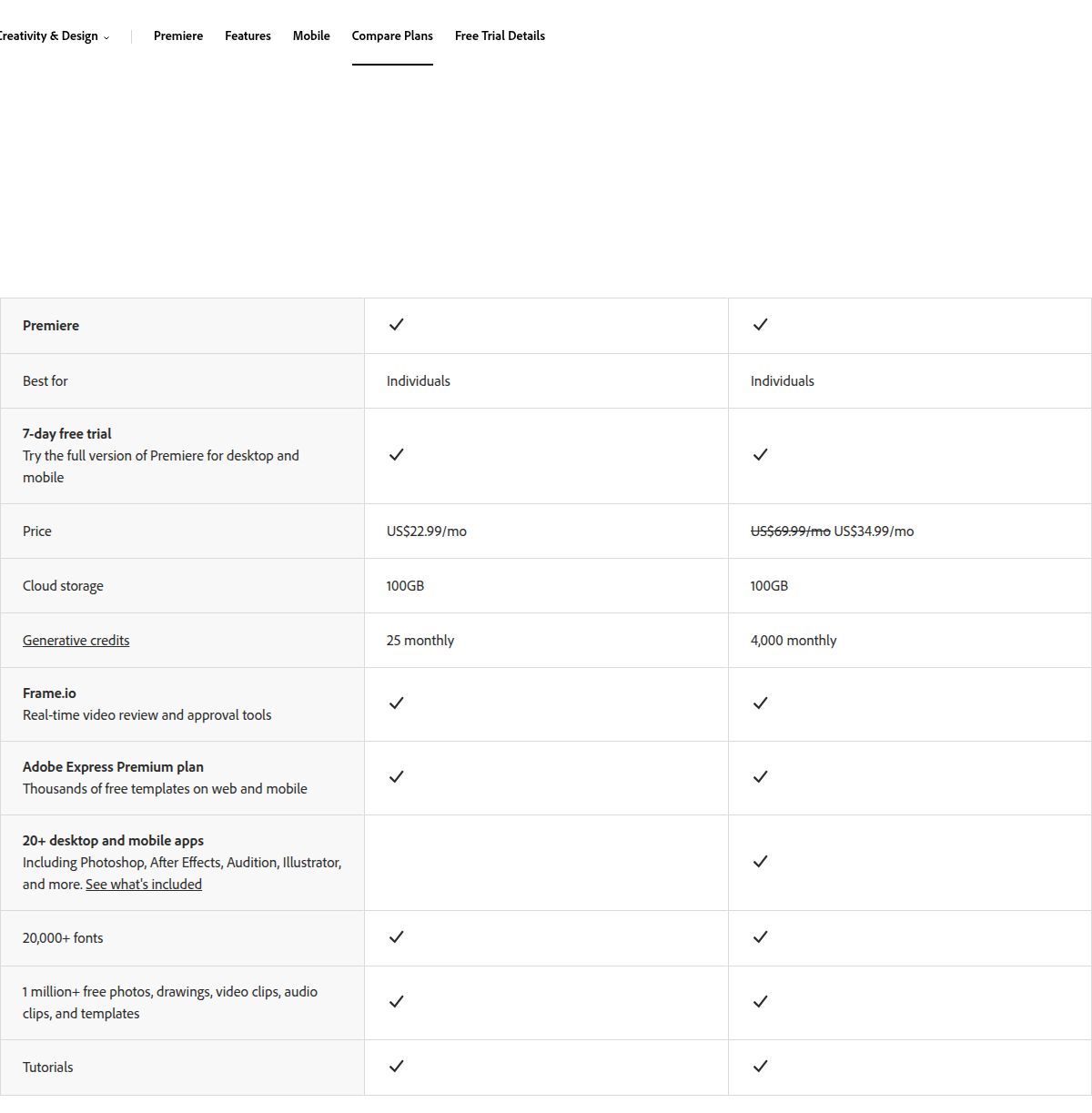 Adobe Premiere Pro's plan pricing as shown on its plans page
Ease of use
Descript is the easier tool for a first edit. If you can edit a document, you can cut a talking-head video in Descript. Most people get their first usable edit in one sitting. The interface has a lot of options, and the AI features are spread across side panels, but the core idea is simple.
Premiere takes longer to learn. Its timeline, panels and keyboard shortcuts are powerful, and there are many tutorials for it. A new editor usually needs several sessions before they feel comfortable. That investment pays off if you'll use Premiere for years. It's less efficient if your entire job is short talking-head clips.
Output quality and export
Both tools produce professional-looking exports. The main differences are resolution limits and control.
Descript's export limits depend on the plan. The free plan exports 720p with a watermark. Hobbyist exports 1080p with no watermark. Creator and Business export 4K with no watermark.
Premiere gives you more control over the export. You choose the format, codec and settings, and it handles a wide range of formats. That matters if you deliver to clients, archive masters or send footage to other editors.
Sycamore: a third option for talking-head creators

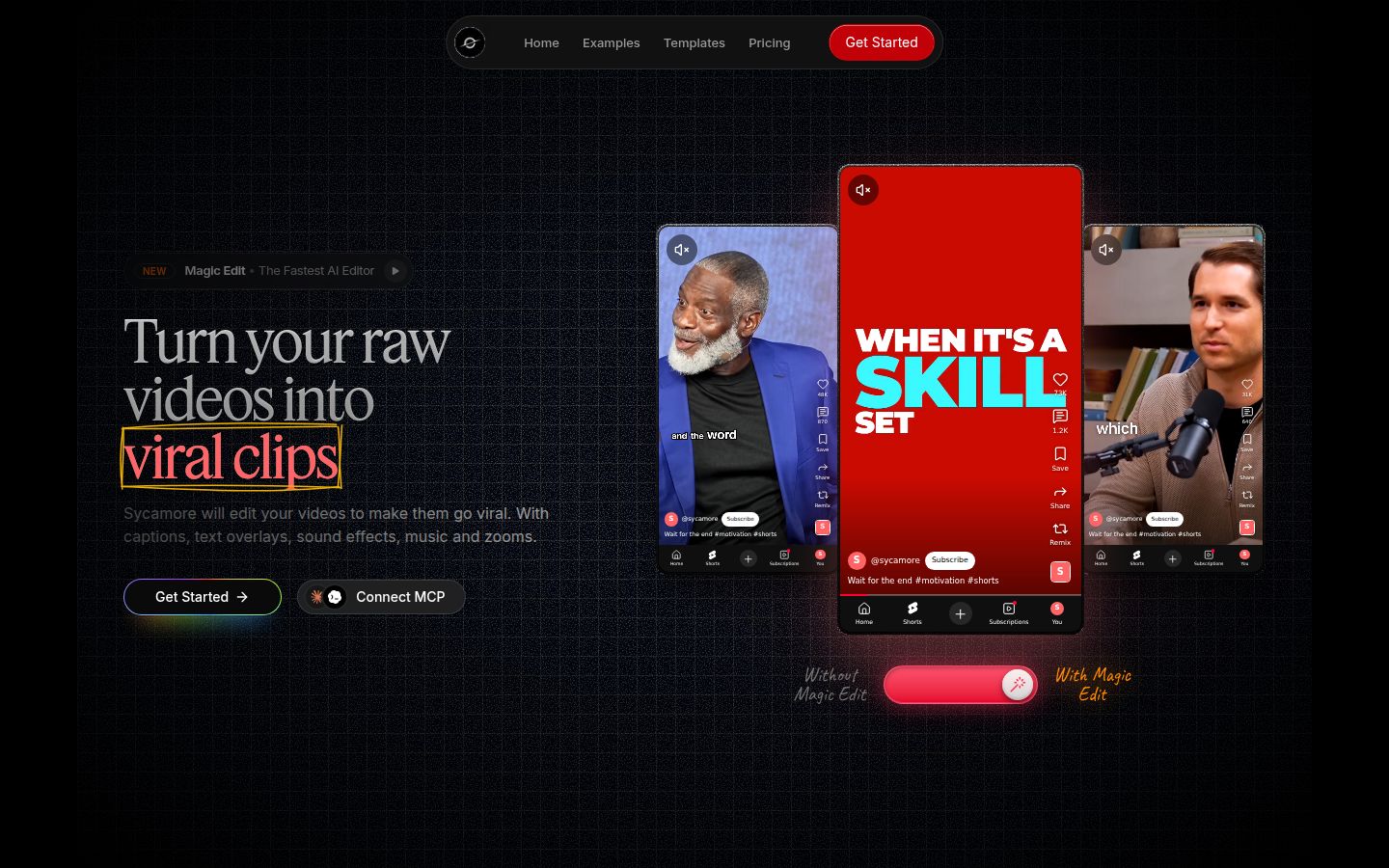
Sycamore is an AI video editor for talking-head videos. You upload raw footage of yourself talking, and Magic Edit does the first full edit. It cuts silences, filler words and dead air. It adds zooms, emphasis on the key lines, full-screen text cutaways for the big moments, numbers and lists on screen, and word-by-word captions. You choose one of four edit styles (Apollo, Hermes, Athena or Helios), review the result and change anything before you export.
The editor works in plain words, not a timeline. Each line can be set to Normal, Emphasis, Full screen, Number, List or Label. You can switch the edit style without starting over. Edit any word in the captions, change fonts, colors, size and position, and export an MP4 in 9:16, 1:1 or 16:9.
Pricing: the free plan includes 10 minutes of video, one time, with no credit card. Starter is $19 a month for 3 hours of video a month, with no watermark. Growth is $39 a month for 10 hours of video, with no watermark and priority rendering.
Sycamore is the right pick when you want a finished edit without learning an editor. It's a web app that works in a phone's browser, but it has no mobile app. Transcription is English only. It doesn't write your script or your hook, and it edits the video you upload rather than clipping a long recording into many shorts. Descript's Create Clips is built for that longer workflow.
Which one should you pick
Pick Descript if you film yourself talking, and you want to cut by deleting words. It's the right choice for podcasts, interviews, tutorials and talking-head shorts. Start on the free plan to learn the editor, then move to Hobbyist once you need 1080p with no watermark. Choose Creator if you need 4K or more media hours. Don't pick Descript for heavy color grading, compositing or motion graphics. For those, Premiere is the better tool.
Pick Premiere Pro if your videos need a timeline, color work, multi-track audio or After Effects integration. It's also the right choice if you already pay for Creative Cloud, or you work with other editors in Adobe apps. If you're a new editor, plan on a few weeks of practice before it feels fast. Don't pick it if your only goal is a quick talking-head short, because most of its tools will go unused.
Pick Sycamore if you want the edit done for you, and you'd rather review a finished draft than cut it yourself. It's a good fit for founders, coaches and educators who post talking-head videos every week. If you need a timeline, color work or a mobile app, choose Premiere or Descript instead.
Both tools are good. The right one depends on whether you want to do the edit or check the edit. Start with your free plan or trial, edit one real video from start to finish, and time yourself. That test tells you more than any table.
FAQ
Is Descript cheaper than Premiere Pro?
It depends on the plan. Descript's Hobbyist plan is $16 a month on annual billing, which is less than Premiere's single app at $22.99 a month on the annual plan billed monthly. Descript's Creator plan is $24 a month on annual billing, a little more than Premiere.
Does Descript have a free plan?
Yes. The free plan includes 60 media minutes a month, with 720p exports that carry a watermark. It's useful for learning the editor, but you can't publish from it.
Does Premiere Pro have a free plan?
No. Adobe offers a 7-day free trial of Premiere, and after that you need a paid plan.
Can I move a Descript project into Premiere Pro?
On the Creator plan, Descript can export a timeline to professional editors. You may need to reconnect some clips and adjust edit points after the export.
Which is easier for a beginner making talking-head videos?
Descript is easier to start with, because you edit by deleting words from a transcript. Premiere has a steeper learning curve, though it's the stronger choice once you need timeline control.
Do both tools add captions automatically?
Yes. Descript generates captions with one click, and Premiere's Speech to Text creates captions and transcripts that you can edit and translate.
Can I use Sycamore on my phone?
Sycamore is a web app that runs in a phone's browser. It doesn't have a mobile app, and it works best on a computer for editing.