If you film yourself talking and need shorts for TikTok, Reels, YouTube Shorts or LinkedIn, Opus Clip and Descript are two of the tools you will shortlist. They do different jobs. Opus Clip takes a long video you already have and finds the short clips inside it. Descript is a full editor: you cut the video by editing its transcript, clean up the audio, and export.
Our short answer: pick Opus Clip if your bottleneck is turning long recordings, such as a podcast, a webinar or a weekly live, into a batch of shorts. Pick Descript if you record and edit the long video yourself and want to shape every cut. We make Sycamore, which we cover at the end as a third option. Read that section knowing where we stand.
Prices and plan names below come from each tool's own pricing page, as of October 2026.
Opus Clip vs Descript at a glance
| Opus Clip | Descript | |
|---|---|---|
| Paid plans (per month) | Starter $15, Pro $29 ($14.50 billed yearly), Business custom | Hobbyist $24 ($16 billed yearly), Creator $35 ($24 yearly), Business $65 ($50 yearly) |
| Free plan | Yes. 60 credits a month, watermarked exports, no editing | Yes. 60 media minutes a month, 100 AI credits one time, 720p watermarked exports |
| Trial | Starter page offers a free trial with no credit card | Use the Free plan to test the editor |
| What it does well | Finds clips in one long upload, adds captions, reframes to 9:16, scores each clip | Edits by text, removes filler words, cleans audio, suggests clip moments from a recording |
| What it is missing | No recording, no text-based editing of the whole video | Shorts from a long video depend on your picks, so it is a more manual job than Opus |
| Best for | Long recordings that need many shorts quickly | Creators who record and edit their own long-form video |
Opus Clip

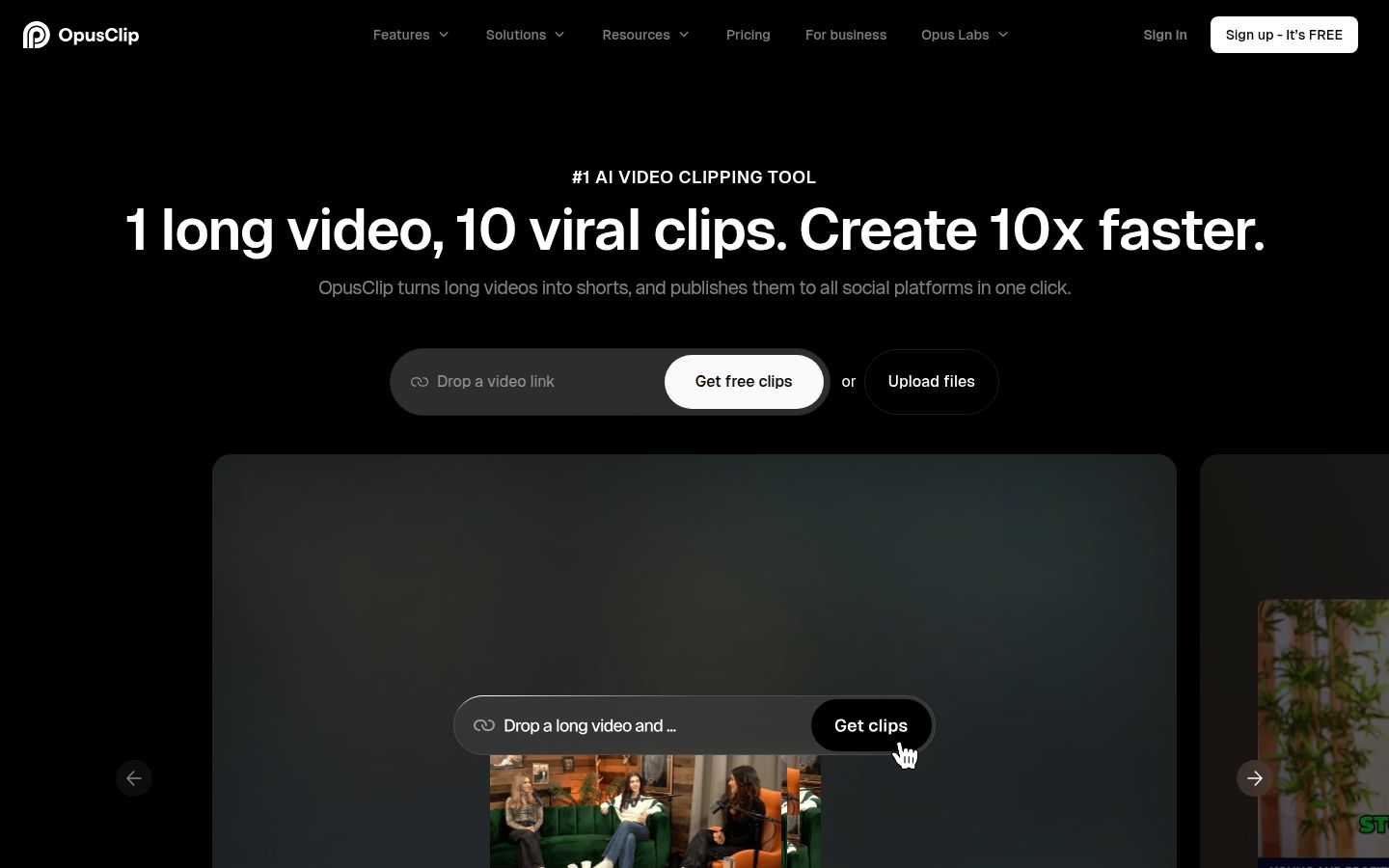
Opus Clip is a web app built around one job: turning a long video into short vertical clips. You paste a link or upload a file. It looks for the moments worth clipping, cuts each one, adds animated captions with keyword highlights and emoji, and gives each clip a score for how likely it is to travel. You can also clip a specific timeframe or use prompts to find specific moments.
The homepage says the Pro plan supports links from YouTube, Google Drive, Vimeo, Zoom and other sources, and that it works in English, German, Spanish, French, Portuguese and more than 20 other languages.
Opus works from a finished video. It does not record, and it does not offer Descript's text-based editing of a whole recording. AI Hustle Guy's comparison makes this point in its own test.
Descript

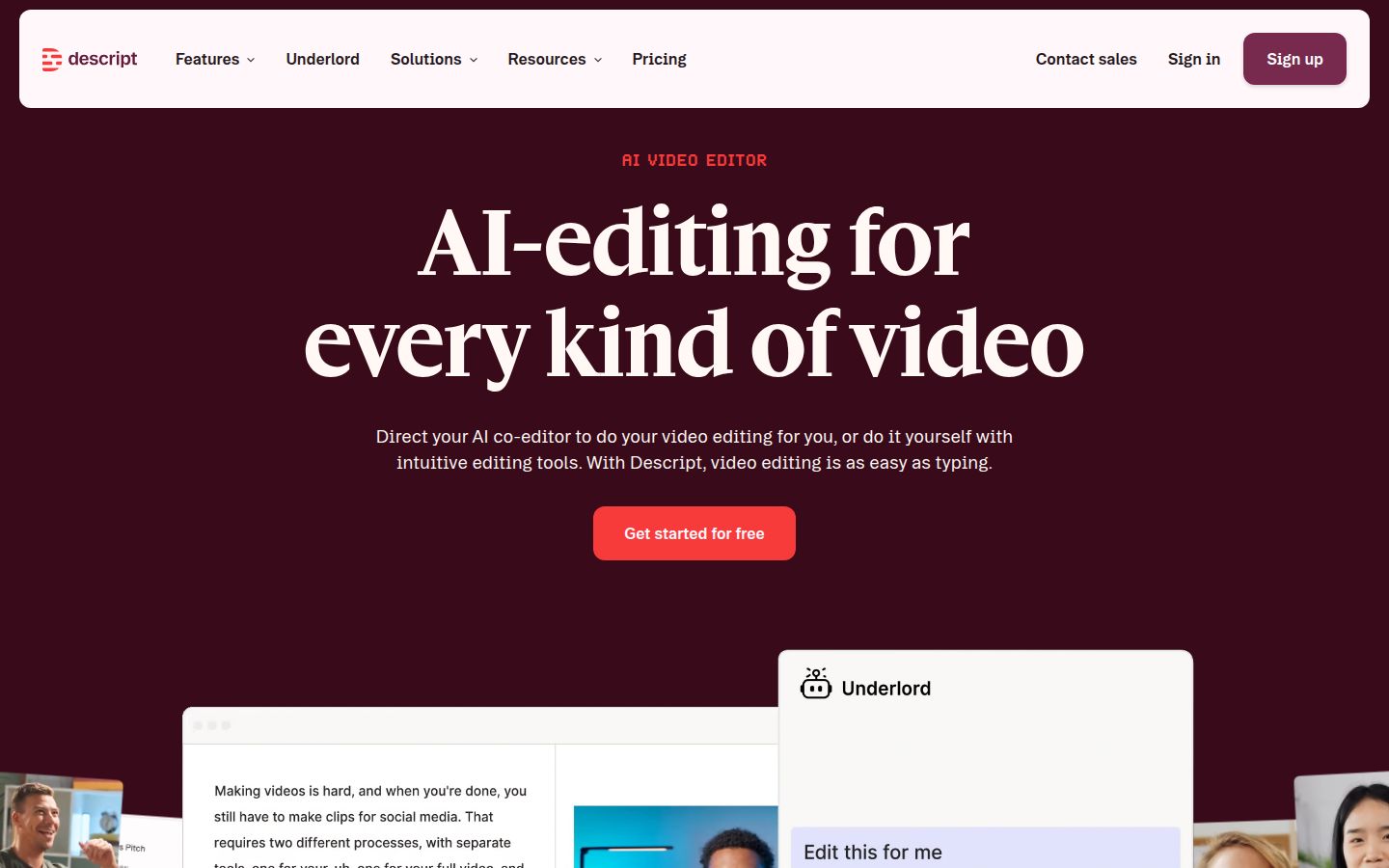
Descript is an AI video and audio editor that works like a document. You record or import footage, Descript transcribes it, and you cut the video by deleting words in the transcript. The video and audio follow the text. Its Remove Filler Words tool finds ums and ahs, Studio Sound cleans up the audio, and Create Clips finds candidate moments in a recording so you can choose your favorites. Descript has desktop apps for macOS and Windows, and a web version.
Descript is a full editor, so it asks more of you than Opus does. A reviewer at Deep Use Case called it the fastest way to edit spoken-word video, and said the transcript-first workflow is the feature he relies on most.
Editing: Opus finds the clips, Descript edits the video
The two tools split the work differently.
Opus does the selecting. You give it one long upload and it returns a batch of candidate shorts. In Marc Andrews' review, he pasted one YouTube link into the free plan and got 21 captioned vertical clips from a single talk. Each clip had a title and a score. That run used 15 credits.
Descript does the editing. If you want to keep the full recording and shape it, you delete a sentence in the transcript and the matching video disappears. You can reorder sections, fix a stumble, and remove retakes. For a 20-minute talking-head video, that means you work through the text once and export one finished video.
The difference is the question you start with. Opus asks, "Which moments in this video are worth posting?" Descript asks, "How do I want this video to read?"
Captions and audio
Opus includes AI captions with emoji and keyword highlighting, shown on its pricing page for the Free plan. Its feature list also includes brand templates, and its help center covers adding a logo and custom fonts. Captions come with each clip, so you do not add them in a second step.
Descript has captions as a separate step in its editor, and its audio tools are its strongest feature. Studio Sound cleans up noisy rooms and echo, and Remove Filler Words is on the Hobbyist plan and up. One reviewer says Studio Sound can make a voice sound a little processed, so test it on your own recording before you rely on it.
If your recording audio is rough, Descript gives you more control over it. If your audio is already clean and you only need captions and cuts, Opus gets you to a posted clip faster.
Price: credits versus media hours
Both tools charge by how much footage you bring in. They count it in different units, so compare them against your own volume.
Opus Clip uses credits. One credit is one minute of source video you import, not one clip you export. A 60-minute podcast costs 60 credits whether it yields 5 clips or 20 (OpenShorts and Ssemble both describe this rule). The plans are:
- Free: 60 credits a month, watermarked exports, no editing.
- Starter: $15 a month, billed monthly only, 150 credits a month, no watermark.
- Pro: $29 a month, or $14.50 a month billed yearly, 300 credits a month. Pro adds the social scheduler, Premiere and DaVinci Resolve export, and AI B-roll.
- Business: custom pricing for teams and integrations.
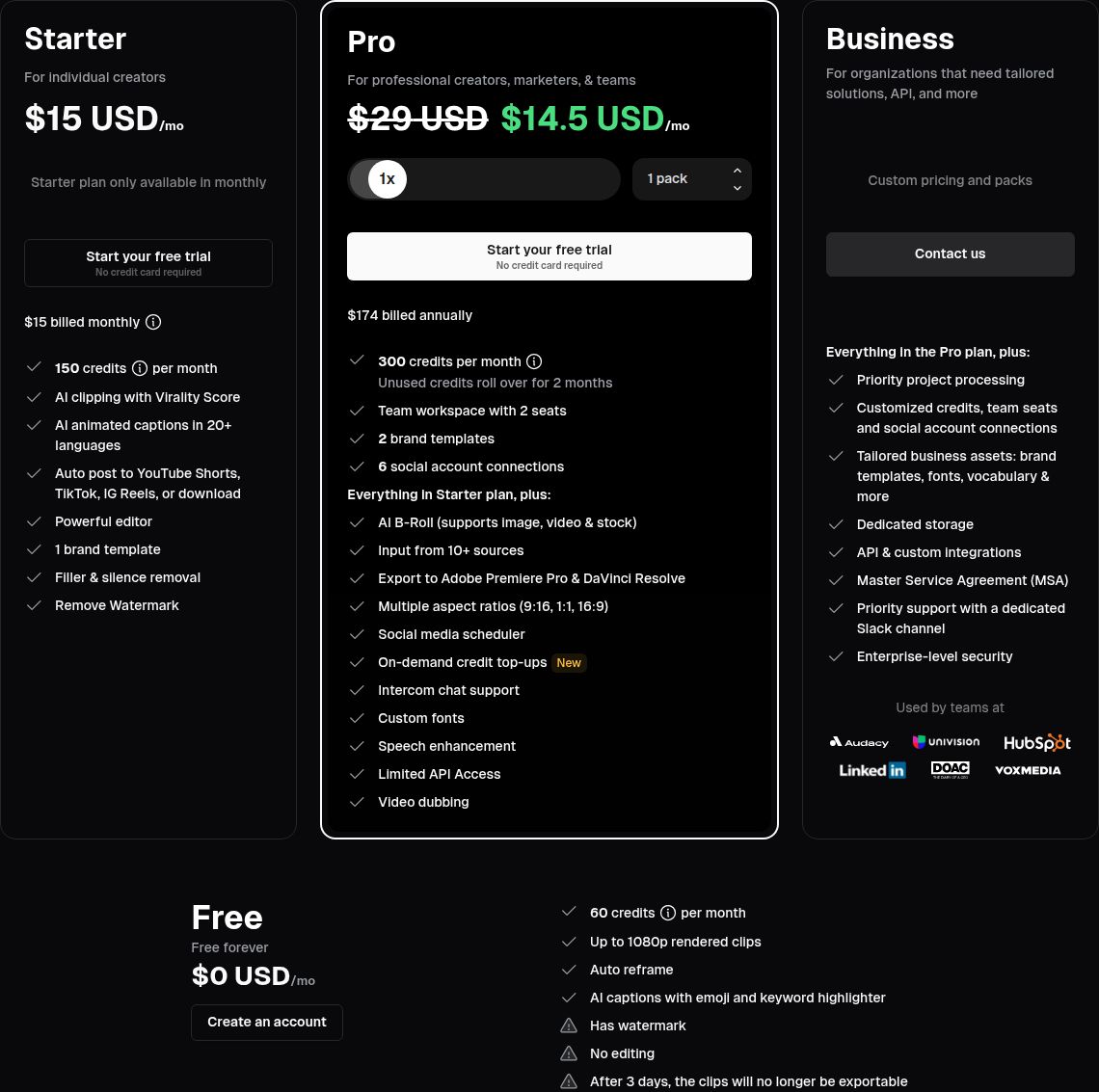 Opus Clip pricing page, Starter plan
Descript counts media hours and AI credits. Media hours cover every file you bring into Descript, transcribed or not. AI credits cover AI features such as Underlord, Studio Sound and Create Clips. The plans, per person, are:
- Free: 60 media minutes a month, 100 AI credits that do not renew, 720p exports with a watermark.
- Hobbyist: $24 a month or $16 billed yearly. 10 media hours, 400 AI credits a month, 1080p with no watermark.
- Creator: $35 a month or $24 billed yearly. 30 media hours, 800 AI credits a month, 4K with no watermark. Creator seats are billed separately.
- Business: $65 a month or $50 billed yearly. 40 media hours, 1,500 AI credits, team brand controls.
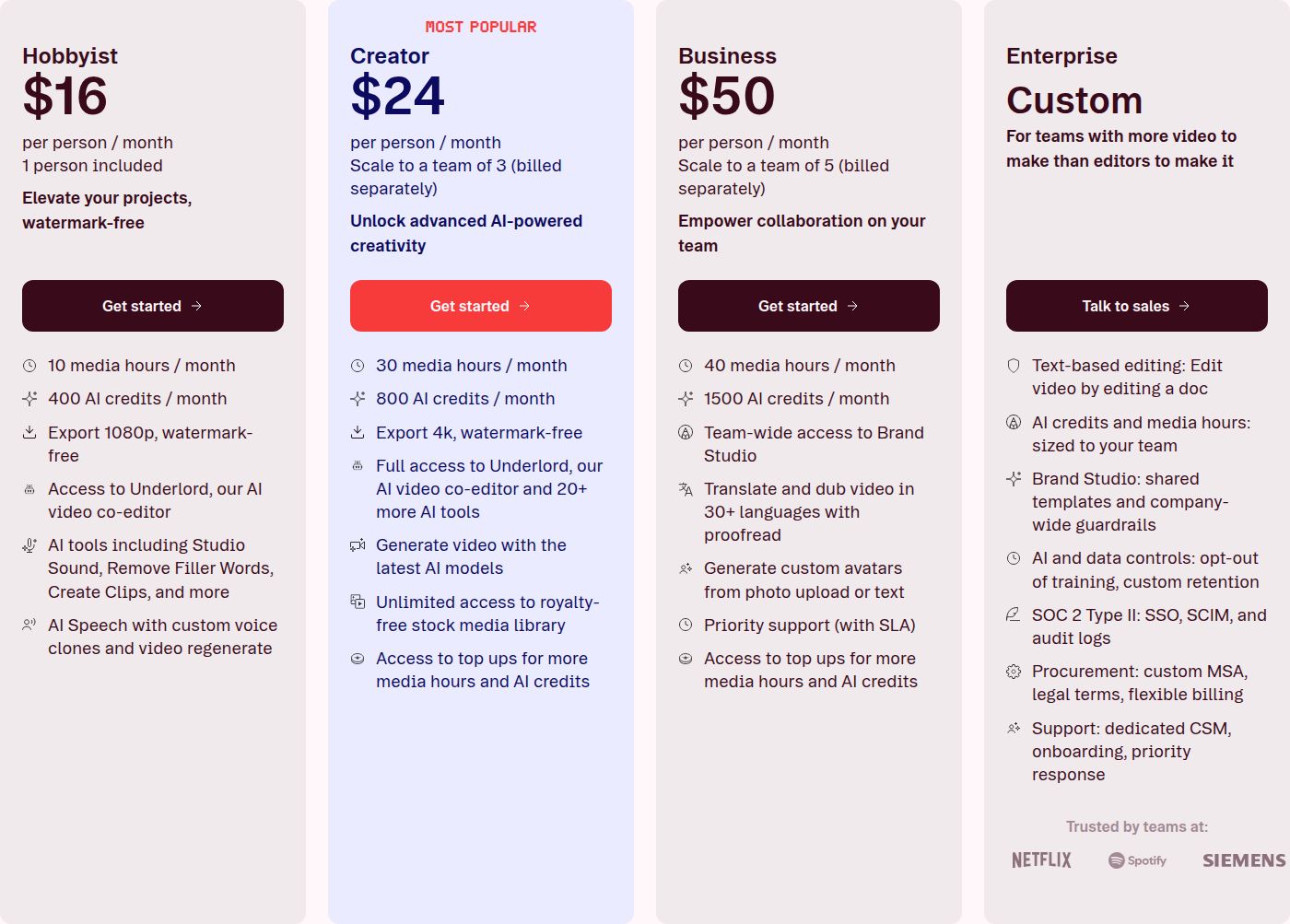 Descript pricing page, Hobbyist plan
Here is a quick check. If you film one 20-minute talking-head video a week, that is about 80 minutes of source footage a month. Opus Starter covers that with room to spare. Descript Hobbyist's 10 hours also covers it, and you can use the rest of the time on Descript's editor. If you publish daily clips from 90-minute podcast episodes, the Opus credit meter is the number to watch.
Ease of use: one button versus a full editor
Opus is quick to start. The dashboard is one box for a link or file and a button to get clips. The tester in Marc Andrews' review rated ease of use highest of his scores. In AI Hustle Guy's timed test, Opus produced 17 clips from the same 12-minute footage in about four minutes.
Descript takes longer to learn because it is a full editor. Editing by text is quick once you know it. The rest of the program, including the timeline, scenes, layers and effects, has its own learning curve, and the Descript help center covers each part. In the same AI Hustle Guy test, one long-form edit plus five captioned shorts took 28 minutes in Descript.
Those numbers are from one tester, so treat them as a rough guide.
Output quality: what the clips look like
Opus clips come out finished, but not every clip is ready to post. In AI Hustle Guy's test, six or seven of the 17 clips were ready to post as they came out. A Reddit poster in r/creators, writing about the same tool, said talking-head content with clean standalone moments works well with Opus. They also said Opus does not reliably pick the best moments from more complex content. Expect to review the batch and keep the strong ones.
Descript's output quality depends on your edit. You control the cut, and the export matches your plan: 1080p on Hobbyist and 4K on Creator, both with no watermark.
Which one should you pick
If you have long recordings and need many shorts
Pick Opus Clip. Start with Starter at $15 a month, billed monthly. Starter is watermark-free, includes the virality score, and lets you post clips to YouTube, TikTok and Instagram. Move to Pro at $29 a month, or $14.50 billed yearly, if you need the social scheduler, Premiere or DaVinci export, or two seats.
Descript is the better pick if you need to edit the recording itself, or if your audio needs repair before you clip it. Some people run both: Descript creates the long-form video, and Opus multiplies it into shorts. AI Hustle Guy describes this workflow in its comparison.
If you record and edit your own long-form video
Pick Descript. Hobbyist at $24 a month, or $16 billed yearly, gives you 10 media hours and 1080p with no watermark. Choose Creator if you need 4K, 30 media hours or team seats.
Opus is the better pick if your long videos already exist and you mostly want the shorts from them.
If you post one talking-head video at a time
Neither tool is built for that job. Read the Sycamore section below. It may be a better fit than either one.
Sycamore

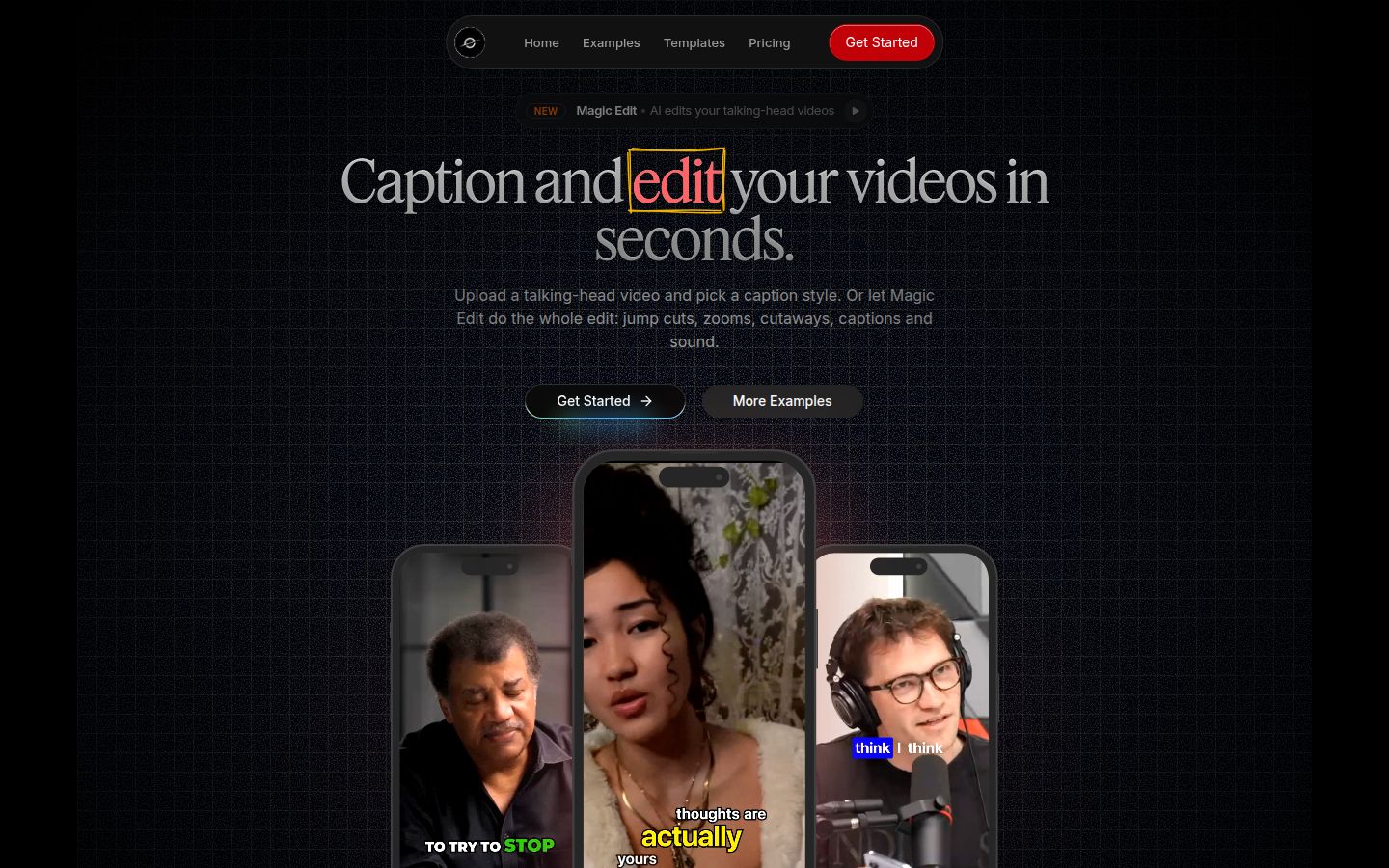
Sycamore is a web app that turns one raw talking-head recording into a finished, captioned short. It runs in the browser, so there is nothing to install. You upload the video and Magic Edit does the first pass: it cuts silences and filler words, adds word-by-word captions, and adds emphasis, zooms and full-screen text for the big lines. Each line can be set to Normal, Emphasis, Full screen, Number, List or Label. You review the edit before you export, so you stay in control of the result.
Sycamore is strongest when you film one talking-head video and want it edited and captioned in one pass, with simple pricing by minutes of video. The Free plan gives you 10 minutes of video one time with no credit card. Starter is $19 a month for 3 hours of video with no watermark. Growth is $39 a month for 10 hours, with priority rendering. You can edit any word, change fonts, colors and animation, and save a look as a preset for every video.
Sycamore has real limits, and they matter for this comparison. It does not clip a long recording into many shorts, so Opus is the better tool for a 90-minute podcast. Transcription is English only, so Descript's wider language and translation tools suit non-English content. It has no mobile app, though it works in a phone's browser, and it has no team features.
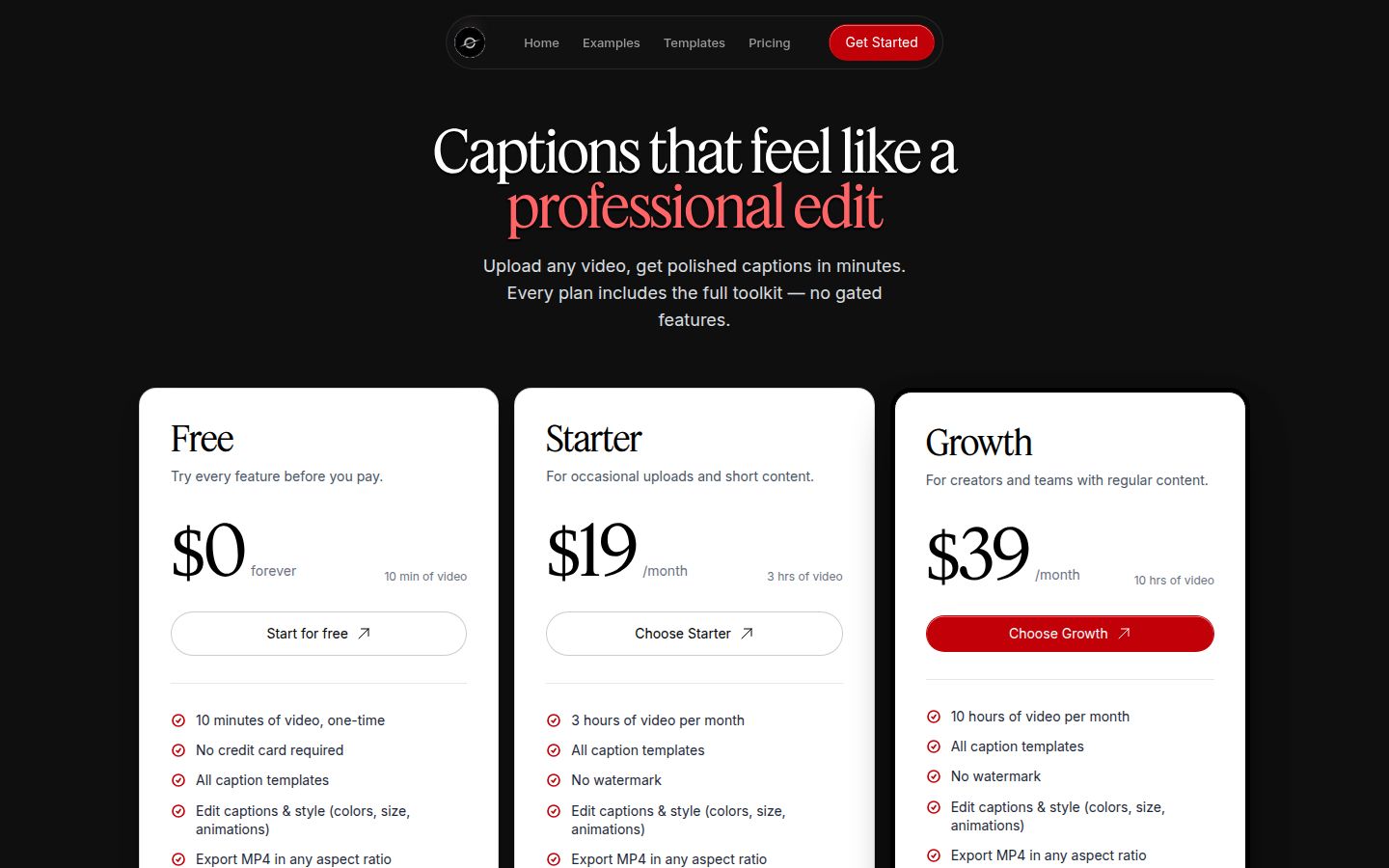 Sycamore pricing page
If you want to compare Sycamore with other caption tools for this use, our Captions AI vs Opus Clip and Descript review for short-form creators cover those differences in more depth. Our pricing page has the current plan details.
FAQ
Is Opus Clip or Descript better for talking-head shorts?
It depends on where your footage starts. Opus Clip is better if you have long recordings and want many clips quickly. Descript is better if you record and edit the video yourself and want control over every cut.
Does Opus Clip have a free plan?
Yes. The Free plan gives 60 credits a month, with one credit per minute of source video. Exports carry a watermark and the plan has no editing.
Does Descript have a free plan?
Yes. The Free plan includes 60 media minutes a month and 100 AI credits that do not renew. Exports are 720p with a watermark.
How much does Opus Clip cost in 2026?
Starter is $15 a month, billed monthly. Pro is $29 a month, or $14.50 a month billed yearly. Business is custom priced.
Can Descript make shorts from a long video automatically?
Descript's Create Clips finds candidate moments in a recording. You choose the ones you keep, so the process is more manual than Opus Clip's batch of clips from one upload.
Can I use Opus Clip and Descript together?
Yes. One common workflow is to create the long-form video in Descript and then turn it into shorts with Opus Clip.