If you film yourself talking to camera and need captioned shorts, the right pick depends on what you start with. Opus Clip is built to find the best moments inside a long recording, like a podcast, webinar or livestream, and cut them into several clips. Submagic is built to take one video and make it captioned and polished, with more editing extras on its higher plans. Sycamore (ours) is for one raw talking-head video at a time: it edits the whole recording in one pass, and you review the edit before you export.
Short version: pick Opus Clip if your footage is long and you want many clips. Pick Submagic if you want captions plus a larger set of tools on one video. Pick Sycamore if you have one raw talking-head video and want it cut and captioned, with a review step before export.
Prices and plan names below are as of October 2026. They come from each tool's own pricing page or help center, and we mark the places where we used a third-party source. We did not run a blind test of caption quality for this post, so we don't rank the output. The last section shows how to run your own test with the free plans.
Submagic vs Opus Clip at a glance
| Submagic | Opus Clip | Sycamore | |
|---|---|---|---|
| Plans and monthly price | Starter $19, Pro $39, Business + API $69 | Free $0, Starter $15, Pro $29, Business (custom) | Free $0, Starter $19, Growth $39 |
| Free plan or trial | Trial: 3 short videos, no card. Downloads have a watermark. | Free plan: 60 credits a month, watermark, no editing | Free: 10 minutes of video, one time, no card |
| Monthly limit | 15 uploads (Starter), 40 (Pro), 100 (Business) | 150 credits (Starter), 300 (Pro) | 3 hours (Starter), 10 hours (Growth) |
| What it does well | Captions plus extras on one video: filler and silence removal, eye contact correction and translation on Pro | Finds clips inside long videos. iOS and Android apps. Social scheduler on Pro | Edits a whole raw talking-head video in one pass. You review the edit before export |
| What it's missing for this reader | No native mobile app. Filler removal is not on Starter | Free plan has no editor and adds a watermark. Built around long footage | English-only transcription. Doesn't clip long videos into many shorts. No mobile app |
| Best for | Creators who want more tools on one video and post a steady number of videos | Podcasters, webinar hosts and teams cutting many clips from long recordings | Founders, coaches and educators posting one talking-head video at a time, in English |
The table shows the tradeoff in one line. Opus Clip starts from a long recording. Submagic and Sycamore start from a single video you upload.
Submagic

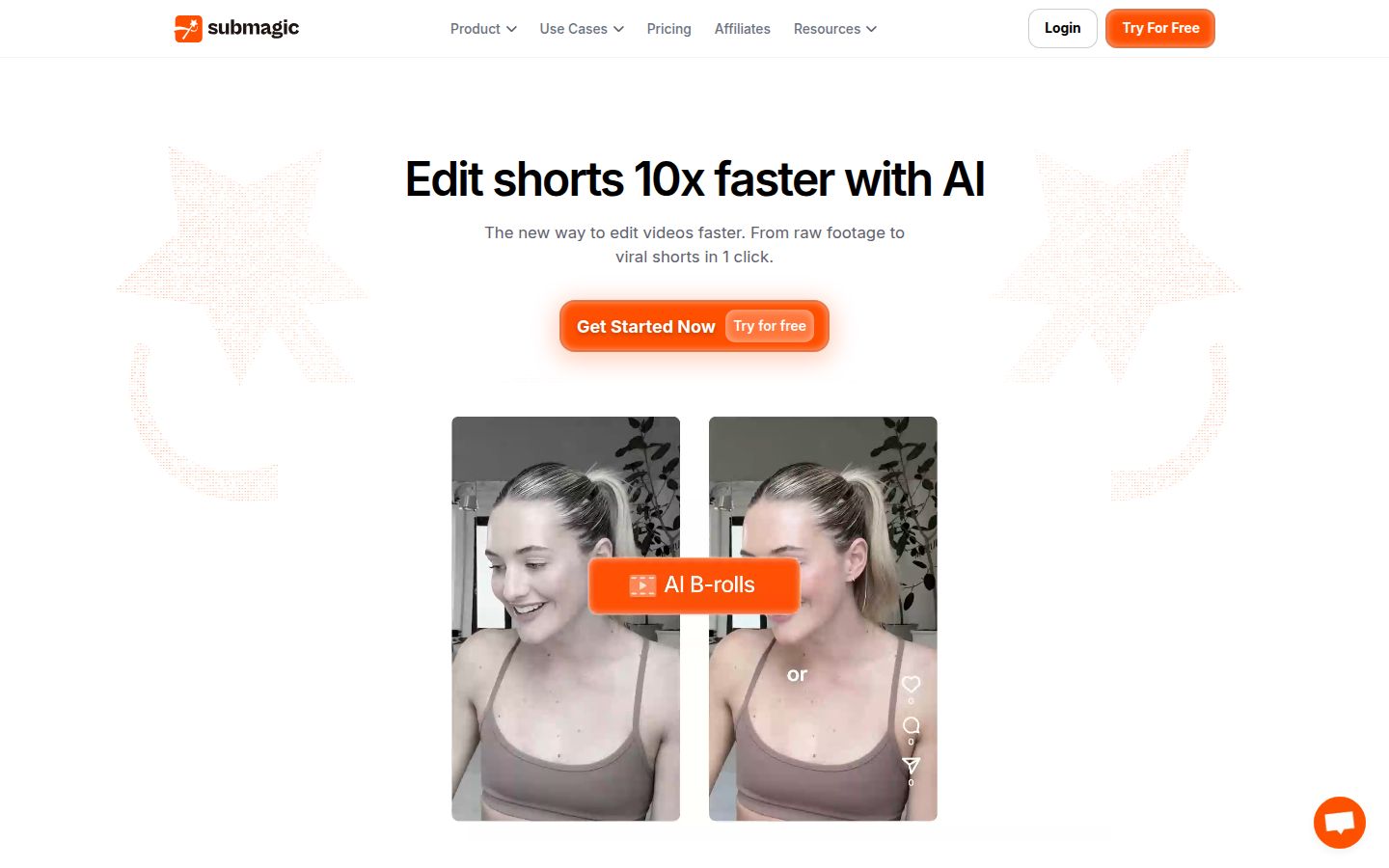
Submagic is a browser-based AI video editor for short-form video, and captions are its core. Its homepage describes text-based editing: you cut, trim and remove silences by editing the transcript. You upload a video, and Submagic adds animated captions and an AI edit on top.
Submagic's help center lists three paid plans: Starter at $19 a month, Pro at $39 and Business + API at $69. Annual billing brings them to $12, $23 and $41 a month. The Starter plan covers 15 video uploads a month, Pro covers 40 and Business covers 100. Submagic's help center gives those prices and upload counts.
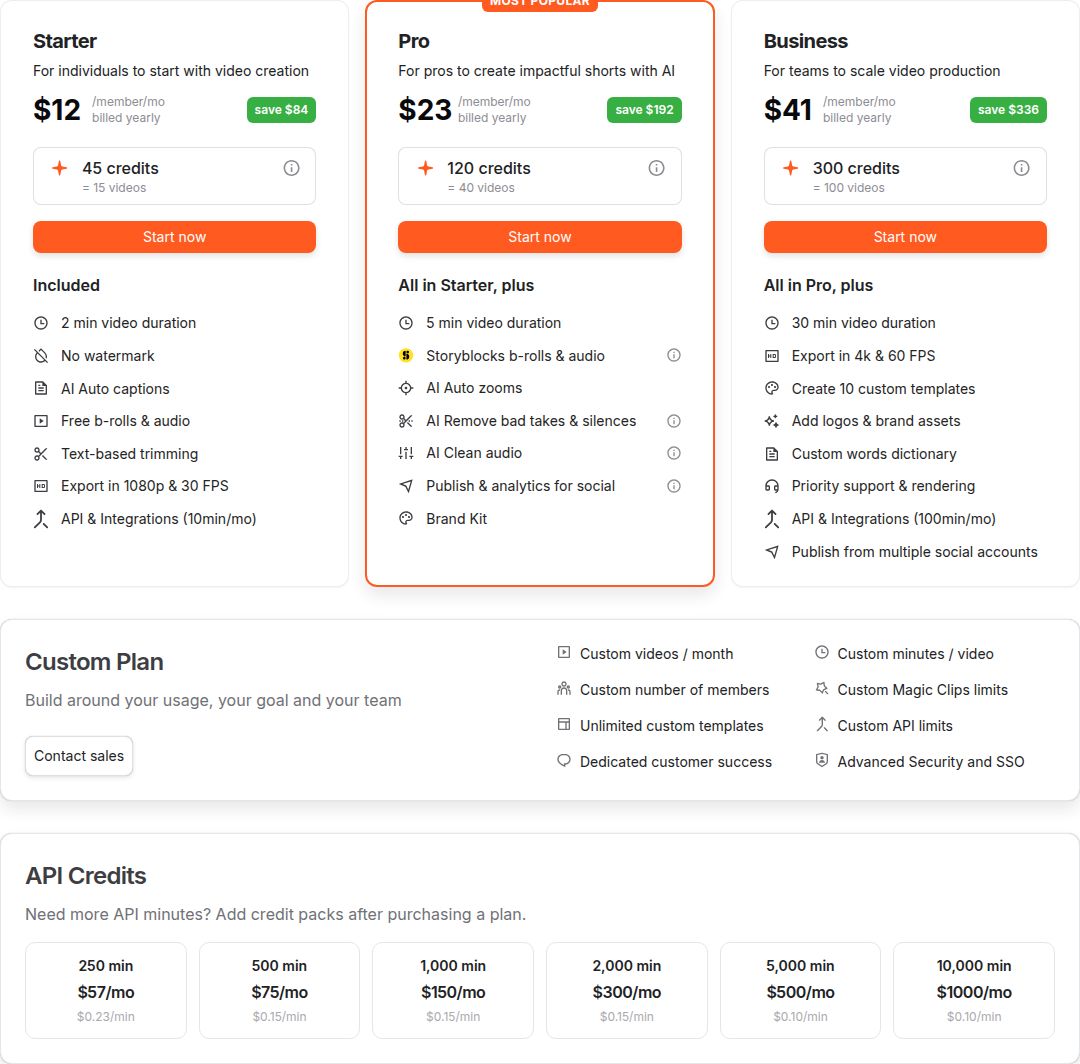 Submagic's pricing page showing the Starter, Pro, Business and Custom plans
Submagic's free trial lets you upload 3 short videos and edit them. Downloads carry a watermark until you subscribe, per the trial help article.
Where Submagic does well is the amount of editing you get on one video. A third-party guide, Fluxnote, says Pro adds filler word and silence removal, AI eye contact correction, caption translation and the full premium template library. Submagic also sells a Magic Clips add-on for $19 a month with 10 uploads, for when you want to pull shorts out of a longer recording.
Its limits for this reader:
- Filler word and silence removal are on Pro, not Starter.
- Submagic has no native mobile app. Its help center says you can use the phone browser to upload, then open the project on a computer to edit.
- Upload counts cap your month. If you post more than 40 videos a month, you need Business or the add-on.
- One podcaster on Reddit said Submagic needed more manual trimming because it picked up dead air in their episodes. That's one user's experience, not a test.
Submagic suits creators who want captions and extra tools like eye contact correction in one place, and who post a steady, predictable number of videos a month.
Opus Clip

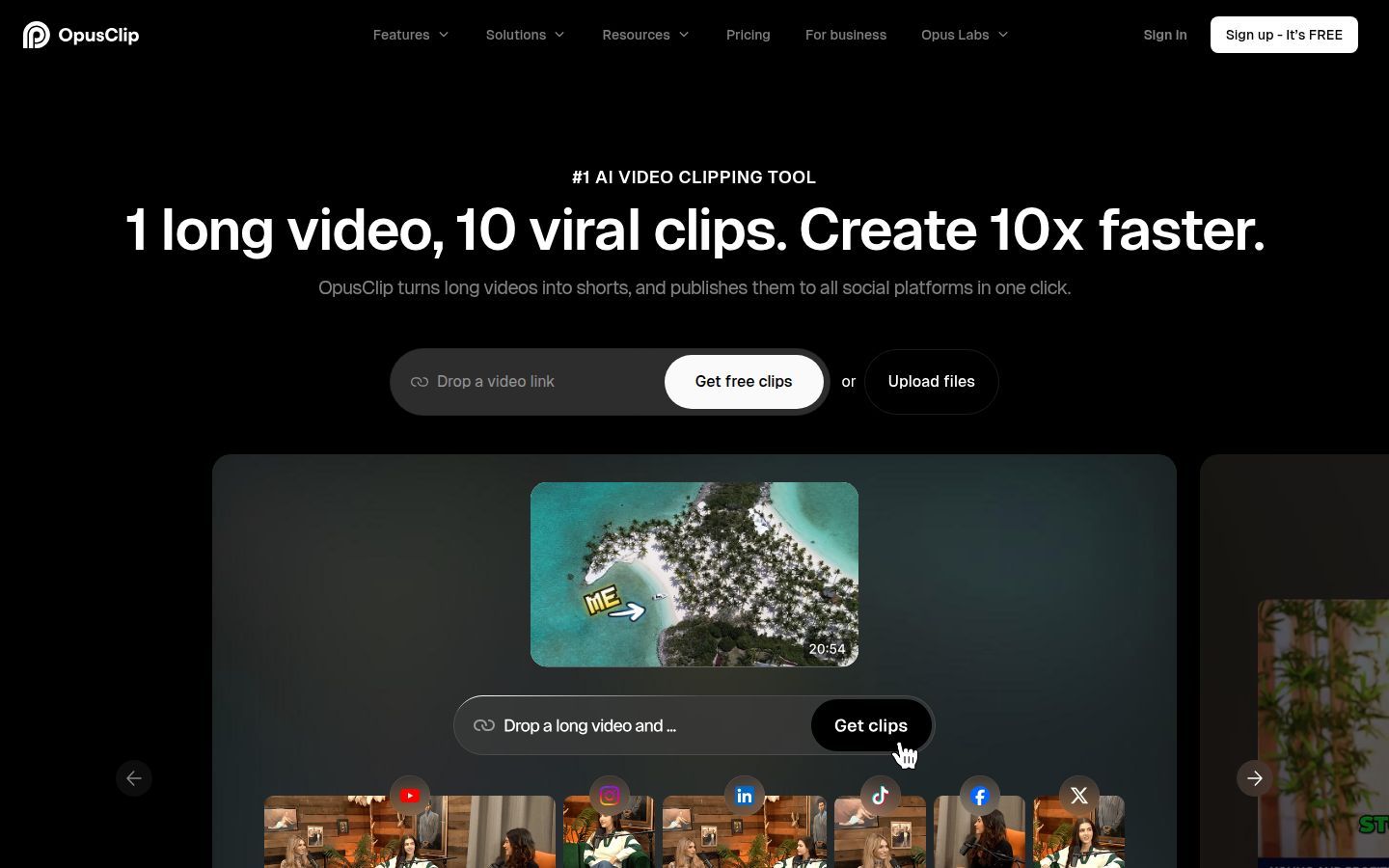
Opus Clip takes one long video and does the clipping work. It finds moments that can stand alone, cuts them into clips and captions them, with reframing for vertical video. Its homepage says it turns "1 long video" into "10 viral clips." Its feature list includes animated captions, AI reframe with subject tracking, brand templates and an AI editor.
Its pricing page lists Free, Starter at $15 a month, Pro at $29 a month and Business on custom pricing. A third-party breakdown, eesel, gives the limits: the Free plan has 60 processing minutes a month with watermarked exports that expire after 3 days. Starter has 150 minutes and watermark-free exports. Pro has 300 minutes, team seats and a social media scheduler, and it costs $14.50 a month billed yearly.
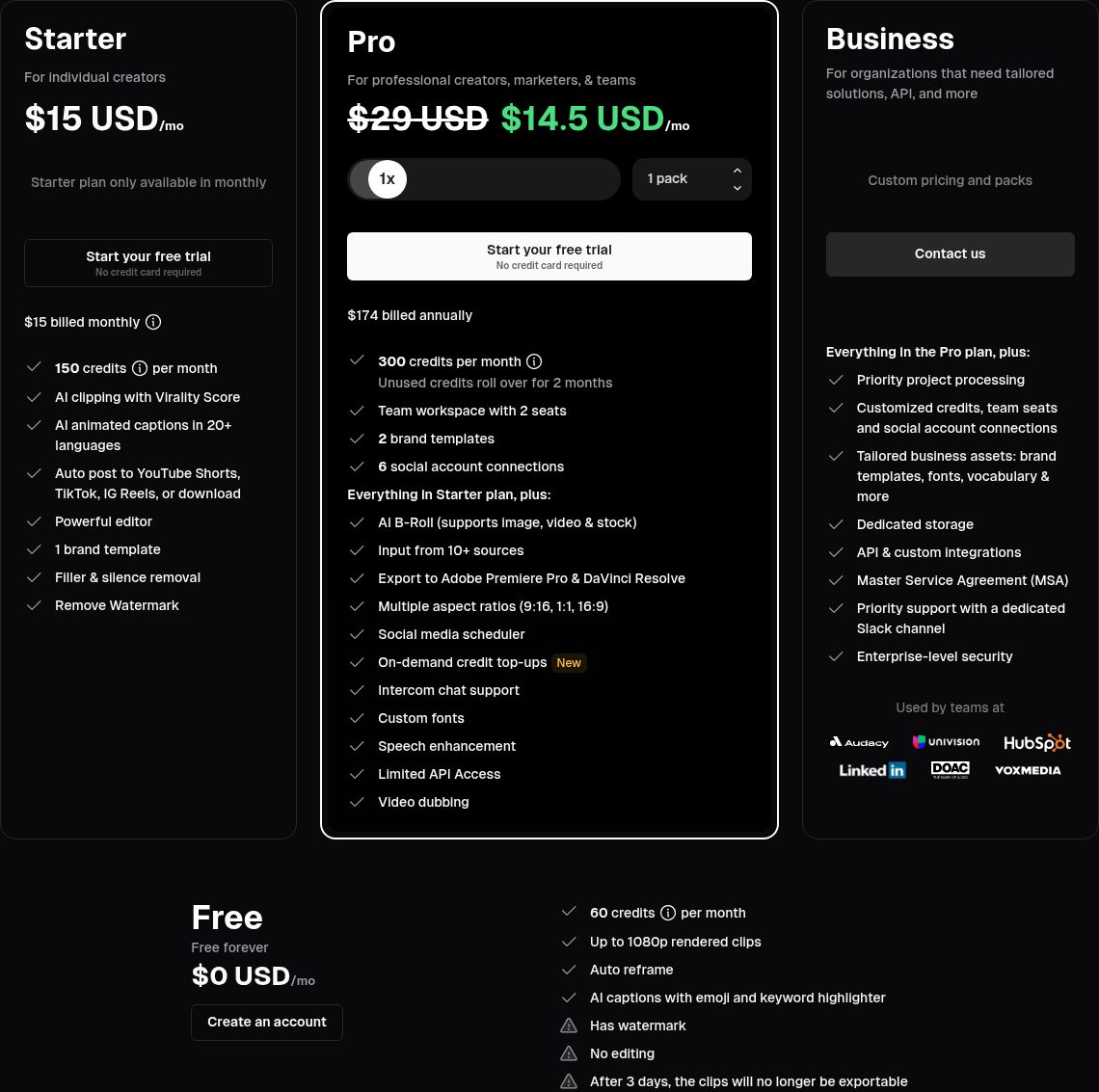 OpusClip's pricing page with the plan list
Opus Clip's strengths are the clipping and the mobile apps. It has an iOS app and an Android app on Google Play. On the Pro plan it imports from YouTube, Google Drive, Vimeo, Zoom and other sources. G2 reviewers often praise how quickly it gives a first pass of clips from a long recording. Its homepage says it supports English, German, Spanish, French, Portuguese and 20 more languages.
Its limits for this reader:
- The Free plan has a watermark, no editing and exports that expire after 3 days.
- Reviews are split on clip selection. One Fastlane review calls it strong for talking-head and podcast content. The same review says selection is hit or miss on content that isn't talking-head.
- It is built around finding clips in long footage. If you have one raw talking-head video, you use a smaller part of what it does.
Opus Clip suits podcasters, webinar hosts, livestreamers and teams that cut many clips from long recordings, and anyone who wants a phone app.
Sycamore

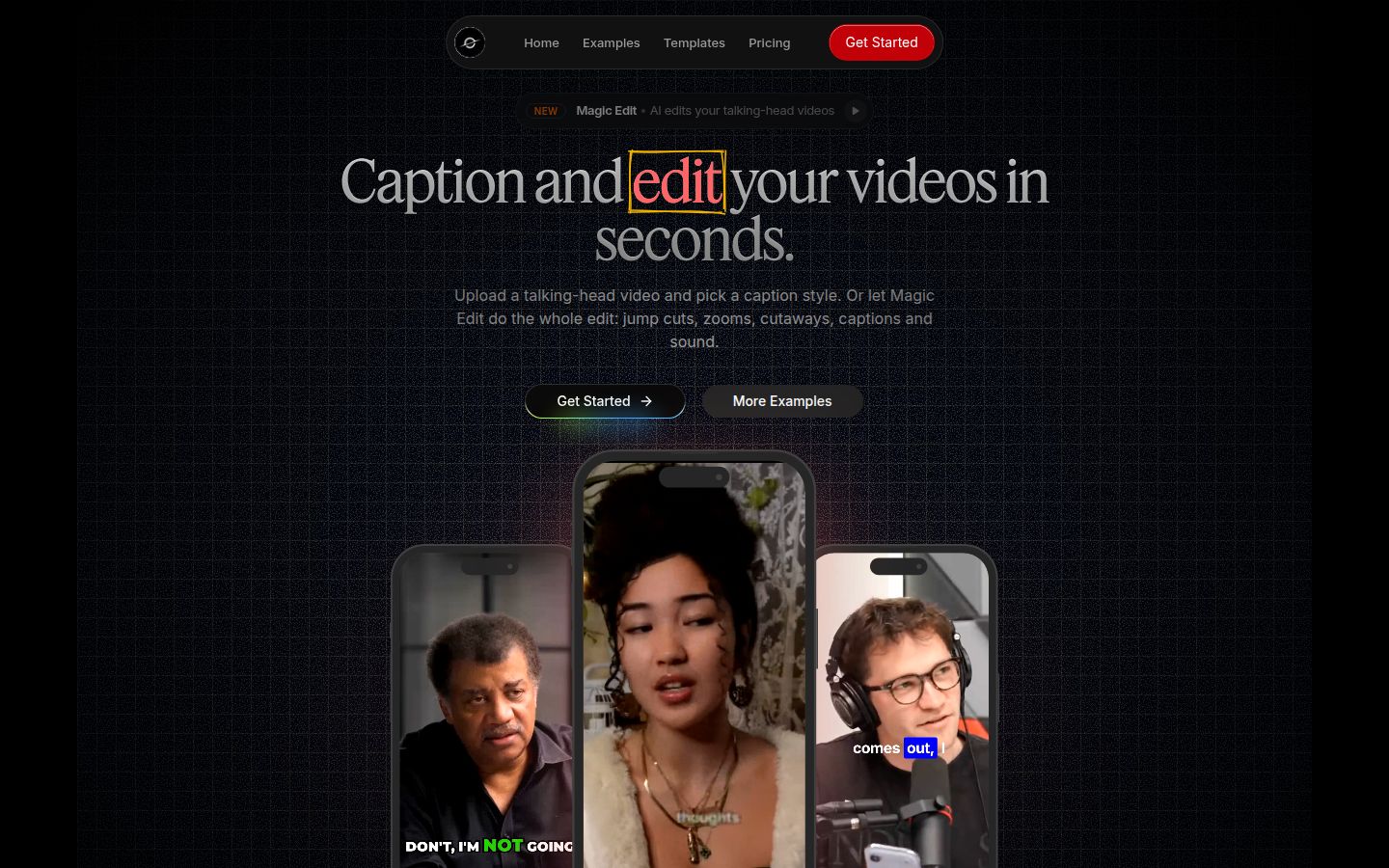
Sycamore is a web app that turns one raw talking-head recording into a finished, captioned short. It runs in the browser, so there is nothing to install. You can upload MP4, MOV, WebM or MP3 files up to 2 hours long.
Magic Edit does the first pass. It cuts out silences and filler words, adds word-synced captions, puts emphasis on key lines, adds zooms and drops in full-screen text for the big moments. You pick one of two edit styles, Apollo or Hermes. Then you review the edit, and each line can be set to Normal, Emphasis, Full screen, Number, List or Label before you export.
You can also edit captions yourself. Every word is timed in the transcript, so you can fix a word and keep the timing. You can change fonts, colors, size, animation and position, save a look as a preset, and export an MP4 in 9:16, 1:1 or 16:9.
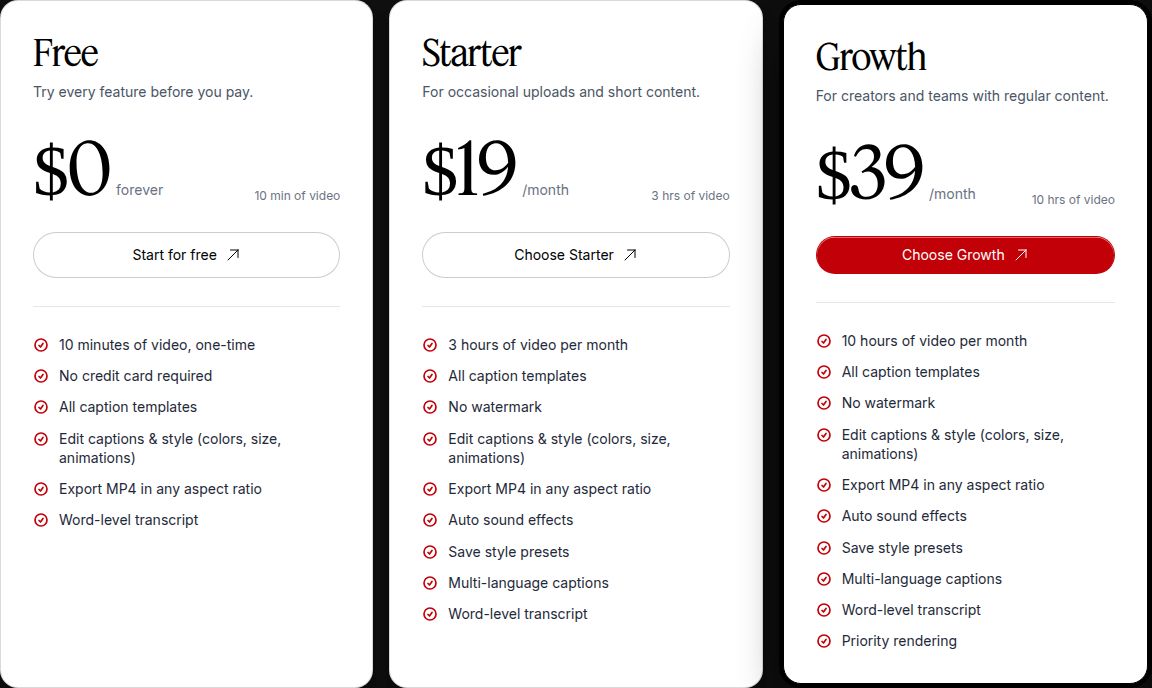 Sycamore's pricing page with the Free, Starter and Growth plans
The plans are priced by minutes of video, as of October 2026. The Free plan gives 10 minutes of video, one time, with no credit card. Starter is $19 a month for 3 hours of video. Growth is $39 a month for 10 hours and adds priority rendering. Paid plans export without a watermark.
Sycamore is strongest in three places. It edits the whole raw video, not just the captions, in one pass. You review a plain-words edit before export, so you stay in control of the result. And it does one job, talking-head shorts, so there is less to learn than in a full video editor.
Its limits for this reader:
- Transcription is English only.
- It edits the video you give it. It doesn't cut a long recording into many shorts.
- There is no mobile app. It works in a phone browser.
- There is no B-roll library, no AI avatars or voice, no auto-posting and no SRT or VTT caption file export.
Sycamore suits founders, coaches, educators and podcasters who film one talking-head video at a time, post in English on TikTok, Reels, Shorts or LinkedIn, and want a plain-words edit to review before they export. If you want to compare it with other options, our best Submagic alternatives guide covers more tools.
Editing: one video or one long recording
Opus Clip is built around clipping. You give it a long video and it returns several shorts. Submagic and Sycamore edit the video you give them. For long recordings, Submagic offers its Magic Clips add-on. Sycamore doesn't cut a long recording into many shorts.
For one 3 to 5 minute talking-head video, the question is how much control you want over the cut. Sycamore's Magic Edit gives you an edit you can read line by line, with each line's style set. Submagic's editor works from the transcript: you cut and trim by editing the text, and remove silences on the Pro plan.
Captions: all three animate words, and the controls differ
All three tools animate captions, so the choice comes down to what you can change and which languages you need.
Opus Clip has animated captions, an AI emoji and keyword tool, and a way to change or remove captions. Its help center also lists brand templates for fonts, colors and logos. Its homepage says it supports English, German, Spanish, French, Portuguese and 20 more languages.
Submagic has AI captions and an auto-zoom feature. Its G2 listing describes transcription in 48 languages. Pro adds caption translation.
Sycamore has word-by-word captions with editable words, a full set of style controls and saved presets. Its transcription is English only.
If you post in a language other than English, Sycamore is not the right fit today. Check your language in each tool's free trial before you commit.
Pricing: each tool counts something different
The three tools don't measure usage the same way, so a price comparison needs a units check.
- Submagic counts video uploads: 15 on Starter, 40 on Pro, 100 on Business. Annual billing lowers the monthly price.
- Opus Clip counts credits, which it lists as processing minutes: 60 on Free, 150 on Starter, 300 on Pro.
- Sycamore counts minutes of video: 3 hours on Starter, 10 hours on Growth.
As an example, eight 5-minute videos a month adds up to 40 minutes of footage. Sycamore's Starter covers that with room to spare. Submagic's Starter covers eight uploads. For Opus Clip, check the plan page to see how many processing minutes a 5-minute video uses, because the number depends on how it counts the work.
On list price, Opus Clip's Starter is $15 a month and Submagic's is $19, with Sycamore's Starter at $19. The lower sticker price doesn't settle the choice, because the plans include different tools and count different units.
Ease of use and phones
All three are easy to start. Opus Clip's G2 reviewers mention ease of use and time saved most often. Submagic's text-based editing will feel familiar if you already edit by reading a transcript. Sycamore's Magic Edit shows its edit as lines you can read and change.
The phone question has one clear answer. Opus Clip has apps on iOS and Android. Submagic and Sycamore are web apps: you can open them in a phone browser, but editing is designed for a computer. Submagic's help center says so directly, and Sycamore is a web app with no mobile app.
Output quality: test it on your own footage
We did not run a blind test for this post, so we won't say which caption looks better. Caption quality depends on your voice, accent, jargon and the room you film in, and a general review can't tell you that.
Run one test with the same 3 to 5 minute clip in each free plan:
- Sycamore: the free 10 minutes, one time, no card.
- Opus Clip: the Free plan, which has 60 credits and a watermark on export.
- Submagic: the free trial, 3 short videos, with a watermark on export.
Check four things: whether the captions get your words right, whether the cut keeps the pauses you want, whether the zooms and cutaways feel right, and whether the export has a watermark you'd need to remove.
Which one should you pick
If you have long recordings and want many clips, pick Opus Clip. It is built to find shorts inside a podcast, webinar or stream, and it has apps for phones. If your library is mostly long footage, start there. If your footage is mostly one talking-head video at a time, Sycamore or Submagic will fit better.
If you film one talking-head video at a time and want a clean edit to review, try Sycamore first. It edits the whole raw video in one pass, shows you the edit in plain words, and has a free 10 minutes with no card. Its limit is English-only transcription, so it's not the right pick for other languages.
If you want the most tools on one video, pick Submagic Pro. Filler and silence removal, eye contact correction and caption translation are on Pro. The Magic Clips add-on covers longer recordings. Choose Starter only if you don't need filler removal, and keep your count of uploads in mind.
If you're on a phone most of the time, choose Opus Clip. It is the only one of the three with a native iOS and Android app. Submagic and Sycamore both work in a phone browser, but you'll edit on a computer.
If you need B-roll, AI voice or auto-posting, check the list before you buy. Submagic and Opus Clip both list B-roll features on their current feature pages. Sycamore has no B-roll library, AI voice or auto-posting, so choose another tool if those matter to you.
Start with the free plans. Run the same clip through each one, then pick the tool that gave you the edit you'd post.
FAQ
Is Submagic or Opus Clip cheaper?
On list price, Opus Clip's Starter is $15 a month and Submagic's Starter is $19. The plans count different units, though: Submagic counts video uploads, Opus Clip counts processing minutes. Compare the units before you compare the price.
Does Submagic have a free plan?
Submagic offers a free trial, not a free plan. You can upload 3 short videos and edit them without a credit card, but downloads carry a watermark until you subscribe.
Does Opus Clip have a free plan?
Yes. Opus Clip's Free plan gives 60 credits a month, with watermarked exports and no editing. Exports on the Free plan expire after 3 days, according to a third-party breakdown of its plans.
Can I edit talking-head videos on my phone with Submagic or Opus Clip?
Opus Clip has apps for iOS and Android. Submagic has no native mobile app; you can use your phone browser to upload, then open the project on a computer to edit.
Which tool works best for one raw talking-head video?
Submagic and Sycamore both edit a single uploaded video. Sycamore's Magic Edit cuts silences and filler words in one pass, then shows you the edit to review before export. Opus Clip is built to find clips inside long recordings.
Does Sycamore support languages other than English?
No. Sycamore's transcription is English only. Opus Clip and Submagic both support more languages, so check your language in each free trial.
Does Submagic remove filler words?
Filler word and silence removal is on Submagic's Pro plan, according to a third-party pricing guide. It is not on Starter.