If you film yourself talking and post short videos, most of your editing time goes to the same boring jobs: cutting pauses, removing the bad takes, adding captions, and reframing the shot to vertical. AutoCut is built to take those jobs off your hands. It is a plugin, not a standalone app. It sits inside Adobe Premiere Pro or DaVinci Resolve and runs the repetitive first pass on the timeline you already work in.
We make Sycamore, so read our section with that in mind. We have described every tool in this post the way its own pricing and feature pages describe it, as of October 2026, and we have said where each one is the better choice.
The short verdict
AutoCut is worth paying for if you already cut in Premiere Pro or DaVinci Resolve and film talking-head videos every week. The AI Plan covers silence removal, captions, auto zoom, bad-take removal and vertical resizing, all without leaving your timeline.
Skip it if you don't own Premiere or Resolve, if you edit on a phone or a Chromebook, or if you make one or two videos a month. The cheaper Basic plan only removes silence. Captions are on the AI Plan.
If you want a finished edit from a browser, with nothing to install, Sycamore is the closer fit. Descript suits people who want to edit by reading a transcript. Submagic suits people who care most about caption styles and posting from one place.
AutoCut at a glance
| AutoCut | |
|---|---|
| What it is | AI plugin for Adobe Premiere Pro and DaVinci Resolve |
| Works on | macOS 13 or later, Windows 10 or later |
| Free option | 14-day free trial, no credit card |
| Basic plan | $79 a year billed yearly, or $9.90 a month billed monthly. Silence removal only |
| AI Plan | $178.80 a year billed yearly (about $14.90 a month), or $19.80 a month billed monthly. All ten tools |
| Captions | AutoCaptions in 80-plus languages. Advanced AutoCaptions with 90-plus editable presets for Reels and TikTok |
| Host editors | Premiere Pro 2023 to 2026, DaVinci Resolve 18.6 to 21 |
| Main limit | Needs a licensed host editor. No browser or phone version |
AutoCut
AutoCut logo Visit autocut.com
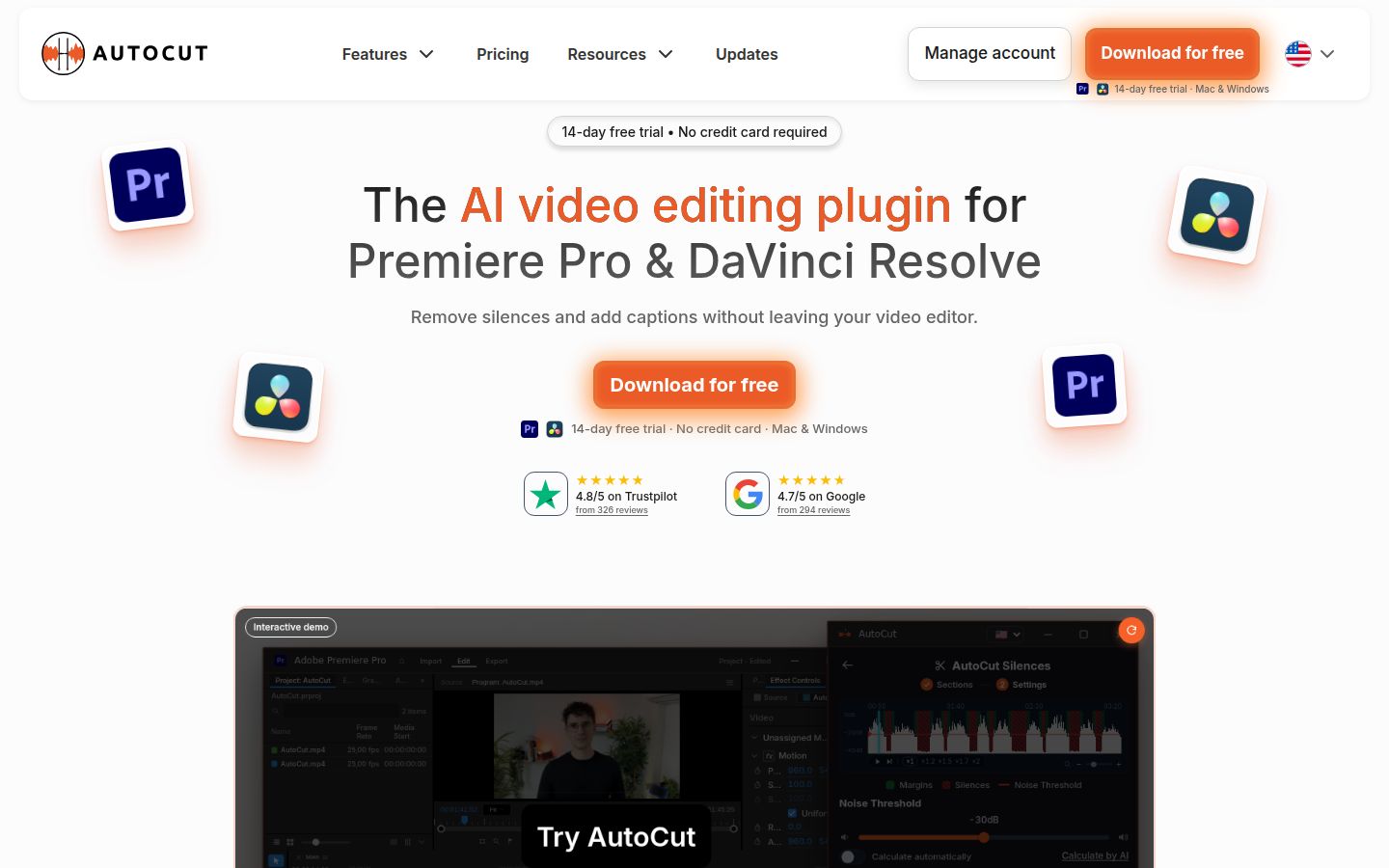
AutoCut describes itself as the AI video editing plugin for Premiere Pro and DaVinci Resolve. You install it, open its panel inside your editor, and run one tool at a time on your sequence. Your project, your effects and your export settings stay where they are.
What AutoCut does well
- Silence removal on the timeline. AutoCut Silences can work on the whole timeline, on in and out points, or on selected clips. It can calculate the noise threshold for you, and it offers four actions: remove silences, keep them, mute them, or remove them while keeping some space. It can also add J-cuts and L-cuts so the audio leads into the next shot.
- Captions you can edit. Advanced AutoCaptions transcribes your audio, lets you fix a word in the transcript, and comes with more than 90 presets for Reels and TikTok. The standard AutoCaptions mode supports 80-plus languages. That is the widest language list in this comparison.
- Vertical resizing. AutoResize can reframe a horizontal sequence to a vertical format and follow the speaker with AI subject tracking.
- A set of extra tools. AutoZoom adds punch-in zooms. AutoCut Repeat removes bad takes. AutoProfanity Filter censors swear words. AutoChapters adds chapter markers to long videos. AutoCut Podcast and Angles handle multi-camera and podcast workflows. AutoB-Rolls adds stock B-roll from Storyblocks.
Where AutoCut falls short
- You need a host editor. AutoCut only runs inside Premiere Pro or DaVinci Resolve, and you need a supported version of one of them. If you film on a phone and want to edit in a browser, it is not the right tool.
- The cheap plan is silence only. The Basic plan includes AutoCut Silences and nothing else. Captions, Podcast and the rest are on the AI Plan.
- There is no free plan. The 14-day trial is the free option, and it has no credit card requirement.
AutoCut pricing
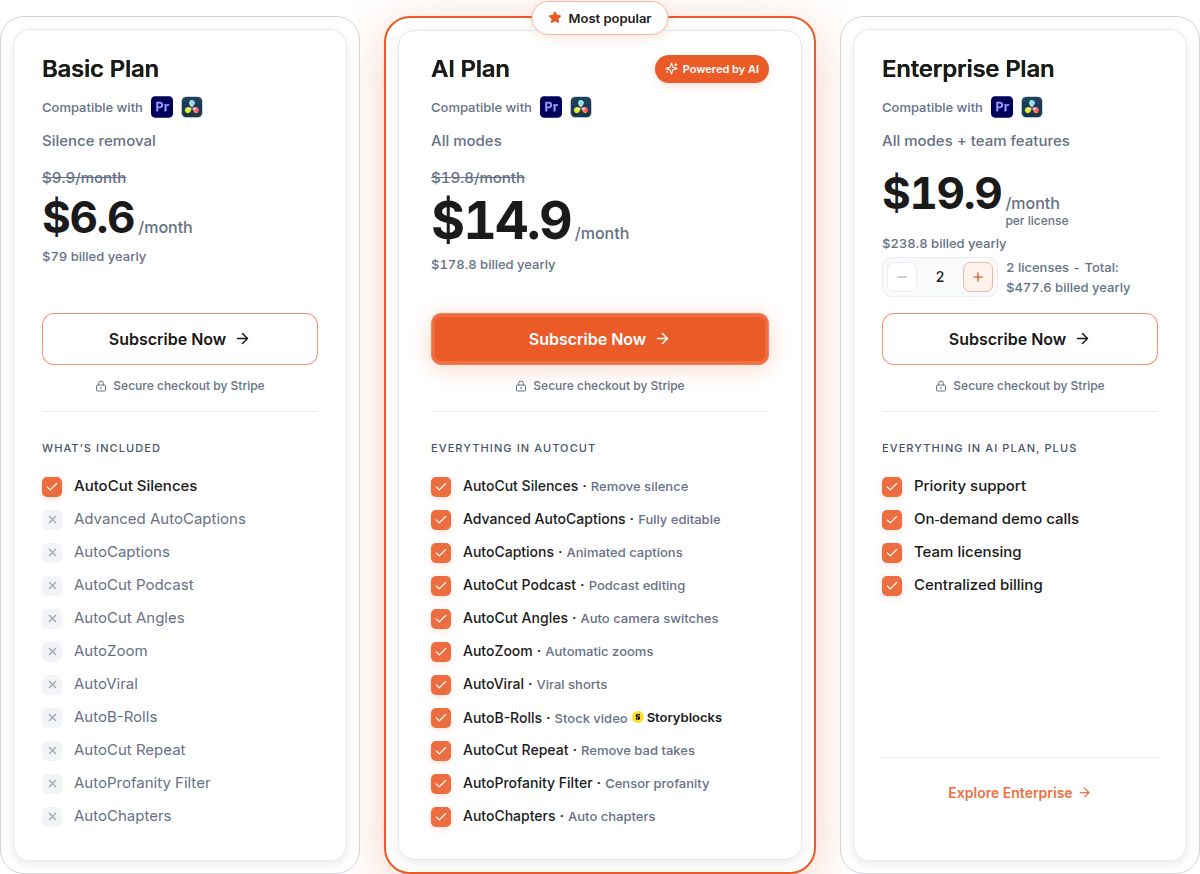 AutoCut's pricing page showing the Basic and AI plans
AutoCut has two plans. The Basic plan costs $79 a year billed yearly, or $9.90 a month billed monthly. The AI Plan costs $178.80 a year billed yearly, which works out to about $14.90 a month. Billed monthly, it is $19.80.
Whether that is worth it depends on how many videos you cut. If you cut two or three talking-head videos a month, the silence and caption tools on the AI Plan save you a real chunk of time on each one. If you cut one video a month, a 14-day trial lets you test it on your own footage before you pay.
Sycamore
Sycamore logo Visit sycamore.to
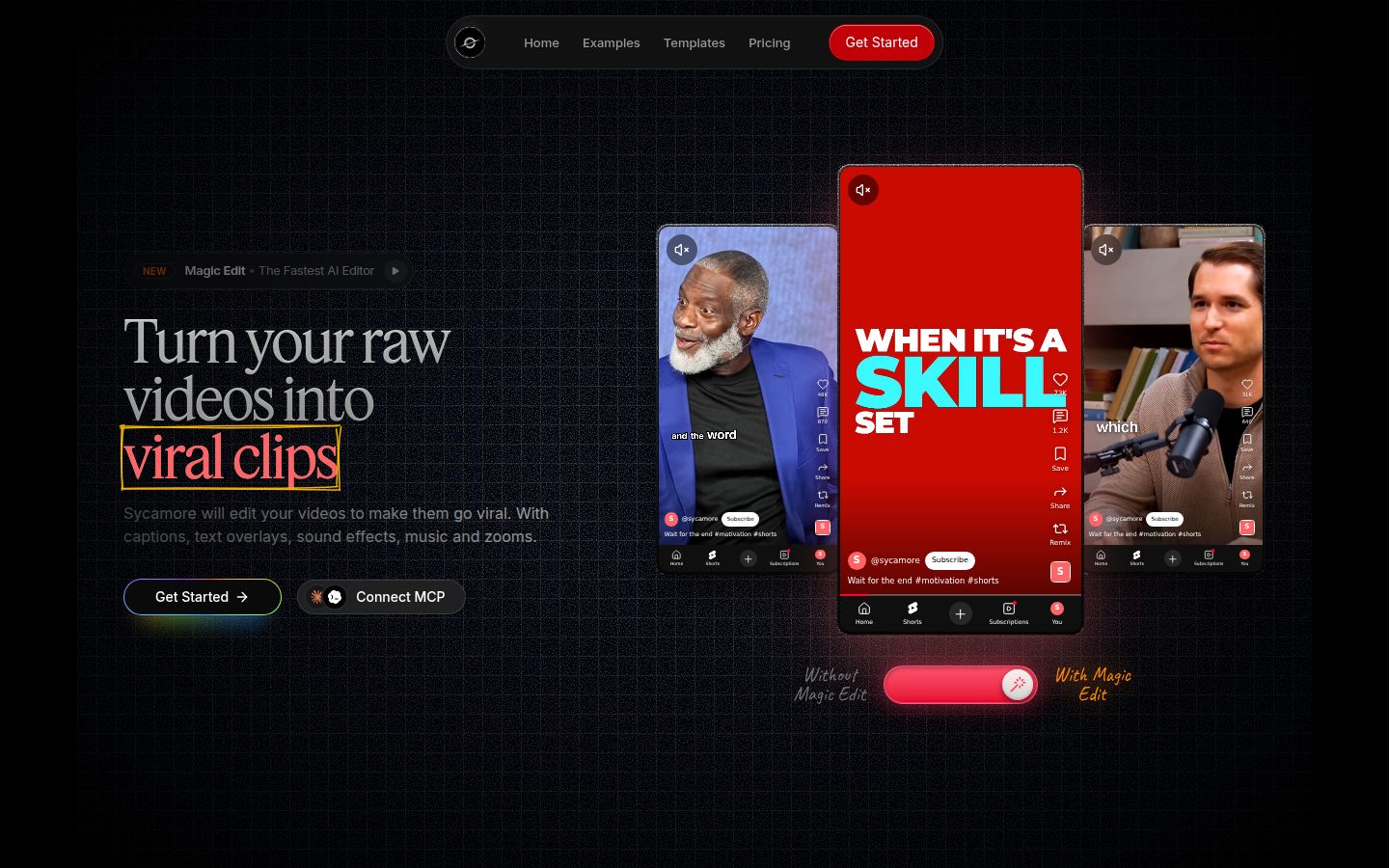
Sycamore is an AI video editor for talking-head videos. You upload raw footage of yourself talking as an MP4, MOV, WebM or MP3 file, up to 2 hours long. Magic Edit then cuts silences and filler words, adds zooms and punch-ins, highlights key lines, adds full-screen text for big moments, shows numbers and lists on screen, and adds word-by-word captions.
You pick one of four edit styles: Apollo, Hermes, Athena or Helios. You review the result and change anything you want before you export. It runs in your browser, so there is nothing to install.
What Sycamore does well
- It edits the video, not just the captions. You get cuts, zooms, emphasis, cutaways and captions in one pass. That is the work you would otherwise do by hand in CapCut or Premiere, or pay an editor to do.
- You edit in plain words, not on a timeline. Each line can be set to Normal, Emphasis, Full screen, Number, List or Label. You can switch the edit style without starting over.
- Captions you can fix. Edit any word, change the font, colors, size, animation and position, and save a look as a preset.
- Export in any shape. You can export an MP4 in 9:16 for Shorts, Reels and TikTok, 1:1 for the feed, or 16:9 for YouTube.
- Simple pricing by hours of video. You get 10 minutes free, one time, with no credit card. Starter is $19 a month for 3 hours of video with no watermark. Growth is $39 a month for 10 hours, with no watermark and priority rendering.
Sycamore is built for founders, coaches, educators, podcasters and creators who post to TikTok, Instagram Reels, YouTube Shorts and LinkedIn. It suits people who want a polished look without learning a full editor.
Where Sycamore falls short
- Transcription is English only. If you post in another language, Sycamore is not the right tool for captions.
- It is not a timeline editor. You can't fine-tune frame by frame in a timeline the way you can in Premiere or with AutoCut. It also doesn't cut one long video into many clips, add B-roll, or write your hook or script. It edits the footage you give it.
Adobe Premiere Pro
Adobe Premiere Pro logo Visit adobe.com/products/premiere
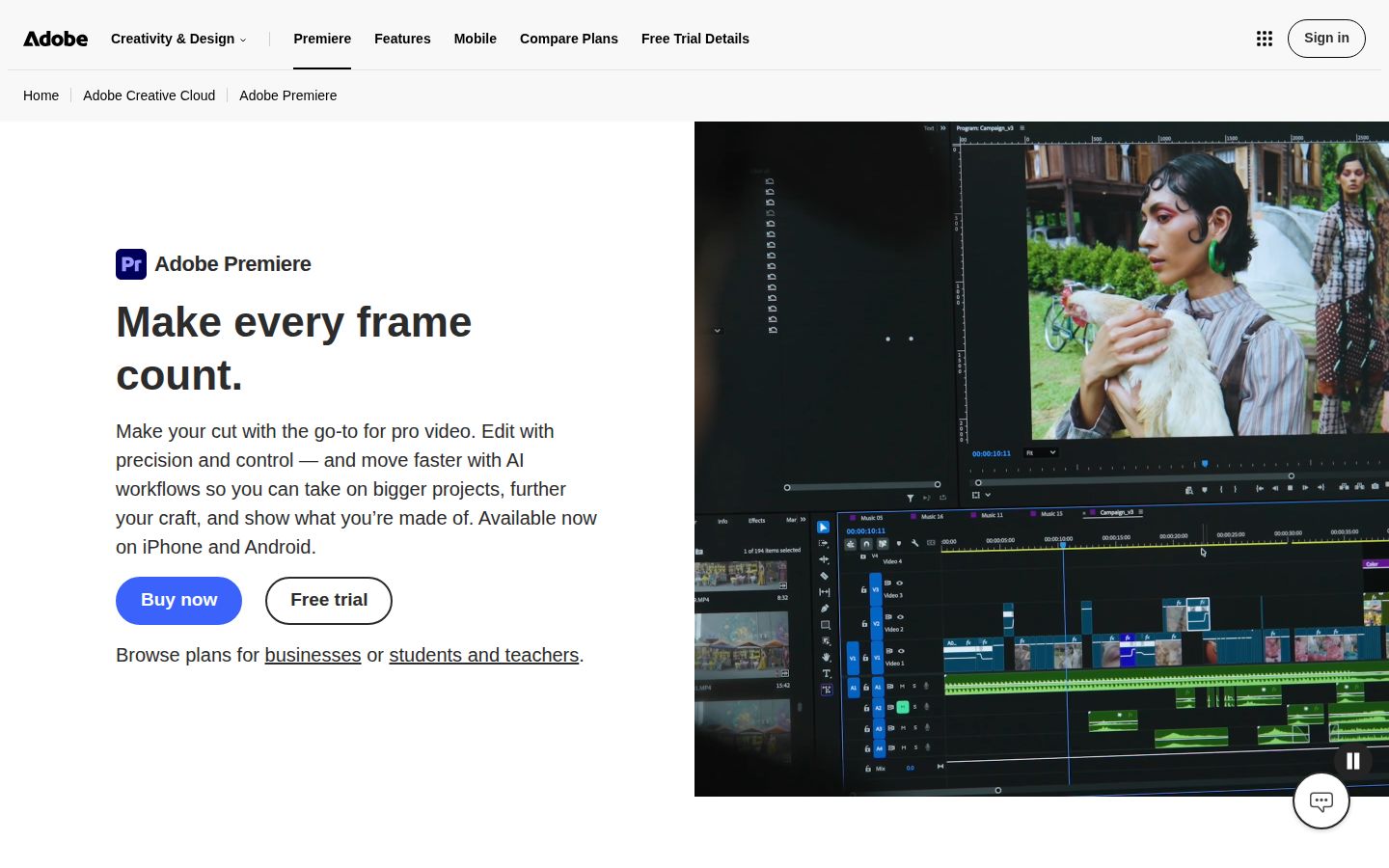
Premiere is the editor AutoCut plugs into, so it belongs in this comparison. Premiere's Text-Based Editing can detect pauses in a transcript and bulk delete pauses, filler words or text. If you already pay for Premiere, you can remove a lot of silence with no extra purchase.
Premiere's single-app plan starts at $22.99 a month for individuals on an annual plan billed monthly. Adobe also offers a free trial. Premiere gives you full control over every frame. Its tools are general purpose, so setting up a talking-head short takes more clicks than with a plugin built for that job.
Descript
Descript logo Visit descript.com
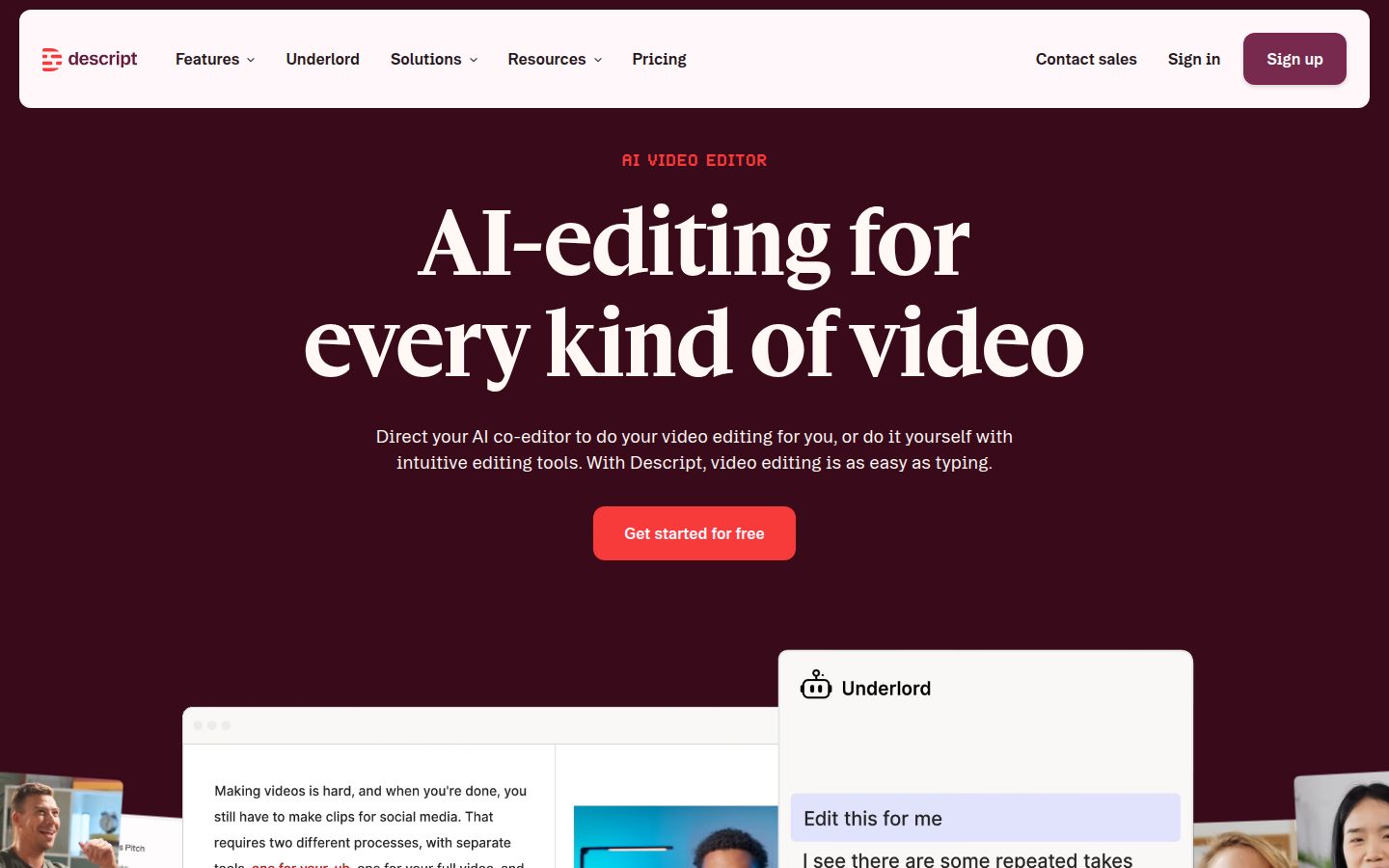
Descript is an AI video and audio editor built around the transcript. You edit the text and the video follows. Its tools include Studio Sound, Remove Filler Words, Remove Retakes and Create Clips, along with recording tools for podcasts and video calls. Descript is a standalone app, not a plugin.
Descript's Free plan is $0. Hobbyist is $16 a month billed yearly, or $24 billed monthly, for 10 media hours a month. Creator is $24 a month billed yearly, or $35 billed monthly, for 30 media hours and 4K export. Business is $50 per person a month billed yearly.
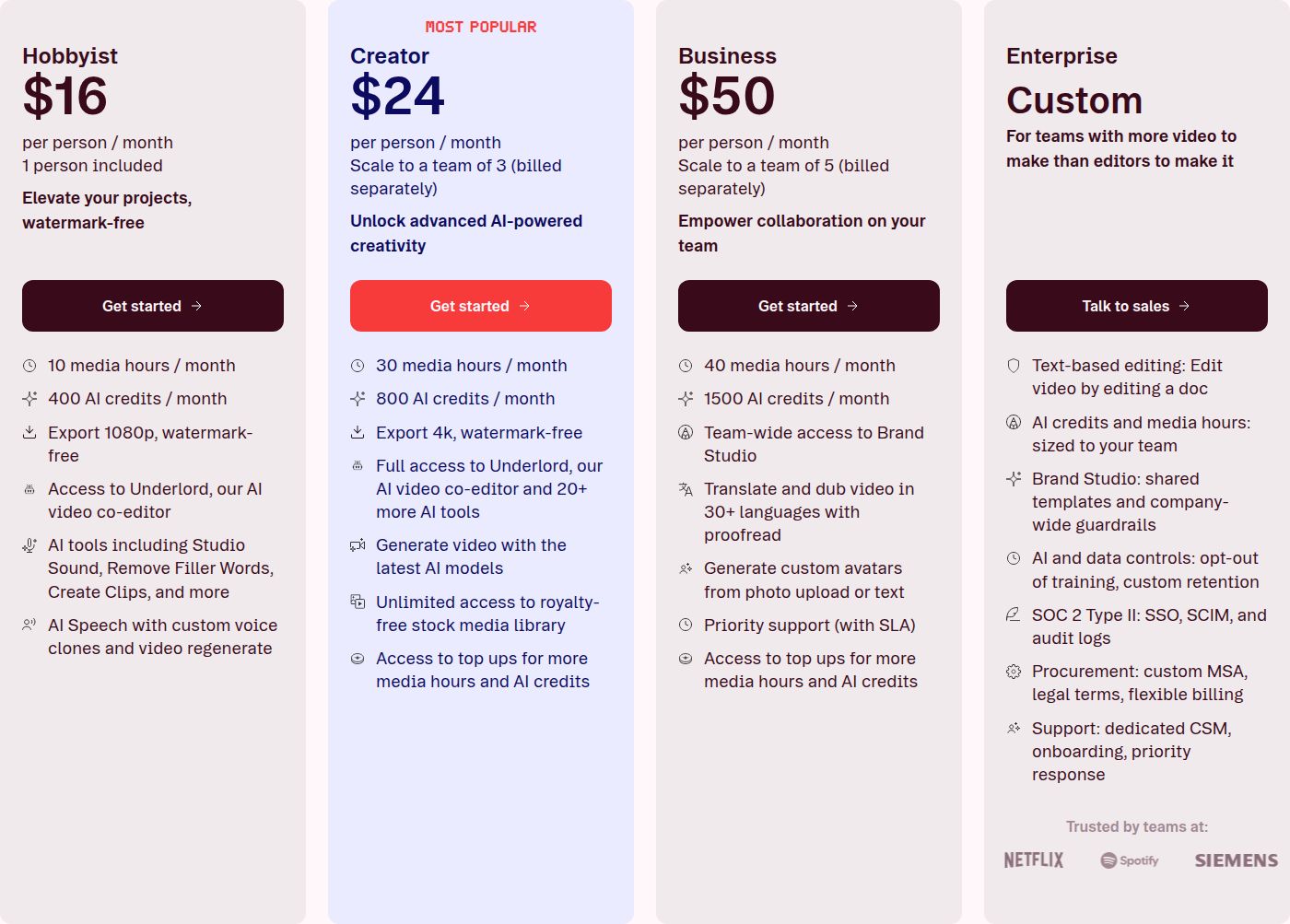 Descript's pricing page showing the Hobbyist plan
Descript is the better pick for interviews, podcasts and training videos, where the transcript is the main way you work. Its limit for this comparison is that it is a separate app. If your footage lives in Premiere or Resolve, you move files in and out to use it.
Submagic
Submagic logo Visit submagic.co
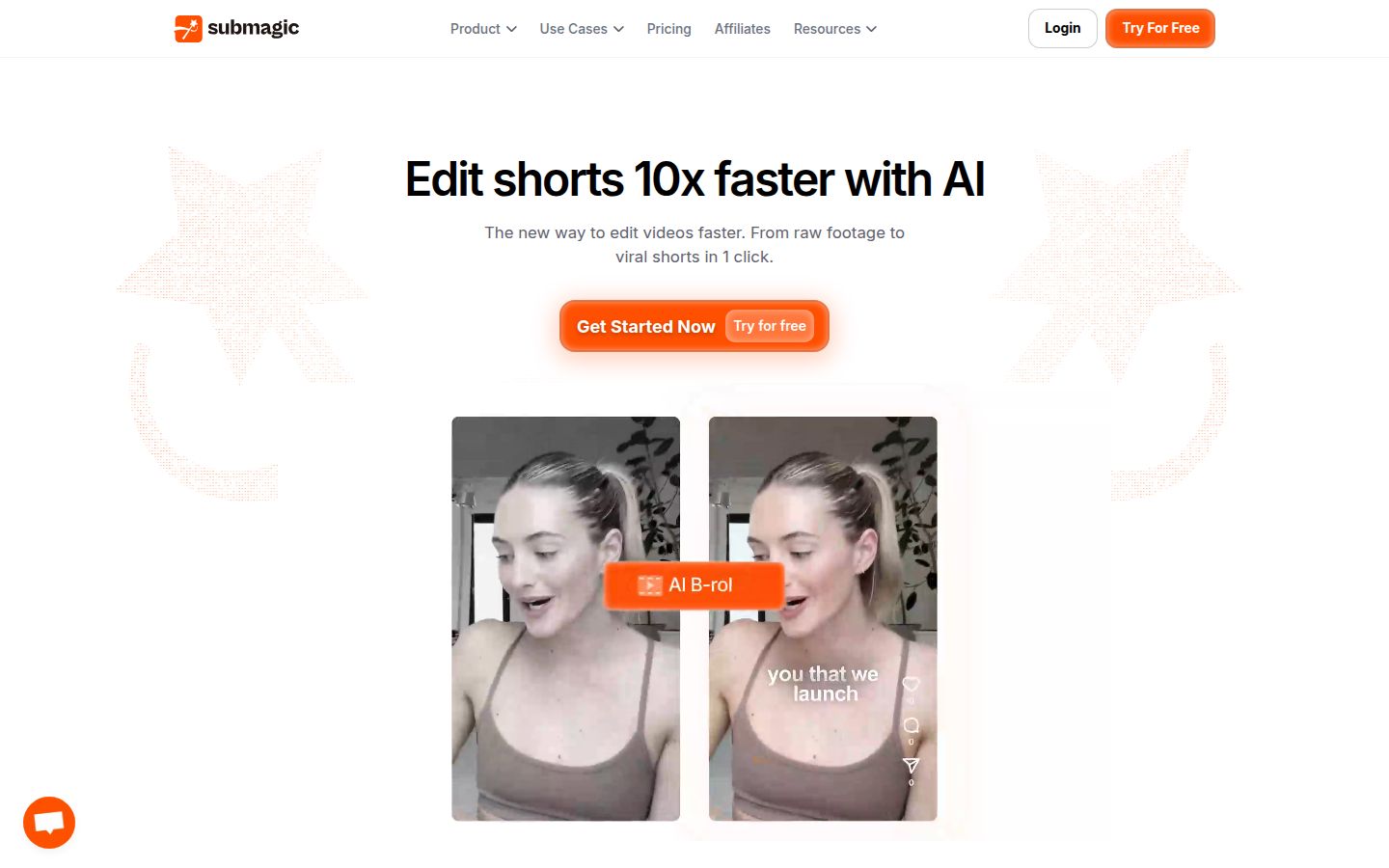
Submagic is a caption-first editor for short videos in a browser. It covers AI captions, B-roll, sound effects, background music, auto zooms and a social media scheduler. The Pro plan adds filler word and silence removal, bad-take detection, and AI eye contact correction.
The free plan includes 3 videos a month with a watermark, and each video can be up to 90 seconds. Starter is $19 a month, or $12 a month billed yearly. Pro is $39 a month, or $23 billed yearly. Business is $69 a month, or $41 billed yearly.
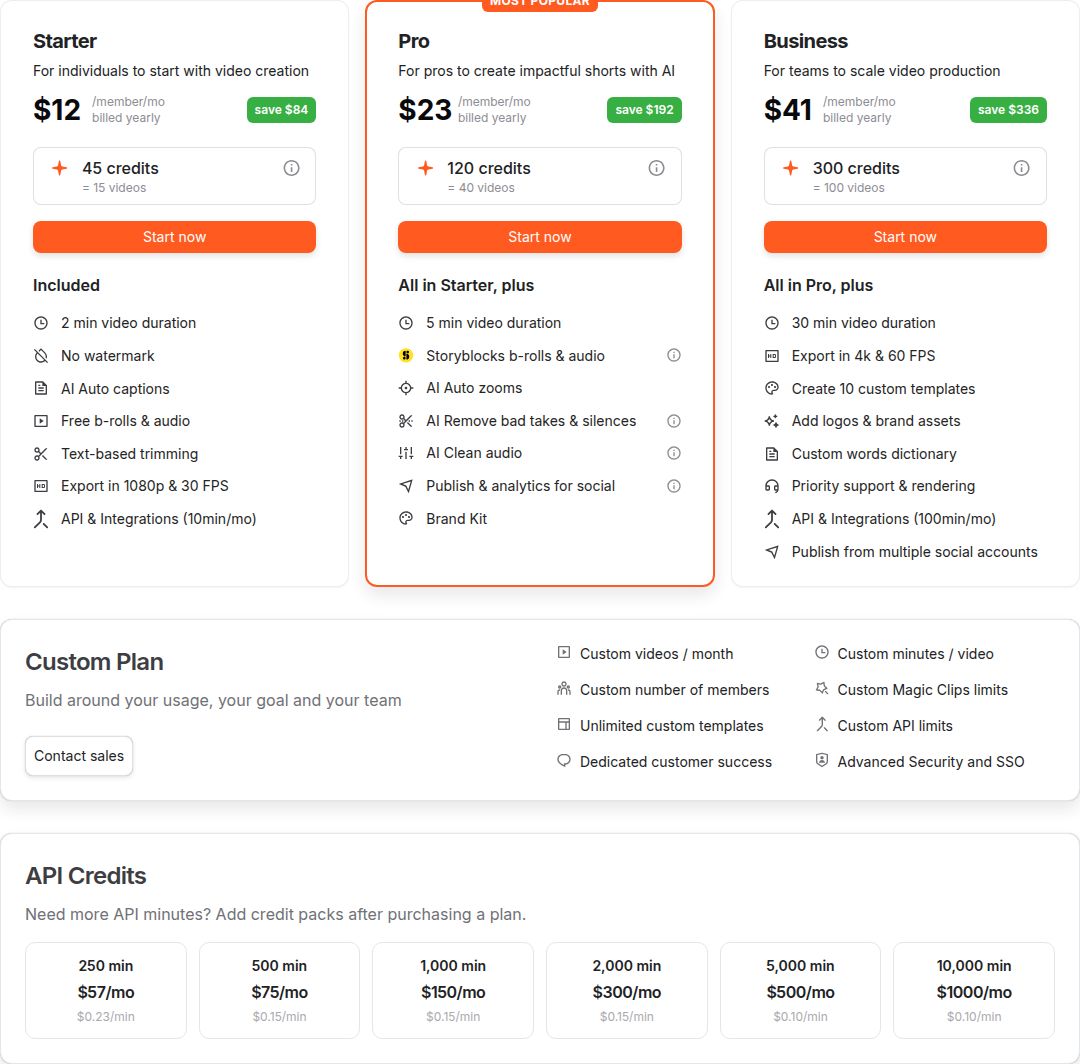 Submagic's pricing page with plan names
Submagic is a strong pick if you want many caption styles, sound and music in the same tool, and publishing from one place. Its plans limit how many videos you can make and how long each one can be, so check the plan against your weekly output.
How the tools compare on price and setup
| Tool | What you need | Free option | Starting price (October 2026) | Best for |
|---|---|---|---|---|
| AutoCut | Premiere Pro or DaVinci Resolve | 14-day trial, no card | $9.90 a month (Basic), $19.80 a month (AI Plan) | Editors who already cut in Premiere or Resolve |
| Sycamore | A browser | 10 minutes, one time, no card | $19 a month (Starter), $39 a month (Growth) | Talking-head creators who want a finished edit |
| Premiere Pro | A Premiere subscription | Free trial | $22.99 a month (single app, annual plan billed monthly) | Full timeline control |
| Descript | Its own app | Free plan | $16 a month (Hobbyist, billed yearly) | Transcript-first editing, podcasts and interviews |
| Submagic | A browser | 3 videos a month, with a watermark | $19 a month (Starter, billed monthly) | Caption styles and publishing |
The price gap between AutoCut and Sycamore comes from how each one works. A year of AutoCut's AI Plan billed yearly costs $178.80. A year of Sycamore Starter billed monthly costs $228, for 3 hours of video a month. AutoCut works on your own timeline in software you already have. Sycamore gives you a finished edit from a browser.
Which one to pick, by kind of reader
- You cut in Premiere or Resolve every week. Pick the AutoCut AI Plan and test it on your own footage during the 14-day trial. If you only need silence removal, the Basic plan costs less. If you already pay for Premiere, try its Text-Based Editing first.
- You film on a phone and don't use Premiere or Resolve. Pick Sycamore. Start with the 10 free minutes. Starter fits about 3 hours of video a month, and Growth fits 10 hours.
- Your videos are mostly interviews, podcasts or training. Pick Descript. Editing from the transcript is its strength.
- You want caption styles and posting in one tool. Pick Submagic, and check its video limits against how many videos you post each month.
- Your captions need a language other than English. Choose AutoCut, which lists 80-plus languages. Sycamore's transcription is English only.
- You post a few videos a month. Try the free options first. A free plan or trial lets you test on your own footage before you pay for anything.
If you want to compare more tools before you choose, see our guide to the best apps for editing talking-head videos and our comparison of Descript and Premiere Pro for talking-head videos.
FAQ
How much does AutoCut cost in 2026?
AutoCut's Basic plan is $79 a year billed yearly, or $9.90 a month billed monthly, and only includes silence removal. The AI Plan is $178.80 a year billed yearly, or $19.80 a month billed monthly, and includes all ten tools.
Is there a free version of AutoCut?
There is no free plan. AutoCut offers a 14-day free trial with no credit card required, on Mac and Windows.
Does AutoCut work without Premiere Pro or DaVinci Resolve?
No. AutoCut is a plugin that runs inside Adobe Premiere Pro (versions 2023 to 2026) or DaVinci Resolve (versions 18.6 to 21), so you need a supported version of one of them.
Which AutoCut plan includes captions?
Captions are on the AI Plan, not the Basic plan. The AI Plan includes AutoCaptions in 80-plus languages and Advanced AutoCaptions with more than 90 editable presets.
Is AutoCut better than Sycamore for talking-head videos?
It depends on your setup. AutoCut is better if you already edit in Premiere Pro or DaVinci Resolve and want to keep working on a timeline. Sycamore is better if you want a finished edit from a browser, with nothing to install, and you only need English captions.
Can I use Premiere Pro alone to remove silences?
Yes. Premiere's Text-Based Editing can detect pauses in a transcript and bulk delete them, along with filler words. Premiere's single-app plan starts at $22.99 a month for individuals on an annual plan billed monthly.