CapCut is the app most talking-head creators try first. It's free, the mobile app is a full editor, and it has more effects and templates than most people will ever use. The real question is whether the paid plan earns its monthly cost once you post several times a week, and whether CapCut is the right kind of tool for raw footage of you talking at all.
This review covers CapCut as it stands in November 2026. We also compare it with three tools creators often look at next: Sycamore, Descript and Submagic. We make Sycamore, so read our section with that in mind. We've tried to describe every tool the way we'd describe it to a friend, and we say plainly where another tool is the better choice.
The short verdict
CapCut is worth using for free, and worth paying for only if you use its premium templates or AI tools most weeks. It's a strong choice if you film on your phone and want to make each cut yourself. It's a weaker fit if you want a finished, animated edit from a long take without doing the cutting by hand.
- Great for: phone-first creators who like hands-on control, want a free editor with a mobile app, and already know their way around a timeline.
- Skip it if: you want raw talking-head footage turned into a finished, animated edit without cutting it yourself.
CapCut at a glance
| CapCut | Sycamore | Descript | Submagic | |
|---|---|---|---|---|
| Paid price, billed monthly (US) | Pro about $19.99/mo | Starter $19/mo, Growth $39/mo | Hobbyist $24/mo, Creator $35/mo | Starter $19/mo, Pro $39/mo |
| Cheaper if billed yearly | Pro $179.99/yr | Not listed | Hobbyist $16/mo, Creator $24/mo | Starter $12/mo, Pro $23/mo |
| Free option | Free editor, no time limit | 10 minutes of video, one time, no card | Free plan: 1 media hour a month, 720p with watermark | Free trial: up to 3 short videos, no card |
| How you edit | Timeline you cut by hand | Plain-word edit you review before export | Edit the transcript like a document | AI edit with options to change it |
| Captions | Auto captions, caption templates, animated styles | Animated, word-by-word captions in the edit | Captions included | Captions with templates; premium templates on Pro |
| Silence and filler-word removal | Filler-word tool on Pro | Built into the edit | Remove Filler Words on Hobbyist and up | On Pro and up |
| Main limit for talking-head work | You make every cut yourself | English-only transcription | Monthly media-hour cap | 2-minute clips on Starter |
Prices are US list prices in November 2026, billed monthly unless noted. Other countries and app stores can differ.
CapCut


CapCut is a video editor from ByteDance, the company behind TikTok. It runs on desktop, in the browser, on phones and on tablets. Most creators meet it on a phone, where the full editor sits next to the camera roll. It gives you a timeline, cuts, text, effects, transitions and a large template library, which is why so many short-form videos start there.
What CapCut does well for talking-head creators
- It's free to start. The free editor has basic editing tools and free templates. You can cut, add text, add captions and export without paying.
- You control every cut. The timeline lets you decide where each cut, zoom and text overlay lands. If you already think in clips and edits, this feels natural.
- It works on your phone. You can shoot, cut and post from one device. For many creators that's the biggest reason to pick it.
- Auto captions are built in. CapCut's help pages describe speech recognition on mobile, desktop and web, with caption templates and animated styles. You can correct words, re-split lines and re-run recognition when a caption is off.
- It has room to grow. If you later want motion tracking, a background remover or AI-generated visuals, they're all in the same app.
Where CapCut falls short for talking-head videos
- You do the editing. Finding a pause, deleting a filler word or trimming a rambling sentence is up to you on the timeline. That's fine for a creator who enjoys it. It takes time if you post every day.
- Some tools need Pro. Premium templates, premium effects and several AI tools sit on the Pro plan. If you export a video that uses Pro-only material without a Pro subscription, the export carries a watermark.
- Auto captions can miss words. CapCut's own help says recognition can get words wrong with background noise, accents, fast speech or low audio quality. You'll need to check and fix captions on most videos that have a noisy room or a fast delivery.
- It's a general editor. It's built for every kind of short video, so there are more options to learn before you find the few that matter for talking-head work.
Pricing and value: what CapCut costs in November 2026
CapCut has a free editor and paid tiers. The paid plans carry the features most talking-head creators are after. Here's how they break down.
- Free: $0. Basic editing tools and free templates. You don't need a card to start.
- Standard: listed at about $9.99 a month in the US on the App Store. It sits between Free and Pro and removes the watermark on some premium assets.
- Pro: listed at about $19.99 a month in the US, or $179.99 a year. Pro includes 1 TB of storage, 1,200 monthly AI credits, all premium templates and the premium Pro features. CapCut's pricing page also offers a 7-day free trial to new users.
The annual price rose in early 2026, and prices differ by country and by app store. Check the number at checkout before you commit to a year.
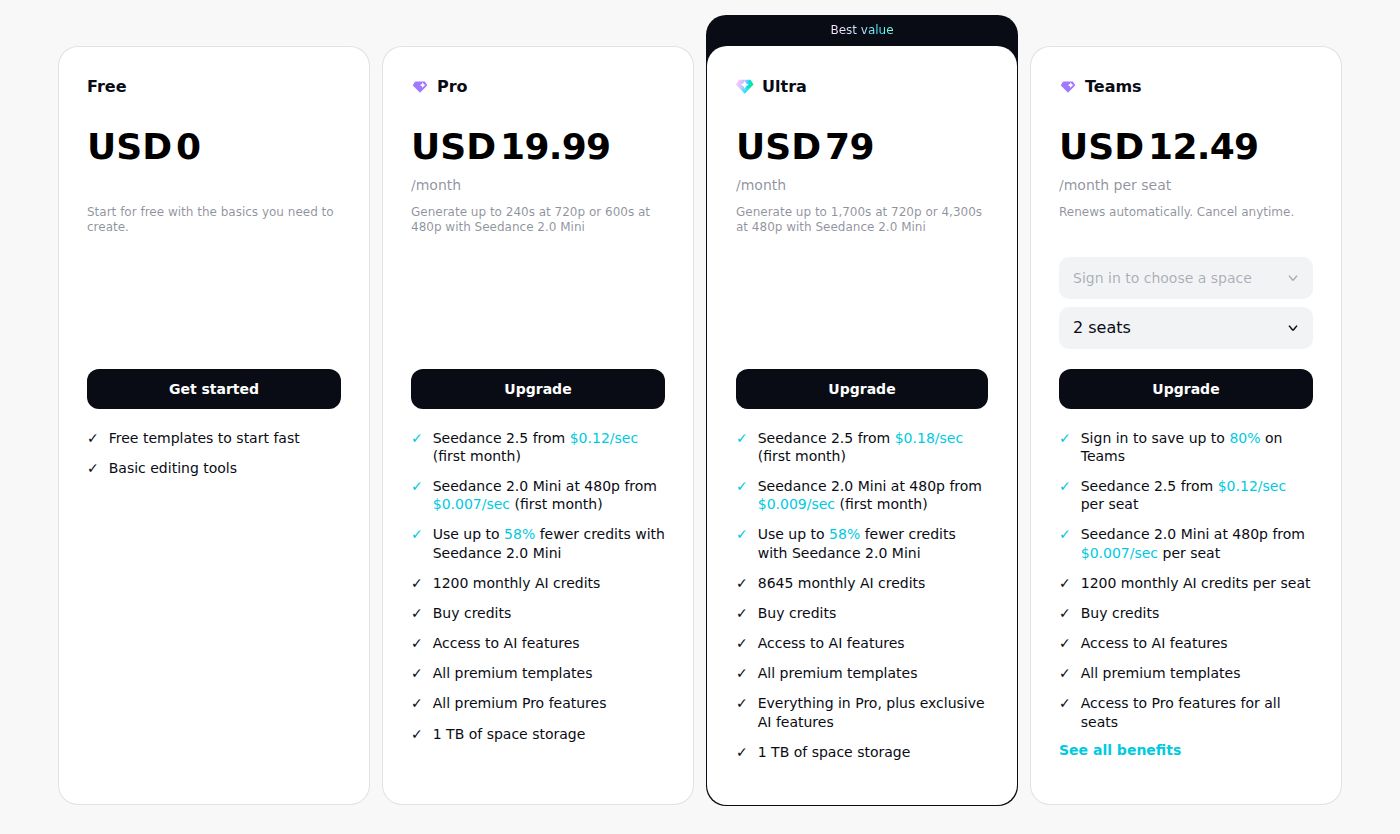 CapCut's pricing page, showing the Pro plan
Is Pro worth $19.99 a month? It depends on how often you use what Pro adds. Say you post two videos a week and Pro's templates and filler-word tool save you 20 minutes on each one. That's about 160 minutes a month. At $19.99, you're paying roughly $7.50 an hour for that time. If you post once a month, the free editor is probably enough.
Our suggestion: start on the free editor for two weeks. If you find yourself hitting Pro-only templates or wanting the filler-word tool every week, use the 7-day trial and decide on the monthly plan. Stay on monthly until you know you'll use it for a year.
How CapCut compares with the main alternatives
Each of these tools is good at something CapCut isn't built for. The comparison below is about fit, not which tool wins overall.
Sycamore

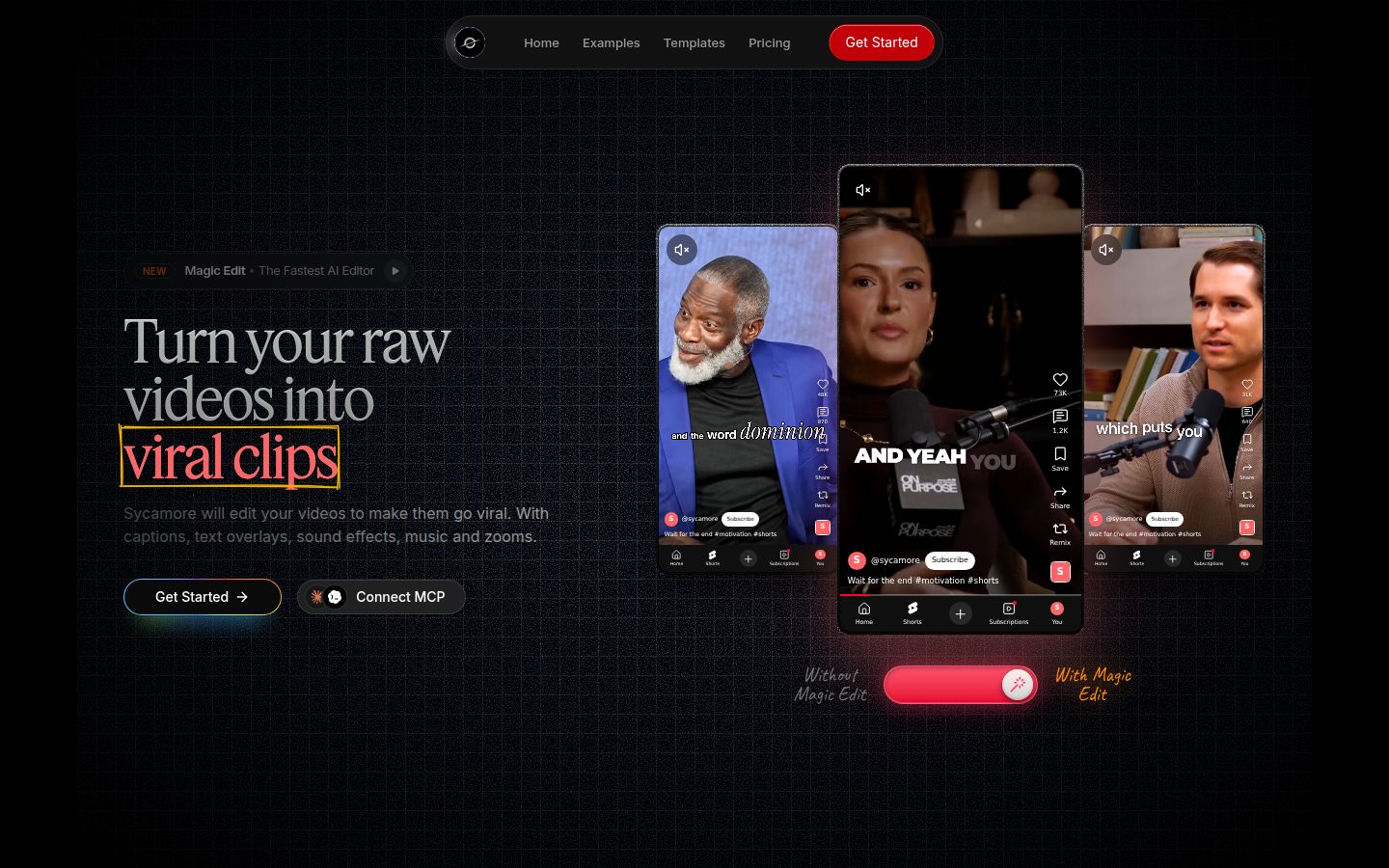
Sycamore is an AI video editor for talking-head videos. You upload raw footage of yourself talking, and it edits the video into a short-form edit built to hold attention. It runs in your browser, so there's nothing to install.
Magic Edit does the first pass. It cuts silences, filler words and dead air so the video moves. It adds zooms and punch-ins, emphasis on the key lines, full-screen text for the big moments, numbers and lists on screen, and animated captions that sync to each word. You pick one of four edit styles (Apollo, Hermes, Athena or Helios), then review the result before you export. You can switch styles without starting over.
The editor works in plain words, not a timeline. Each line can be set to Normal, Emphasis, Full screen, Number, List or Label. Captions can be edited word by word, and you can change fonts, colors, size, animation and position, then save a look as a preset. You export an MP4 in 9:16, 1:1 or 16:9.
Sycamore is a strong fit for founders, coaches, educators and podcasters who film themselves, want the edit done in one pass, and don't want to cut every pause by hand. You still review and change anything before export, so you stay in control of the result.
Where Sycamore is the wrong choice:
- Transcription is English only. If you need another language, pick a different tool.
- It edits the footage you give it. It doesn't write your script or hook, and it doesn't turn one long video into many shorts.
- It has no B-roll library, no AI avatars, no AI voice or dubbing, and no auto-posting or scheduling.
- It's a web app with no dedicated mobile app. If you want an app on your phone, CapCut is the better pick.
Pricing: a free trial with 10 minutes of video, one time, and no credit card. Starter is $19 a month for 3 hours of video, with no watermark. Growth is $39 a month for 10 hours, with no watermark and priority rendering. Uploads can be MP4, MOV, WebM or MP3, up to 2 hours each. Full details are on the Sycamore pricing page.
Descript

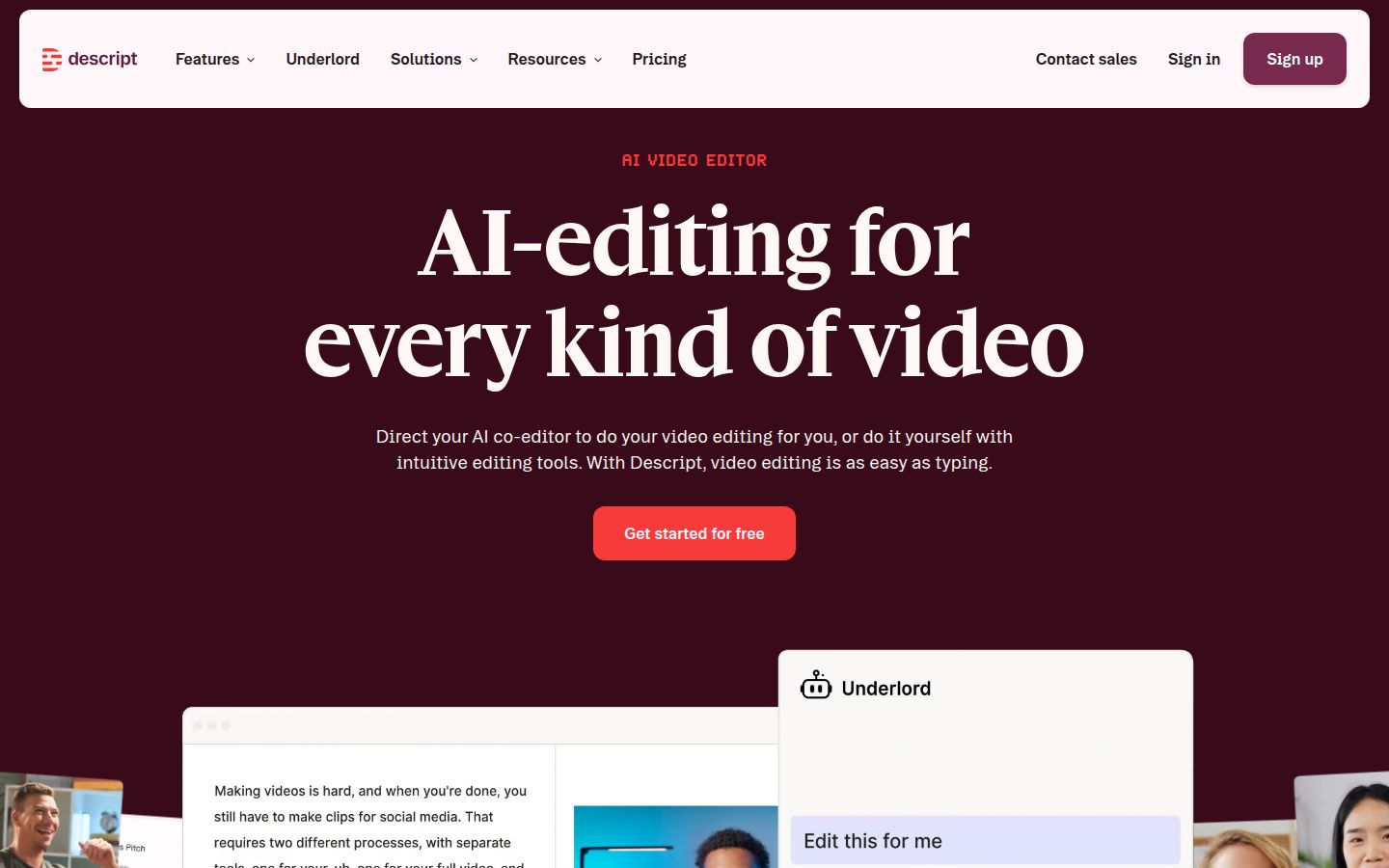
Descript is an audio and video editor that turns your recording into a transcript. You edit the video by editing the text. Delete a sentence in the transcript and that part of the video goes with it. It's a different way of working from CapCut's timeline, and many podcasters and interviewers prefer it.
Its Studio Sound tool cleans up audio, and Remove Filler Words is part of the Hobbyist plan and up. Create Clips is also on those plans. Underlord is its AI assistant for editing tasks.
Descript is the better pick for podcasters, interviewers and anyone with long recordings they need to cut down by quote. If your work starts with a transcript, the text-first model is hard to beat.
Its limits: the free plan gives you 1 media hour a month, with 720p exports that carry a watermark. The paid plans have a monthly media-hour cap, so heavy editors may need to top up. The text-first model is also a new way of working if you're used to a timeline.
Pricing: Hobbyist is $24 a month, or $16 a month billed yearly, for one person, with 10 media hours and 400 AI credits a month, 1080p and no watermark. Creator is $35 a month, or $24 billed yearly, with 30 media hours, 800 AI credits and 4K export.
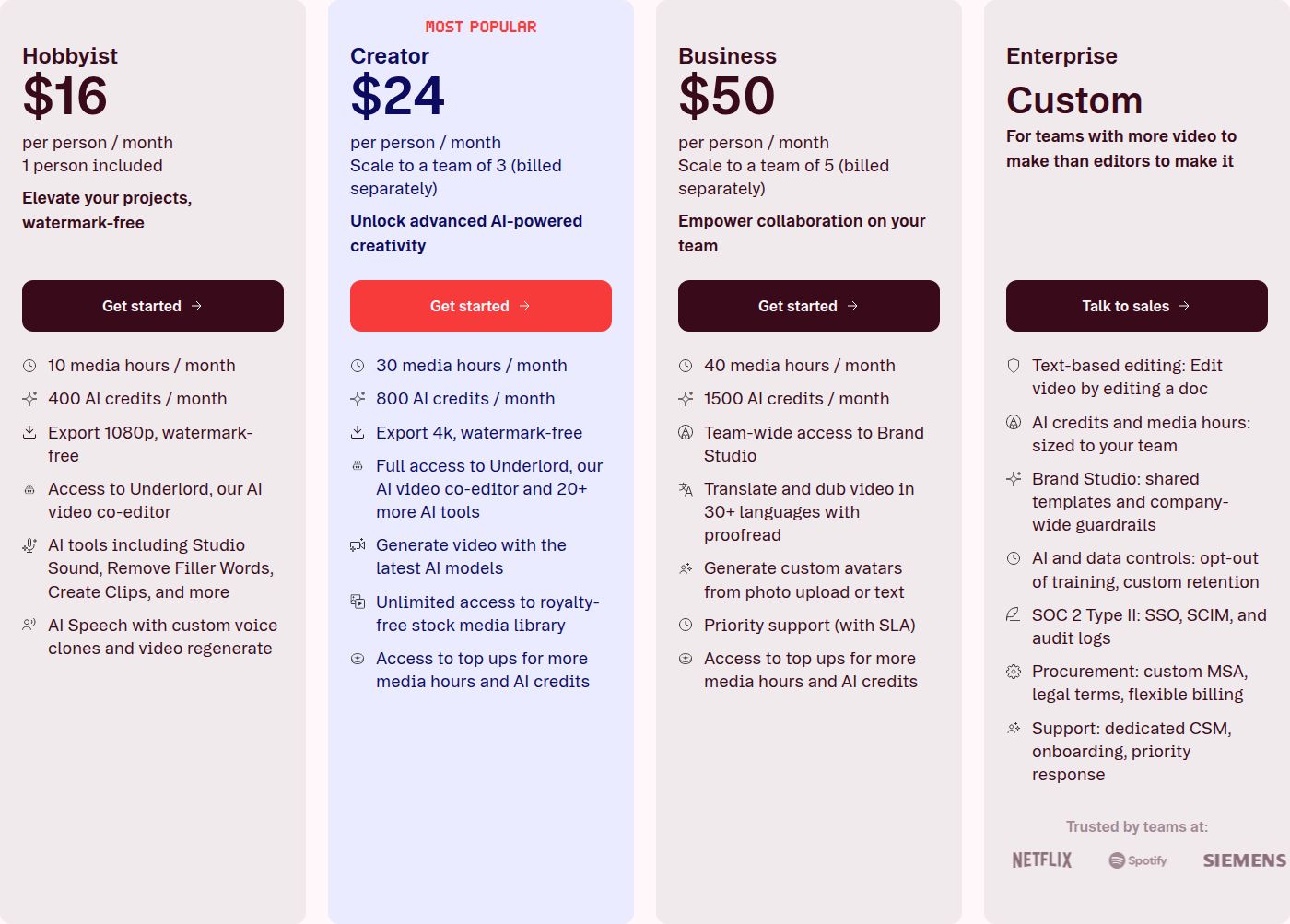 Descript's pricing page, showing the Hobbyist plan
Submagic

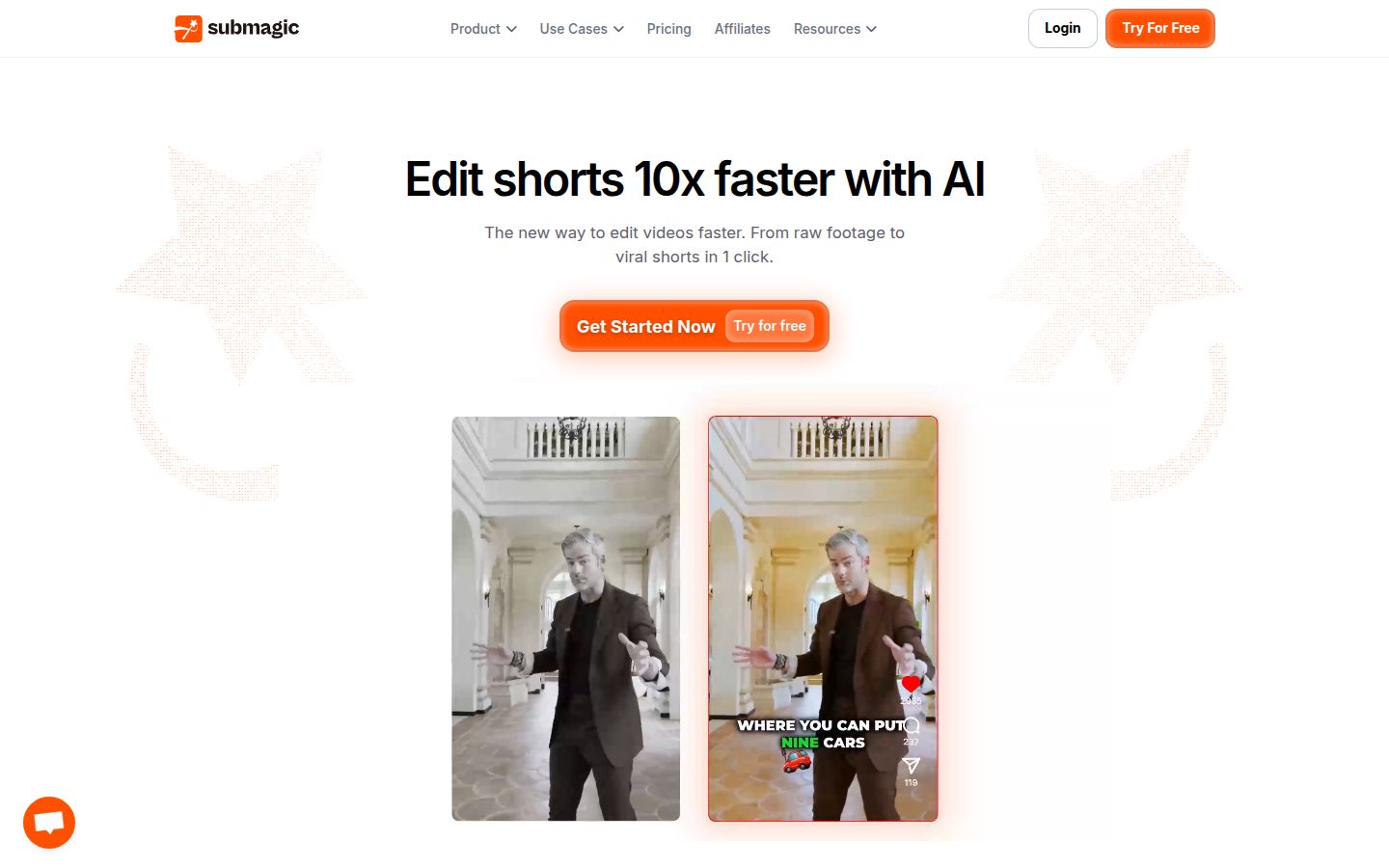
Submagic is an AI editor for short videos, with a long list of extras. It adds captions, auto zoom, and AI eye contact on the paid plans. It can remove silences, bad takes and filler words on Pro. It also offers B-roll, sound effects, background music and Magic Clips, which turns a long video into short clips. Pro includes publishing to one social profile per platform.
Submagic is the better pick for creators who want captions, B-roll, sound and publishing in one tool, or who record long videos and want clips from them.
Its limits: Starter covers videos up to 2 minutes, and Pro covers videos up to 5 minutes. Magic Clips is an add-on that costs $19 a month for 10 uploads on any plan. Pricing is per member.
Pricing: Starter is $19 a month, or $12 a month billed yearly, for 15 videos a month up to 2 minutes, in 1080p. Pro is $39 a month, or $23 billed yearly, for 40 videos up to 5 minutes, with AI eye contact, auto zoom, filler-word removal and custom fonts. Business is $69 a month, or $41 billed yearly. On the free trial you can edit up to 3 short videos without a card, and watermark-free downloads need a paid plan.
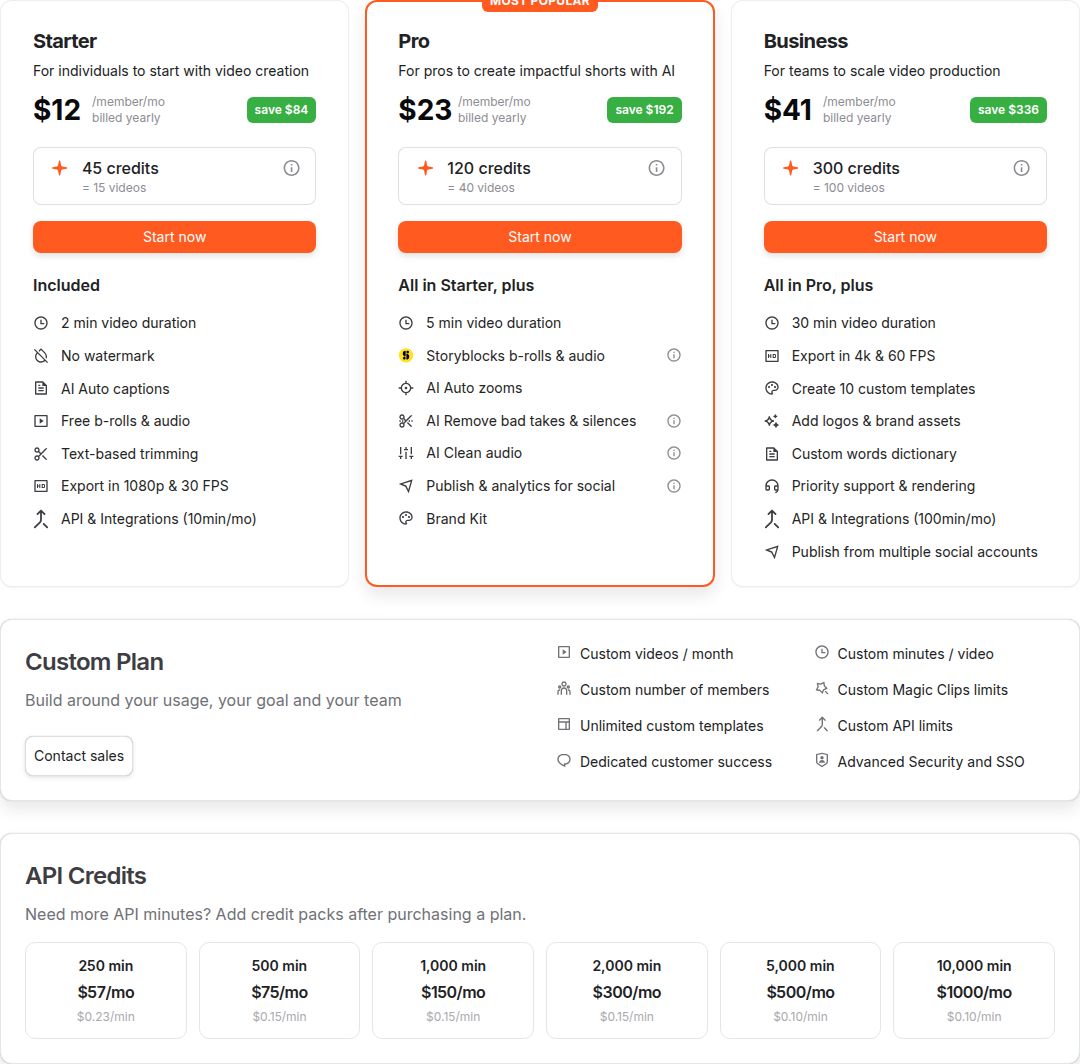 Submagic's pricing page, showing the Starter plan
Which tool to pick for your situation
Pick by the job you want done, not by which tool has the longest feature list.
- You film on your phone and want full manual control. Pick CapCut. Start on the free editor and move to Pro only if you use its paid templates and tools every week.
- You want your raw talking-head footage turned into a finished edit that you review before export. Pick Sycamore. Try the free 10 minutes first. If you need a language other than English or a mobile app, CapCut is the better fit. See how Sycamore compares with CapCut for talking-head videos.
- You edit podcasts, interviews or long recordings by quote. Pick Descript. Its text-first editing fits that work better than a timeline. Read Descript vs CapCut.
- You want B-roll, sound, clips from long videos and publishing in one tool. Pick Submagic. Its Pro plan covers a lot of social work in one place.
- You need a shared workspace with several editors. Look at CapCut's Teams plan or Descript's Business plan. Sycamore has no team or collaboration features.
If CapCut already fits how you work, keep using it. A tool that you already know how to use beats a new one with more features.
Compare plans on the Sycamore pricing page
FAQ
Is CapCut free for talking-head videos?
Yes. The free editor includes basic editing tools, free templates and auto captions, with no time limit. The paid Pro plan adds premium templates, AI tools and 1 TB of storage.
How much is CapCut Pro in 2026?
In the US, Pro is listed at about $19.99 a month or $179.99 a year as of late October 2026. Prices differ by country and app store, so check the figure at checkout.
Does CapCut add a watermark to exports?
Exports carry a watermark when they use Pro-only templates, effects or assets without a Pro subscription. Pro removes that watermark.
Is CapCut better than Sycamore for talking-head videos?
It depends on the job. CapCut gives you manual control and a phone app. Sycamore turns raw talking-head footage into a finished edit in one pass, and you review it before export, but it only transcribes English.
Is there a CapCut app for phones?
Yes. CapCut has a mobile app with the full editor, so you can shoot, cut and post from one phone.
Is CapCut cheaper than Descript?
On monthly billing, CapCut Pro at about $19.99 is less than Descript's Hobbyist plan at $24 a month. Descript's yearly price of $16 a month is lower than CapCut Pro's monthly price, but it is billed as a yearly commitment.